ProxymanApp
[BUG] Cannot toggle checkbox in Map Remote dialog by space key
Proxyman version? (Ex. Proxyman 1.4.3)
Version 3.4.0 (30400)
macOS Version? (Ex. mac 10.14)
mac 10.14.6
Steps to reproduce
- Open Map Remote dialog (command + option + R)
- Enter space key
Expected behavior
The checkbox of "Enable Map Remote tool" should be toggled. (Older version Proxyman behaves as this)
Screenshots (optional)

I've tested with the old version (3.3.0) and the "Enable Map Remote tool" checkbox doesn't enable if I hit CMD+T (To toggle the selected rule checkbox).
From what I know, the "Enable Map Remote tool" checkbox is only automatically enabled if we add a new entry (CMD+N).
However, your justification is reasonable. If we enable a selected rule (Space or CMD+T), the tool should be enabled too 👍

@NghiaTranUIT I notice that the checkbox of "Enable Map Remote tool" was controlled because of my configuration.
I enable "Use keyboard navigation to move focus between controls" option. Maybe this option makes the "Enable Map Remote tool" checkbox focusable.
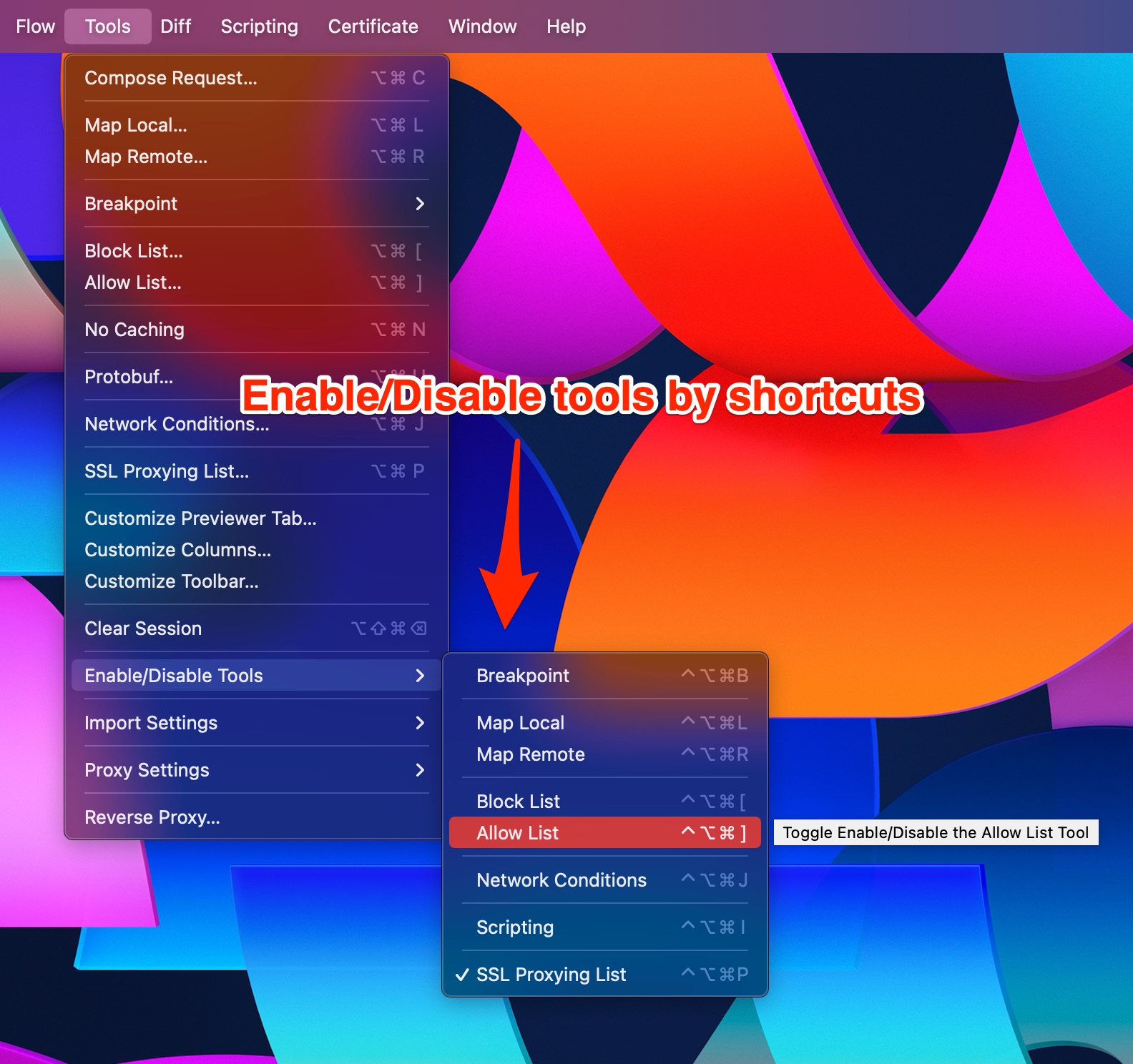
It's been a while and my opinion has changed. I want a shortcut to enable Map Remote tool without opening Map Remote dialog. Could you consider about this?
Currently, there is no shortcut to enable/disable the Debugging tool. To workaround, you can drag the Map Remote button from the Customized Toolbar. Toggle it will toggle the tool 👍
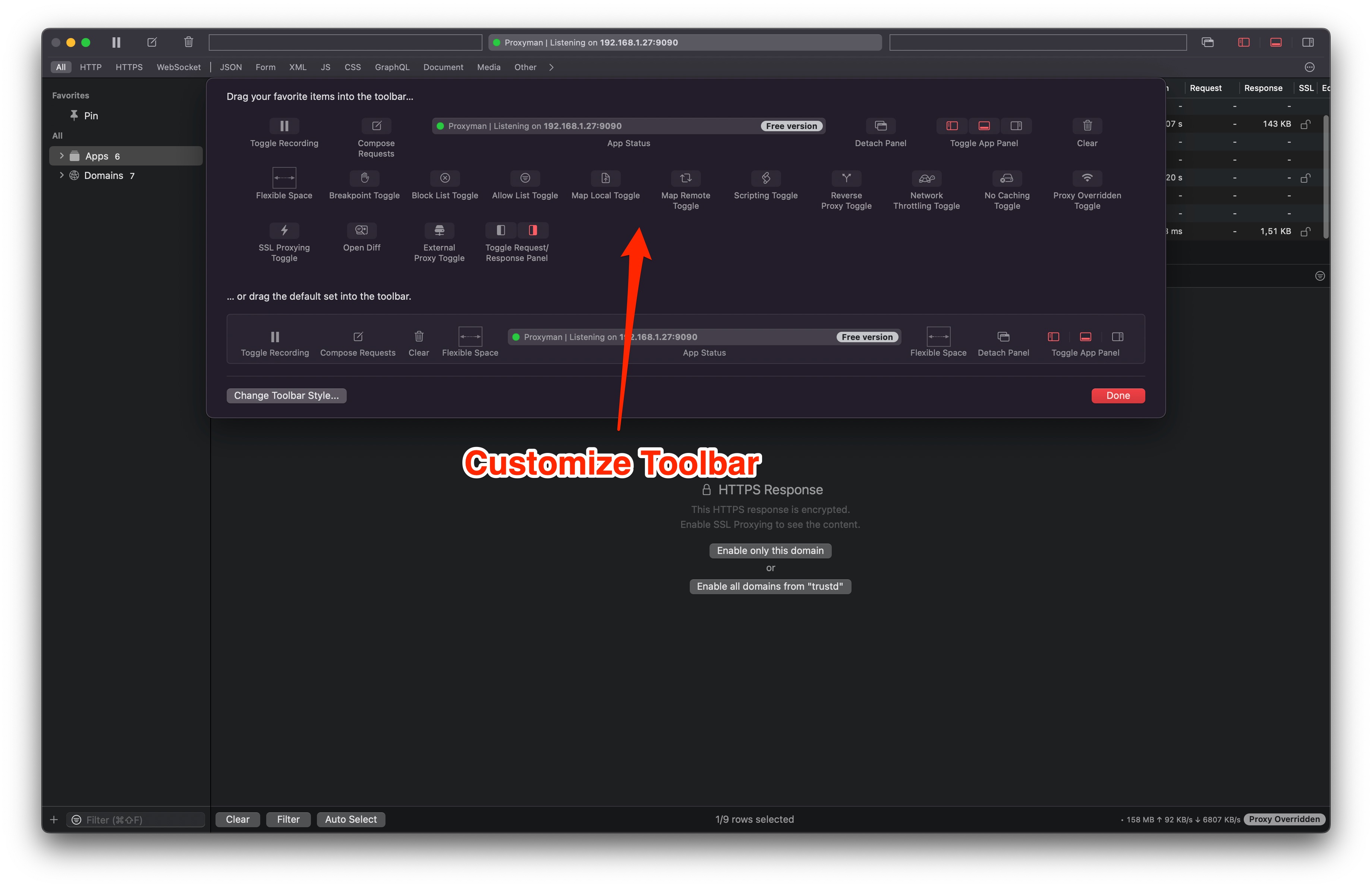
I will consider to add the shortcut to globally toggle the debugging tool.
If you'd like to use a shortcut, here is the Beta build: https://proxyman.s3.us-east-2.amazonaws.com/beta/Proxyman_3.8.0_Enable_Disable_tools_with_shortcuts.dmg