

 Project-MONAI
Document Improvement Plan Task0: Landing page Introduction
Hi @SachidanandAlle @Nic-Ma @diazandr3s ,
I'm working on the documentation improvement plan for MONAILabel this week! Linked to Issue #905.
All the tasks I plans are here: [Task 0: Add more information to Introduction section in landing page. In] [Task 1: Make a installation guide to softwares (e.g., 3D slicer, specify Slicer versions, Operating Systems)] [Task 2: Make the detailed guide on how to install/load MONAILABEl plugins. (Finetune Current QuickStart)] [Task 3: Make an easy-to-follow tutorial for Radiology app on how the labeling workflow performs.] [Task 4: Make the tutorial for Bundle App on how MONAILABEL load customized DL models and labeling targets.]
I created a file on extending the landing page [Task0], to help first-time users understanding what's MONAILabel and what it can do.
For this task, I assume we won't want a long introduction. The main thing here is I created a figure for Sample apps to give users a first impression on labeling different tasks. Different from MONAI core, which is a framework codebase, MONAILabel is more close to a tool, so a figure of sample apps might help here.
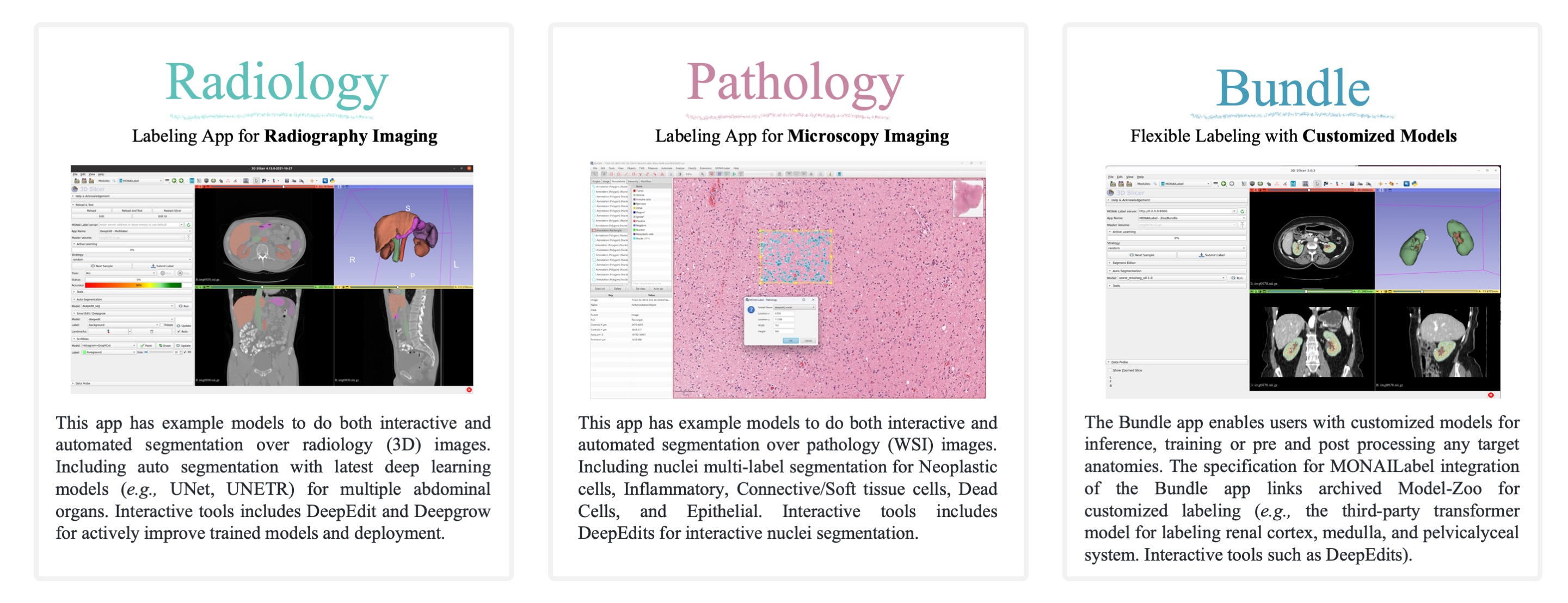
Also, there are some additional description based on the previous introduction.
I'm not hoping to make this perfect at first time, but if you can give some comment on what else do we need on the landing page. Let me know any comments or suggestions! Thanks!
I will push other tasks draft PR as well soon!
Thank you.
The index.rst now looks like follows:
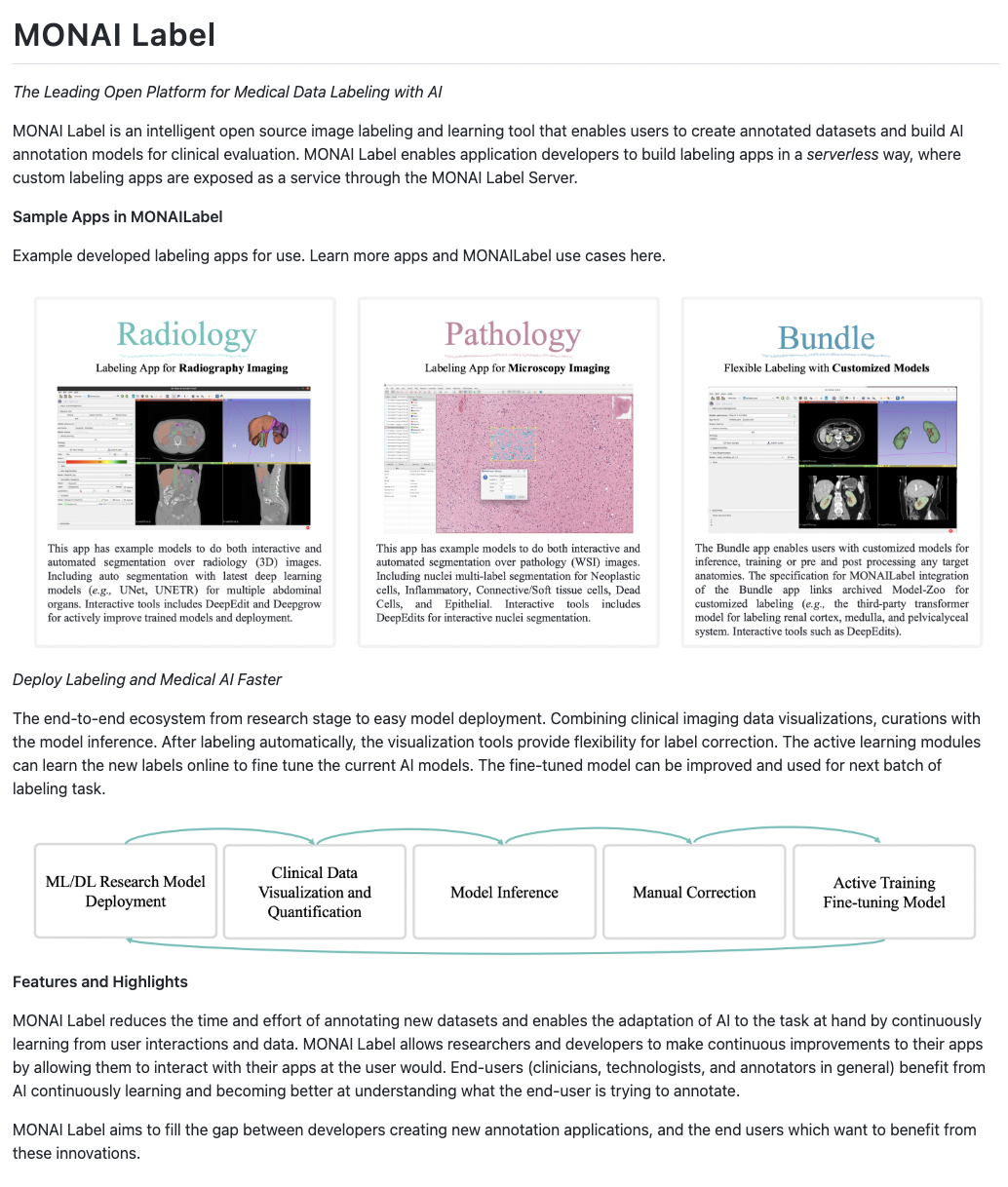


Thanks for the enhancement on documentation. I feel the
workflowchart only shows part of the user stories, MONAI Label can also do interactive labeling from scratch based on DeepGrow, DeepEdit, etc. right? CC @SachidanandAlleThanks.
I've added the "Interactive learning" "active training" to the panels. It covers and highlights the active learning modules.
Regarding the images that contain text - consider putting the text outside of the images as much as possible to provide the opportunity that the documentation can be translated into another language and also easily indexed with search tools.
Thanks for reminding. I modified the figure with mininum text and moved some introduction text to following sections to better compatible for search index, translation, etc.
In your latest force push did you mean to change the size of sampleApps_index.jpeg from 3099x954px to 449x138px? I am unable to read the text on the smaller image.

In your latest force push did you mean to change the size of sampleApps_index.jpeg from 3099x954px to 449x138px? I am unable to read the text on the smaller image.
Nope, the image size should be around 3099x954, I intended to enlarge it by a little bit, the dimension got errors. Fixed in the latest commit. Thanks!