

 Predelnik
Typos aren't marked at all

Do you have any dicitionaries in Plugins->DSpellCheck->Change Current Language?
Did the plugin ever work for you (e.g. in previous versions)?

Everything was fine before I updated DSpellCheck. I've tried to uninstall everything and reinstall it, including DSpell, dictionaries, and notepad ++ itself. Doesn't help.
-- From 張硯評 Yen-Ping Chang's phone
On Fri, Aug 16, 2019, 17:11 Sergey Semushin [email protected] wrote:
Do you have any dicitionaries in Plugins->DSpellCheck->Change Current Language? Did the plugin ever work for you (e.g. in previous versions)?
— You are receiving this because you authored the thread. Reply to this email directly, view it on GitHub https://github.com/Predelnik/DSpellCheck/issues/186?email_source=notifications&email_token=AM5HO4Z3PMT2B34F4ZCJ663QEZVM7A5CNFSM4IMDUIZKYY3PNVWWK3TUL52HS4DFVREXG43VMVBW63LNMVXHJKTDN5WW2ZLOORPWSZGOD4ODWYI#issuecomment-521943905, or mute the thread https://github.com/notifications/unsubscribe-auth/AM5HO4Y4MJIE6FXWRRRYRNLQEZVM7ANCNFSM4IMDUIZA .
That I don't remember to be honest.
-- From 張硯評 Yen-Ping Chang's phone
On Fri, Aug 16, 2019, 21:08 Sergey Semushin [email protected] wrote:
Updated from 1.4.12 to 1.4.13 or your previous version was even earlier?
— You are receiving this because you authored the thread. Reply to this email directly, view it on GitHub https://github.com/Predelnik/DSpellCheck/issues/186?email_source=notifications&email_token=AM5HO43JKGO2HQLMQAZEFILQE2REBA5CNFSM4IMDUIZKYY3PNVWWK3TUL52HS4DFVREXG43VMVBW63LNMVXHJKTDN5WW2ZLOORPWSZGOD4OSCOI#issuecomment-522002745, or mute the thread https://github.com/notifications/unsubscribe-auth/AM5HO46FWQMF2GUHSM3NWPTQE2REBANCNFSM4IMDUIZA .
Can you locate settings file in
%appdata%\plugins\config\DSpellCheck.ini and post its contents here or send it to me privately (via [email protected]) if you don't mind.
If you want to reset plugin settings, entirely removing this file is also one of the possible treatments but it would be really useful to diagnose its contents if they are causing the trouble to prevent similar things from happening to other users.
[SpellCheck] Hunspell_Multiple_Languages=en_AU|en_CA|en_GB|en_US|fr Hunspell_Language=<MULTIPLE> Underline_Color=8421631 Underline_Style=7 Ignore_Having_Number=0 Ignore_Have_Capital=0 Ignore_All_Capital=0 Ignore_One_Letter=1 Install_Dictionaries_For_All_Users=1 Recheck_Delay=250
my DSpellCheck.ini
Thanks!
-- 張硯評 Yen-Ping Chang mailto:[email protected]
On 8/17/2019 2:25 AM, Sergey Semushin wrote:
Can you locate settings file in |%appdata%\plugins\config\DSpellCheck.ini| and post its contents here or send it to me privately (via [email protected] mailto:[email protected]) if you don't mind.
If you want to reset plugin settings, entirely removing this file is also one of the possible treatments but it would be really useful to diagnose its contents if they are causing the trouble to prevent similar things from happening to other users.
— You are receiving this because you authored the thread. Reply to this email directly, view it on GitHub https://github.com/Predelnik/DSpellCheck/issues/186?email_source=notifications&email_token=AM5HO4YUIJH7CLGNMP4MD2DQE3WKXA5CNFSM4IMDUIZKYY3PNVWWK3TUL52HS4DFVREXG43VMVBW63LNMVXHJKTDN5WW2ZLOORPWSZGOD4PLMNA#issuecomment-522106420, or mute the thread https://github.com/notifications/unsubscribe-auth/AM5HO44HKMZRYNUNQV7PNHLQE3WKXANCNFSM4IMDUIZA.
Your config seems to work fine for me, the only thing I noticed is that your config has a style of having very light pink box thus it may be a bit hard to notice.
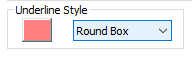 For example:
 Was this the problem?
Hmm... I don't think so. I tried a couple other colors. The same.
-- 張硯評 Yen-Ping Chang mailto:[email protected]
On 8/20/2019 1:42 AM, Sergey Semushin wrote:
Your config seems to work fine for me, the only thing I noticed is that your config has a style of having very light pink box thus it may be a bit hard to notice. image https://user-images.githubusercontent.com/2133957/63286792-878aad80-c2c1-11e9-95e2-a6621d474bf8.png For example: image https://user-images.githubusercontent.com/2133957/63286935-d0426680-c2c1-11e9-8970-f3ab34a74408.png Was this the problem?
— You are receiving this because you authored the thread. Reply to this email directly, view it on GitHub https://github.com/Predelnik/DSpellCheck/issues/186?email_source=notifications&email_token=AM5HO42X2QLPNBYHBGEHLELQFLLSHA5CNFSM4IMDUIZKYY3PNVWWK3TUL52HS4DFVREXG43VMVBW63LNMVXHJKTDN5WW2ZLOORPWSZGOD4TX26A#issuecomment-522681720, or mute the thread https://github.com/notifications/unsubscribe-auth/AM5HO4YWIV26NQ766TJCKTTQFLLSHANCNFSM4IMDUIZA.
But did resetting settings help or not?
The only other thing I can image is missing all the dictionaries you have selected for multiple languages but that's unlikely. Other than that can think of anything at that moment, maybe user dictionaries (.usr files) at
%appdata%\plugins\config\DSpellCheck.ini have some effect but that would be strange.
no it didn't. I removed everything including np++, dictionaries, setting file, manually, again, and then reinstalled. Still not working. But thanks for helping anyway
-- 張硯評 Yen-Ping Chang mailto:[email protected]
On 8/20/2019 2:13 PM, Sergey Semushin wrote:
But did resetting settings help or not? The only other thing I can image is missing all the dictionaries you have selected for multiple languages but that's unlikely. Other than that can think of anything at that moment, maybe user dictionaries (.usr files) at |%appdata%\plugins\config\DSpellCheck.ini| have some effect but that would be strange.
— You are receiving this because you authored the thread. Reply to this email directly, view it on GitHub https://github.com/Predelnik/DSpellCheck/issues/186?email_source=notifications&email_token=AM5HO42NGVCU2C4DXTWQ6S3QFODPPA5CNFSM4IMDUIZKYY3PNVWWK3TUL52HS4DFVREXG43VMVBW63LNMVXHJKTDN5WW2ZLOORPWSZGOD4VFUEI#issuecomment-522869265, or mute the thread https://github.com/notifications/unsubscribe-auth/AM5HO4YCHLUTWH42JUH7YPDQFODPPANCNFSM4IMDUIZA.
and just for your info, i think there's something wrong with DSC itself, because i tried to reload the dictionaries, use only one language, move the entire dict folder to a random place and then point to that place, and manually click on "find next misspell" but none of these worked. so i think it's either that DSC cant load the dicts even if I explicitly ask it to, or that even if the dicts are loaded, DSC cant use them on my machine. btw, i let np++ run on admin right all the time to make sure it's not because the settings cant be saved without admin.
and none of "additional actions" responded to me. if they should take effect immediately, e.g., open debugging log, they don't. if they take effect later, e.g., popping suggestions at the cursor, they don't either and there's no little dot shown before the option.
Do you have any unusual windows version perhaps? The other thing is maybe there's other plugins you have? One more thing that can help if you don't mind - going through several recent versions and finding where it stopped working: https://github.com/Predelnik/DSpellCheck/releases There's compatibility problem with N++7.7 although which is annoying but x86 versions should still be compatible with it.
I just changed to 7.7.1 32bit. Doesn't work. And I don't have any other plugins except those that were preloaded.
-- 張硯評 Yen-Ping Chang mailto:[email protected]
On 8/20/2019 4:55 PM, Sergey Semushin wrote:
Do you have any unusual windows version perhaps? The other thing is maybe there's other plugins you have? One more thing that can help if you don't mind - going through several recent versions and finding where it stopped working: https://github.com/Predelnik/DSpellCheck/releases There's compatibility problem with N++7.7 although which is annoying but x86 versions should still be compatible with it.
— You are receiving this because you authored the thread. Reply to this email directly, view it on GitHub https://github.com/Predelnik/DSpellCheck/issues/186?email_source=notifications&email_token=AM5HO42BIV3NGMLJWCHEIX3QFOWP5A5CNFSM4IMDUIZKYY3PNVWWK3TUL52HS4DFVREXG43VMVBW63LNMVXHJKTDN5WW2ZLOORPWSZGOD4VSMHQ#issuecomment-522921502, or mute the thread https://github.com/notifications/unsubscribe-auth/AM5HO4ZWVJKS4PRNTZX4DNDQFOWP5ANCNFSM4IMDUIZA.
I went back to 7.6.6 x64 and paired it with 1.4.12, and then 1.4.11. Neither worked. But I think they did before...
-- 張硯評 Yen-Ping Chang mailto:[email protected]
On 8/20/2019 4:55 PM, Sergey Semushin wrote:
Do you have any unusual windows version perhaps? The other thing is maybe there's other plugins you have? One more thing that can help if you don't mind - going through several recent versions and finding where it stopped working: https://github.com/Predelnik/DSpellCheck/releases There's compatibility problem with N++7.7 although which is annoying but x86 versions should still be compatible with it.
— You are receiving this because you authored the thread. Reply to this email directly, view it on GitHub https://github.com/Predelnik/DSpellCheck/issues/186?email_source=notifications&email_token=AM5HO42BIV3NGMLJWCHEIX3QFOWP5A5CNFSM4IMDUIZKYY3PNVWWK3TUL52HS4DFVREXG43VMVBW63LNMVXHJKTDN5WW2ZLOORPWSZGOD4VSMHQ#issuecomment-522921502, or mute the thread https://github.com/notifications/unsubscribe-auth/AM5HO4ZWVJKS4PRNTZX4DNDQFOWP5ANCNFSM4IMDUIZA.
Ok maybe you should try even earlier version in this case. One more possible course of action I have in mind is to add some logging on the way to normal spell-checking path and see what it will show if you don't mind trying some customized versions.
Hey if you're still interested, can you please try to download the version below, click Enable Debug Logging in Additional Actions then restart and Open Debug Log... in the same submenu, I have tried adding more debugging messages so it may help to diagnose the problem you have.
https://ci.appveyor.com/api/buildjobs/nuiw3ebd7mxm8h12/artifacts/DSpellCheck.dll
Hi,
Sorry for the delay. For some reasons, I formatted and reinstalled my laptop and everything. Now DSpell works, more or less, for *.cpp but not .txt. If I set the default file type to .cpp. DSpell also works for unsaved new files too. Haven't tried other file types.
Cheers,
Yenping
-- 張硯評 Yen-Ping Chang [email protected]
On 8/31/2019 11:45 PM, Sergey Semushin wrote:
Hey if you're still interested, can you please try to download the version below, click |Enable Debug Logging| in |Additional Actions| then restart and |Open Debug Log...| in the same submenu, I have tried adding more debugging messages so it may help to diagnose the problem you have. https://ci.appveyor.com/api/buildjobs/nuiw3ebd7mxm8h12/artifacts/DSpellCheck.dll
— You are receiving this because you authored the thread. Reply to this email directly, view it on GitHub https://github.com/Predelnik/DSpellCheck/issues/186?email_source=notifications&email_token=AM5HO46UVKT4UWHGPWZ7UPLQHKGYNA5CNFSM4IMDUIZKYY3PNVWWK3TUL52HS4DFVREXG43VMVBW63LNMVXHJKTDN5WW2ZLOORPWSZGOD5TPHFY#issuecomment-526840727, or mute the thread https://github.com/notifications/unsubscribe-auth/AM5HO42JJTN3ADZHNCO4Z23QHKGYNANCNFSM4IMDUIZA.
Hmm, from N++ point of view txt files should not be different from unsaved new files unless you excluded them by the extension through the plugin options which probably you did not.
nope, not that i'm aware of
-- 張硯評 Yen-Ping Chang [email protected]
On 9/27/2019 5:55 PM, Sergey Semushin wrote:
Hmm, from N++ point of view txt files should not be different from unsaved new files unless you excluded them by the extension through the plugin options which probably you did not.
— You are receiving this because you authored the thread. Reply to this email directly, view it on GitHub https://github.com/Predelnik/DSpellCheck/issues/186?email_source=notifications&email_token=AM5HO45AIMER3XQA7BCVLTLQLXJ73A5CNFSM4IMDUIZKYY3PNVWWK3TUL52HS4DFVREXG43VMVBW63LNMVXHJKTDN5WW2ZLOORPWSZGOD7YMY3A#issuecomment-535874668, or mute the thread https://github.com/notifications/unsubscribe-auth/AM5HO47SYFN5CAHZ4ZNCBKTQLXJ73ANCNFSM4IMDUIZA.
DSpellCheck is not automatically spell checking for me either. But... I think I figured out why. Yeah, at least for me. I'm not sure if @gixandy was having the same issue or not.
For me it was a problem in settings with file types. I tried txt; htm; html but that was the problem. Even your Documentation page only added to my misunderstanding and confusion. You said do this in the Docs ".txt;.html;*.tex" But that didn't work either. lol At the end I figured it might need the full simplified Regex file mask. You know *.txt wildcard DOT extension. Bingo!!!!!! That did it. All I had to do was separate each file mask with a semicolon and everything works perfect. *.txt;*.htm;*.html
Anyway, I think if you change the Settings page from this:
File Types (Seperate with semicolon (;))
to this instead:
File Types (Ex *.txt;*.tex;*.html)
Then that will clear that up nicely. Then the only thing you really need to do is edit the Documentation from this:
could check only .txt;.html;*.tex files, this choice is up to you.
to this:
could check only *.txt;*.html;*.tex files, this choice is up to you.
I think that will clear up any confusion any of your other Users might eventually have.

Thanks a lot, Truthowl, but well, this doesn't wok for me. Mine just strangely only doesn't check .txt, whether I use
.
to cover all, or specifically
*.txt; *.tex; *.cpp; (and other types I often use)
.
DSC just checks everything (including .tex) but txt...
-- 張硯評 Yen-Ping Chang [email protected]
On 7/2/2020 11:14 AM, Truthowl wrote:
DSpellCheck is not automatically spell checking for me either. But... I think I figured out why. Yeah, at least for me. I'm not sure if @gixandy https://github.com/gixandy was having the same issue or not.
For me it was a problem in settings with file types. I tried |txt; htm; html| but that was the problem. Even your Documentation page only added to my misunderstanding and confusion. You said do this in the Docs |".txt;.html;.tex"| But that didn't work either. lol At the end I figured it might need the full simplified Regex file mask. You know |.txt| wildcard DOT extension. Bingo!!!!!! That did it. All I had to do was separate each file mask with a semicolon and everything works perfect. |.txt;.htm;*.html|
Anyway, I think if you change the Settings page from this:
|File Types (Seperate with semicolon (;))|
to this instead:
|File Types (Ex .txt;.tex;*.html)|
Then that will clear that up nicely. Then the only thing you really need to do is edit the Documentation from this:
|could check only .txt;.html;*.tex files, this choice is up to you.|
to this:
|could check only .txt;.html;*.tex files, this choice is up to you.|
I think that will clear up any confusion any of your other Users might eventually have.
— You are receiving this because you were mentioned. Reply to this email directly, view it on GitHub https://github.com/Predelnik/DSpellCheck/issues/186#issuecomment-652755984, or unsubscribe https://github.com/notifications/unsubscribe-auth/AM5HO47EAUGRZ535RERAWXLRZP3QRANCNFSM4IMDUIZA.
Of course it wont. Because your still using the wrong mask. If you want it to check txt files then your 'File Types' mask needs to be
*.txt
Not sure if I didn't explain it clearly enough, but I did try *.txt and it doesn't work.
If I use *.txt, it doesn't check any types of files.
If I use *.txt; *.cpp, it checks .cpp files but not .txt ones.
This is what I'm dealing with now.
-- 張硯評 Yen-Ping Chang [email protected]
On 7/5/2020 1:24 AM, Truthowl wrote:
Of course it wont. Because your still using the wrong mask. If you want it to check txt files then your 'File Types' mask needs to be
|*.txt|
— You are receiving this because you were mentioned. Reply to this email directly, view it on GitHub https://github.com/Predelnik/DSpellCheck/issues/186#issuecomment-653791413, or unsubscribe https://github.com/notifications/unsubscribe-auth/AM5HO46OGK5LGD6CVH2PVV3RZ5QUNANCNFSM4IMDUIZA.
You said do this in the Docs ".txt;.html;*.tex" But that didn't
work either.
I need to update docs for sure, it got pretty outdated to be honest
@gixandy just a suspicion but could it be that you have some User-Defined language associated with .txt files? UDL can affect spell-checking for sure.
no i've nothing. btw, not sure if this helps, i tried "check only NOT these" and typed in a semicolon just lie that ";". (i've also tried leaving it blank but then the default was brought back automatically) the same. everything is fine but txt still isn't checked.
-- 張硯評 Yen-Ping Chang [email protected]
On 7/5/2020 10:59 PM, Sergey Semushin wrote:
You said do this in the Docs ".txt;.html;*.tex" But that didn't work either.I need to update docs for sure, it got pretty outdated to be honest
@gixandy https://github.com/gixandy just a suspicion but could it be that you have some User-Defined language associated with .txt files? UDL can affect spell-checking for sure.
— You are receiving this because you were mentioned. Reply to this email directly, view it on GitHub https://github.com/Predelnik/DSpellCheck/issues/186#issuecomment-653899209, or unsubscribe https://github.com/notifications/unsubscribe-auth/AM5HO44FIJQIQPVEKKJM6KLR2CINLANCNFSM4IMDUIZA.
Since it works for .cpp that seems to indicate other problems. Maybe an OS issue or a conflict with some other editor. I haven't checked to see if anyone else is having an issue like this as my problems are gone since I fixed the file types mask. If no one else is having the issue that too would seem to indicate it's not related to np++. Then again I'm no pro when it comes to np++ or addons.
yeah it's the same problem. the only change is that I noticed I can kinda turn DSC off and o by choosing normal text in the list or not. It's not really about the extension, but more like, DSC refuses to check normal text
i have the same issue on win7 Ult x64 with LibreOffice 7 installed too- i've just added hunspell-en_US via cygwin still no hurrah
contents of DSpellCheck.ini:
[SpellCheck] Suggestions_Control=0 < ? 1 Hunspell_Language=en_US Recheck_Delay=1000
spell check works but suggestions don't show

@marxenegls How can this be the same issue if this is the issue about spell check not working and not about suggestions?
Maybe you should try newer version e.g. https://github.com/Predelnik/DSpellCheck/releases/tag/v1.4.19
i didn't want to open a new issue and since google pointed me to this issue here ..i followed it .
it is the newest version i've just installed it ..
anyways ,changing the Suggestions_Control=0 < to 1 fixed it
for me
@marxenegls Glad that it was resolved! Very strange problem though, wonder how ini file ended up like this, maybe I will look if there's any problem on that end just in case.