
pipedream

pipedream copied to clipboard
 PipedreamHQ
[Salesforce] Enable triggers for Custom Objects
Enables selection of Custom Objects props in Instant Triggers.
Notes:
- [x] Depends on https://github.com/jverce/salesforce-webhooks/pull/16
- [ ] Pending
package.jsonversion bump (andsalesforce-webhookspackage update). - [ ] Pending components version bump.
Resolves #4166.


The latest updates on your projects. Learn more about Vercel for Git ↗︎
| Name | Status | Preview | Updated |
|---|---|---|---|
| pipedream-docs | ✅ Ready (Inspect) | Visit Preview | Sep 16, 2022 at 3:15PM (UTC) |
| pipedream-docs-redirect-do-not-edit | ✅ Ready (Inspect) | Visit Preview | Sep 16, 2022 at 3:15PM (UTC) |
![vercel[bot] avatar](https://avatars.githubusercontent.com/in/8329?v=4 "Published by a pub.dev verified publisher")
Thanks for submitting this PR! When we review PRs, we follow the Pipedream component guidelines. If you're not familiar, here's a quick checklist:
- [ ] Create components to address specific use cases whenever possible
- [ ] Component
keys should follow the formatapp_name_slug-slugified-component-name - [ ] Components should follow the standard directory structure
- [ ] Prefer Node.js client libraries to REST APIs
- [ ] When making API requests, handle pagination to ensure all data / events are processed
- [ ] Use
secretprops to capture sensitive data - [ ] Props and methods should be defined in app files whenever possible
- [ ] Document methods with JS Docs
- [ ] Use
optionalprops whenever possible, and set adefaultvalue where you can - [ ] Use async options to accept user input wherever possible
- [ ] Create subscription webhooks sources (vs polling sources) whenever possible
- [ ] Always emit a
summarywith events - [ ] Use a built-in deduping strategy wherever possible
- [ ] When building webhook sources, follow these best practices
- [ ] When building polling sources, follow these best practices

@sweepy84 This is ready for you to test, if you have the time. We can also wrap up the work and publish the new version to production so you can test there - let us know what would work best.
- Clone the repo locally
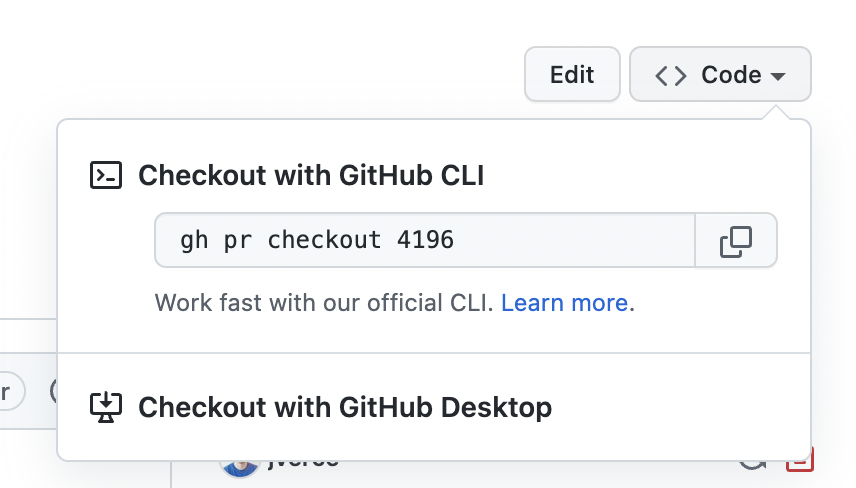
- Check out the PR
- Download and configure the Pipedream CLI
- From the repo root, run
pd publish components/salesforce_rest_api/sources/new-object-instant/new-object-instant.mjs - Visit https://pipedream.com/alpha and check the box for Enable my sources
- Visit https://pipedream.com/sources/new , select the option for My Sources, and select the Salesforce trigger from there. This should let you create the new version of the trigger.