

 PhilJay
Problem of "setGranularity for 60f"
I try to setGranularity(60f)
but the result is not my expectation. (XAxis should be 60, 120, 180...)

And I check setGranularity(50f), setGranularity(40f) and setGranularity(30f) is correct.
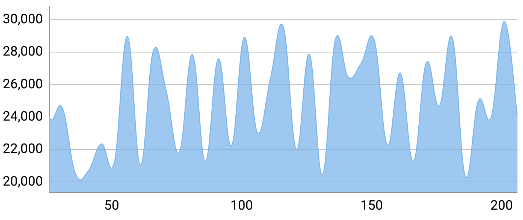
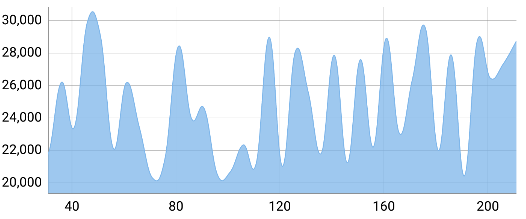

And I need to use 60f, and then convert them in HH:mm format.
(P.S. I am tried the Visible X Range is 180 to 180, 240 to 240 and 360 to 360 on 60f. It still is (100, 200 ...))
Do they have a secret rules on X-Axis?
Thanks a lot.

I have the exact same issue but with yAxis. If I set the Granularity to 60f the first labels are at 100 but if I set the Granularity to 30, 40 or 50 the first label is at the correct position. @simonlau0715 did you solve it? @PhilJay any clue ?

Did you guys find any solution to the problem? I'm running into exact same problem when setting granularity above 5 it automatically makes it 10? @PhilJay Any idea why this might be happening? I'm trying to set granularity to 6 and it makes it 10 every time

I had the same problem, and it worked when I commented out this code --> AxisRenderer.java-->computeAxisValues(float min, float max)
