

 PathOfBuildingCommunity
Auto-Updater + Import Not Functioning
Check version
- [X] I'm running the latest version of Path of Building and I've verified this by checking the changelog
Check for duplicates
- [X] I've checked for duplicate issues by using the search function of the issue tracker
How is Path of Building expected to behave?
PoB should run an update check and then prompt me if an update is available/unavailable (when my current version is up to date).
How does Path of Building behave?
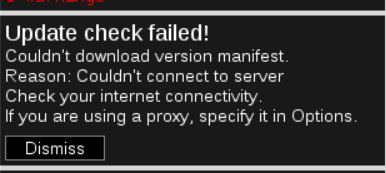
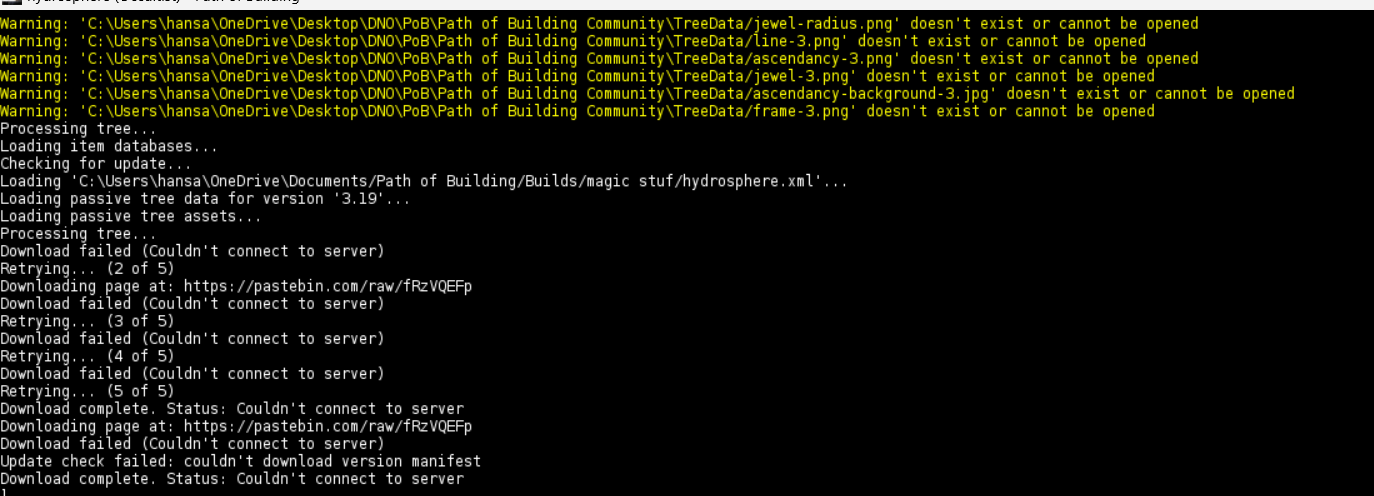
The app attempts to run an update check, but fails to connect to server and shows an error that it failed (attached below). I am a resident of India and wonder if that's a related issue.
The auto-updater was working normally in October, which was the last time I utilized the app. When I launched it once again on the day of Sanctum League release, it was since then I noticed that the auto-updater was not working. The issue persisted across 2.21.1, 2.22.0, and 2.23.0 builds (which I obtained through manual unzipping through the Github repository).
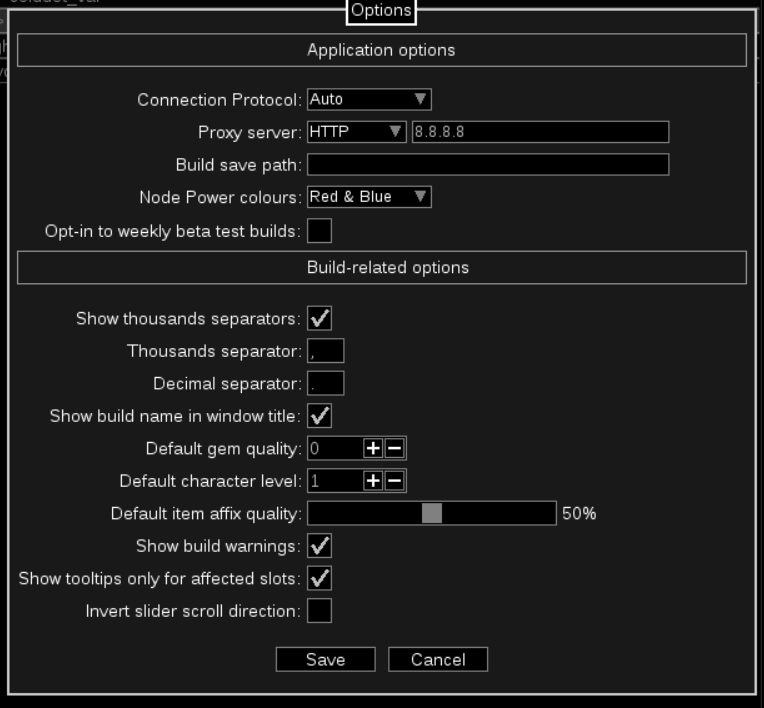
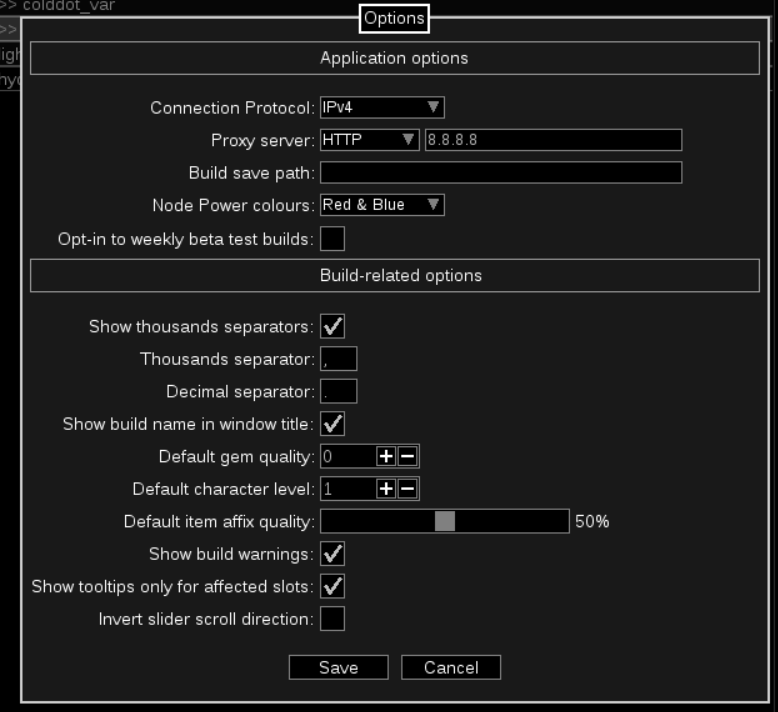
Forcing Google/CloudFlare DNS in both Options and my connection has not fixed the issue. The issue existed before these changes as well.
How to reproduce the issue
No response
Character build code
No response
Screenshots

What shows in the console when it fails? You can open the console by pressing Ctrl+`
Accessing github works fine normally? You can always re-download PoB manually if it does

What shows in the console when it fails? You can open the console by pressing Ctrl+`
Accessing github works fine normally? You can always re-download PoB manually if it does
PoB works normally when i download it directly from GitHub yes; when I realized that my version 2.21.1 is out of date and the auto-update is not working, I reinstalled the latest release of the app from the repository to be up-to-date.
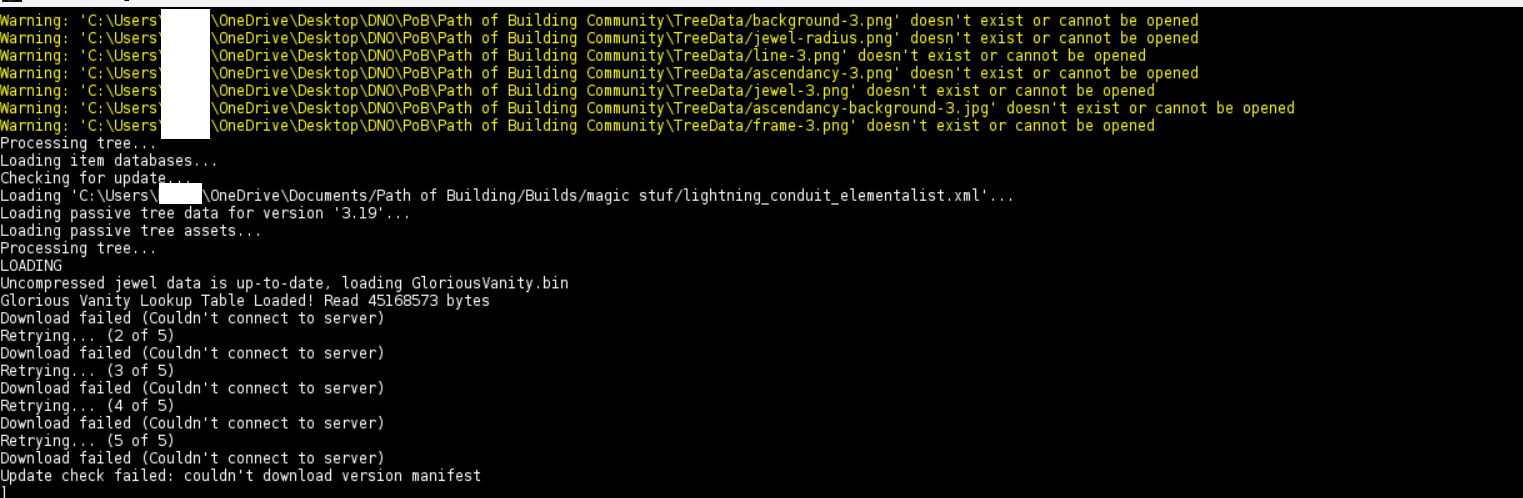
This is a screenshot of my console (censored PC name as it's my IRL name).
I would like to provide an update that I can't import builds because of this issue. This is definitely a larger issue because I can't do anything manually about this.
Edit: importing works when I input the code and not a URL.
This issue is stale and issues like this are notoriously hard to reproduce and extremely user-specific. @robyn0751 is this even still occurring anymore? I'm going to assume it has fixed itself since 2022.