
PathOfBuilding

PathOfBuilding copied to clipboard
 PathOfBuildingCommunity
--- SCRIPTERROR --- No such file or directory
Check version
- [X] I'm running the latest version of Path of Building and I've verified this by checking the changelog
Check for duplicates
- [X] I've checked for duplicate issues by using the search function of the issue tracker
What is the expected behaviour/value?
Software starting and working as intended after installing in appdata folder.
What is the actual behaviour/value?
Script error after installing in appdata folder
"Cannot open C:\user****\AppData\Roaming\Path of Building Community\Launch.lua: No such file or directory
How to reproduce the issue
- Unninstal app from appdata : "C:\user****\AppData\Roaming"
- Download latest version
- Install latest version on other drive (such as drive C. etc. instead in AppData folder.)
- App should run properly.
Character build code
No build code available, the program does not start.
Screenshots
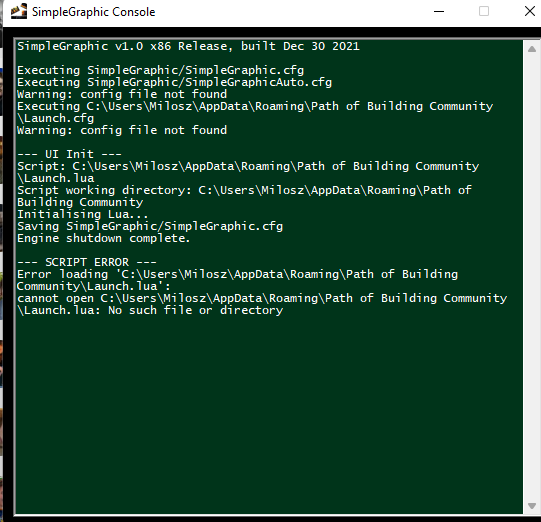

Could you provide a screenshot of the folder with the missing .lua folder. You can also try the portable version from
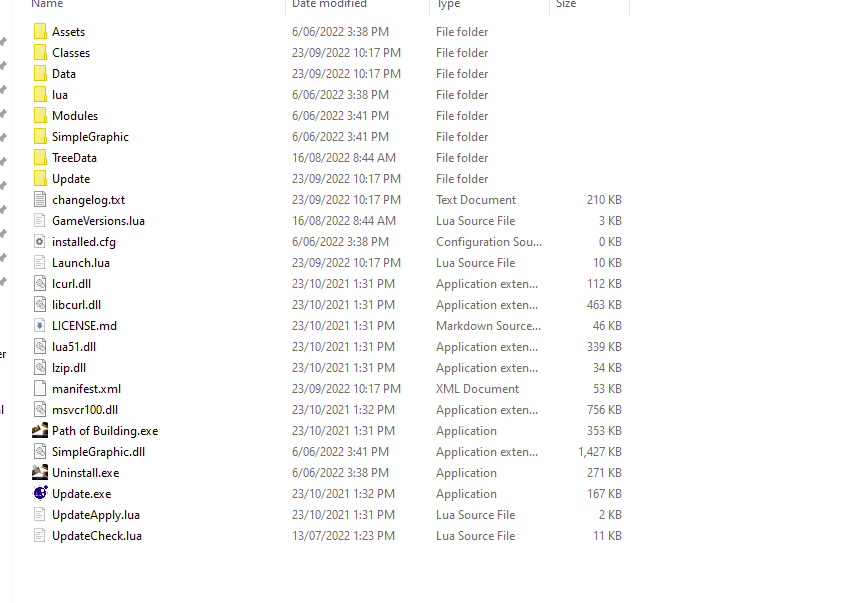 https://github.com/PathOfBuildingCommunity/PathOfBuilding/releases.
