

 PathOfBuildingCommunity
PoB Crashes on startup
Check version
- [X] I'm running the latest version of Path of Building and I've verified this by checking the changelog
Check for duplicates
- [X] I've checked for duplicate issues by using the search function of the issue tracker
What is the expected behaviour/value?
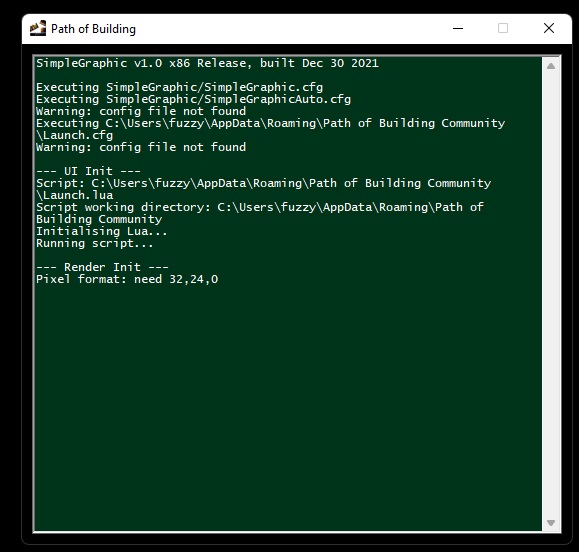
What is the actual behaviour/value?
Launch PoB, choose as Administrator Win11 10980XE 64Gb Ram 2080TI Latest WHQL driver set as of August 9
How to reproduce the issue
Literally just launch the app
Character build code
no ability to do so, as the app will not launch
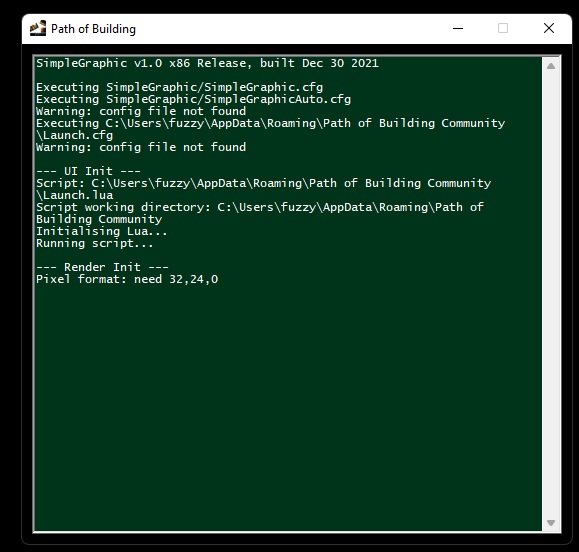
Screenshots

You can try the angle branch to see if that fixes it has some other visual bugs though but seems to behave better in these situations. https://github.com/zao/PathOfBuilding-SimpleGraphic/releases/tag/angle-2022-08-23 There are two zips the simple graphic and the dependancies. (lower file size ones). MAKE SURE YOU EXTRACT AND REPLACE BOTH ZIPS "SimpleGraphic-x86-windows-deps.dll" "SimpleGraphic-x86-windows.dll" Unzip both and copy and replace the .dll s into the path of building folder (default in appdata if you have an old install in program files and portable is where you left it).

That seems to have resolved it, I assume I ignore the update that is being pushed?
It is an experimental branch there is currently no planned timeline / release but we should consider getting something out to fix this issue soon.
@QuickStick123 I am having some errors loading some PoB's
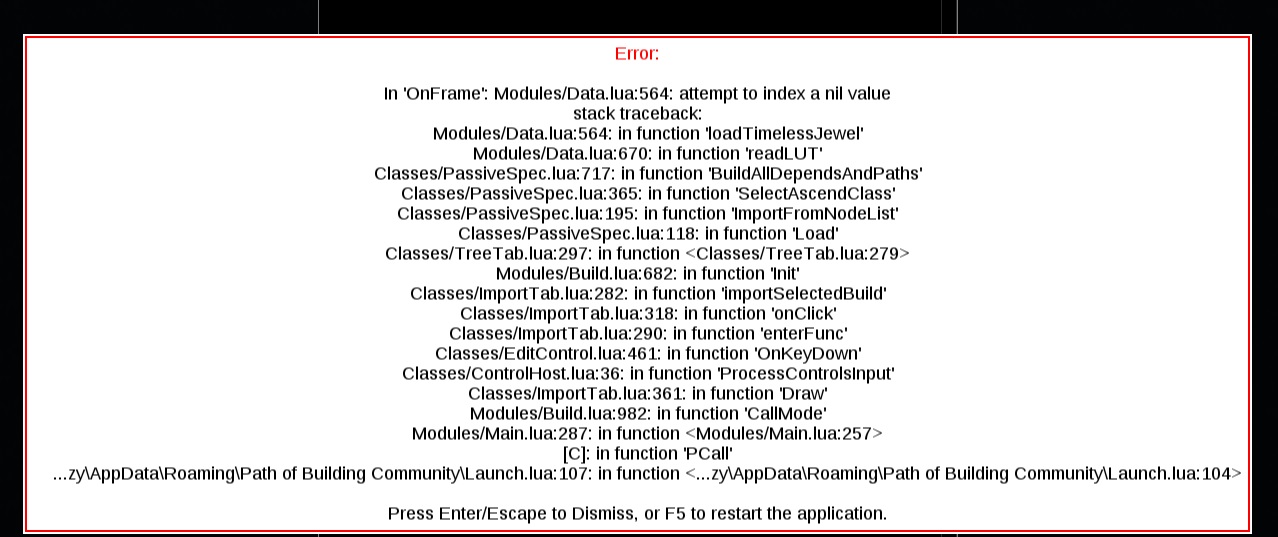
Any ideas how to sort that out?
PoB: https://pobb.in/_EU6t3HABRyv
What version are you running? There were some timeless crashes on 2.19.0 and 2.19.1 If you are on those then you can download the latest version (from releases https://github.com/PathOfBuildingCommunity/PathOfBuilding/releases if updater doesn't work) and apply the patch again to start it working Otherwise it might be a new bug.
2.19.2 with the associated patch you had me do, to fix the original issue. I did update, and then apply the patch so it would run, and I got this error, with that paste.
Thanks for looking

something associated with the patch of the dll files I have to do to get it to run?
I can remove the old tree that should fix the issue for you if you want
Thanks for looking at it, not super important, just thought I would add it to the list, thanks for being so attentive to this


Again crashes on startup in the same manner, 2.20.1, pasting the DLL files from the angle branch again allows it to open. Thanks
I'm seeing this exact same crash. Posting all of my info on the off chance it helps debug:
PoB VERSION[2.20.2][2022/08/16] Windows 10 Version 21H2 (OS Build 19044. 1889) NVIDIA RTX 30XX with driver version 516.94
It's been a while since I last launched it. I definitely updated my GPU driver in the interim, so that might be a possible cause, but I don't have any before / after to confirm this.
Debugging I tried first:
- uninstalling and reinstalling
- uninstalling, deleting my locally saved builds, and reinstalling
- launching the portable executable
All of these resulted in the exact green startup screen posted above over a black pob window in the background, followed by a prompt crash.
Substituting the dlls from the angle branch does get pob launching again. Would be happy to upload any files or provide more details if it helps. Just let me know what you need.
Out of curiosity, does anybody know if I'm going to have to repeat this mitigation after every install?

Yes, unfortunately, until we have fully tested the new DLL and fixed the remaining bugs, it will not come in through the regular update process, and you'll have to replace it after updating. If you want to know if a pending update actually contains other changes than the DLL trying to replace itself, you can use Ctrl+` to open the console and see exactly what files have been downloaded for update.

I have also found another workaround for 2.20.2, I have it working in compatibility mode, Win95, takes 30 secs to load up, but then works smoothly, and is able to take timeless jewels without the script error from above loading some PoB's. Hope this helps some folks with their league starts. Thanks everyone
2.21.1 ran fine until yesterday I have 2 monitors, Primary runs 3840x2160, Secondary runs 1080x1920. my ups failed for the primary monitor, so everything got shifted to the secondary, PoB was running and crashed. I changed the plug for the primary, powered it back up, everything shifted back over to it.
PoB now exits upon startup after the line: Pixel Format: need 32,24,0
Nothing rebooted, no driver changes, no other program installs, no other system changes whatsoever
I've run Process Monitor looking for any config file that PoB decided to update before it crashed, and I cannot find anything meaningful
Event viewer shows: Faulting application name: Path of Building.exe, version: 0.0.0.0, time stamp: 0x606d1b4c Faulting module name: ntdll.dll, version: 10.0.19041.1806, time stamp: 0x39cccd9d Exception code: 0xc0000374 Fault offset: 0x000e6fe3 Faulting process id: 0x508c Faulting application start time: 0x01d8b643ec059261 Faulting application path: D:\PathOfExile\Test\Path of Building.exe Faulting module path: C:\Windows\SYSTEM32\ntdll.dll
is there some meaningful config thing that needs reset? this makes no sense that it suddenly stops working. I've downloaded a new zip of portable, put it in a different folder with no builds, same result. setting compatibility for Win95 makes it work, but drags system perf down
I've looking into the replacement SimpleGraphic dll, but replacing it causes a dos window saying it can't find SimpleGraphic.dll

You have to replace/add the depenancy .dll (it is the depns.dll zip folder that is also there).
I can also report that for me it crashes unless I'm in windows 95 compat mode.

Does this fix it? https://github.com/PathOfBuildingCommunity/PathOfBuilding/issues/4736#issuecomment-1211478087 Maybe some details on system for future reference, e.g. operating system, parts, drivers, etc.
I've been getting crashes at startup after the line Loading item databases.... I've tried the DLLs from https://github.com/PathOfBuildingCommunity/PathOfBuilding/issues/4736#issuecomment-1211478087, but it does not resolve the crashes. I'm seeing this same error in Event Viewer https://github.com/PathOfBuildingCommunity/PathOfBuilding/issues/4736#issuecomment-1222660014
Windows 95 compatibility also does not fix it. Windows 10 22H2; 7900 XTX (23.4.1 drivers).

Try manually updating to the latest version if that doesn't work it is likely caused by you having some other lua interpreter installed that is trying to have PoB run on instead of the one packaged.
There are few issues open about this. If that is not the case then I am not sure what is the issue.
likely caused by you having some other lua interpreter installed that is trying to have PoB run on instead of the one packaged.
Brilliant. It appears that was indeed the case for me, as uninstalling lua made PoB start working. Is there a way to have lua installed without causing PoB to break? Presumably it doesn't like that another lua interpreter is on the PATH.
@MarkKoz Can I get a link to the other Lua you're installing, for science?

@Nightblade scoop install lua https://github.com/ScoopInstaller/Main/blob/master/bucket/lua.json