
PathOfBuilding

PathOfBuilding copied to clipboard
 PathOfBuildingCommunity
PoB window glitches out on launch
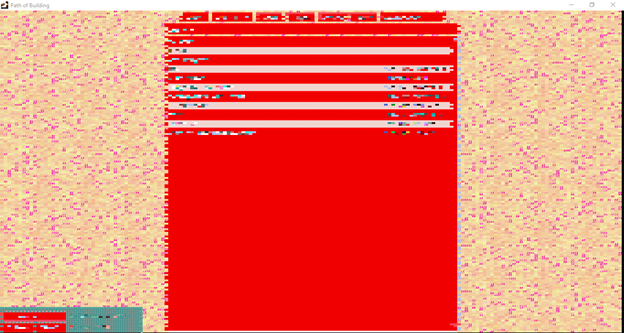
- What happened? The PoB fork program (v2.1.1) window glitches out, flickering between the screenshot below and its normal visual state. This seems to be purely a visual bug; all buttons respond normally and I can open builds as usual (just can't see what I'm doing very well). This does not happen with any other program I have installed (Windows 10).
- What were you trying to do? / What steps will reproduce the bug? Launch PoB fork. The flickering starts whether I load into a build or into the PoB main menu.
- Does it reproduce every time? Yes. Also, closing PoB and immediately reopening always temporarily fixes the glitch. However, it will always come back if I close PoB and wait several hours before reopening. Note that every other screenshot taken captures the normal visual state instead. So it may be hard to screenshot again even if visually obvious.
-
Screenshots:

Do you have an AMD graphics card? Try updating your drivers. Some people have had some success switching their compute mode on the graphics card too: https://www.amd.com/en/support/kb/faq/dh-024

