

 OpenSourceFellows
Incorrect Vue template "lang" tags
You may have noticed that some of the components with a lot of Vuetify markdown will have broken syntax highlighting.
For example, note the broken coloring on the closing tags in this screenshot:
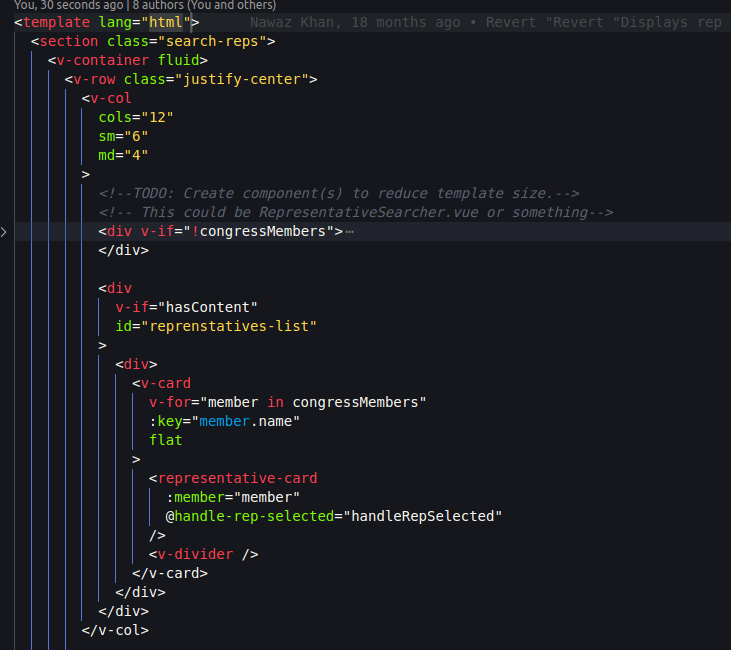
I initially thought that this had to do with some sort of missing configuration file, but it seems that the culprit is the <template> tag,
specifically when it says <template lang="html"> ... </template>. This is preventing VScode from correctly coloring our Vue markdown.
The fix is to simply remove that tag from any affected component. Not all of them have it, so it is really a matter of someone going through each Vue file and deleting it. We should be able to also remove the lang="js" tag from <script>s also; that is mainly for transpiling Typescript (and apparently other languages can be configured also, although it is not something I have ever seen in practice).
If you see the lang="html", please remove it as you code, or assign yourself to this issue and remove them all.

As a sidenote, removing lang="html" also appears to fix some linting errors. 🆒

