
one

one copied to clipboard
 OpenNebula
The required inputs are hidden in the create vnet dialog
Description
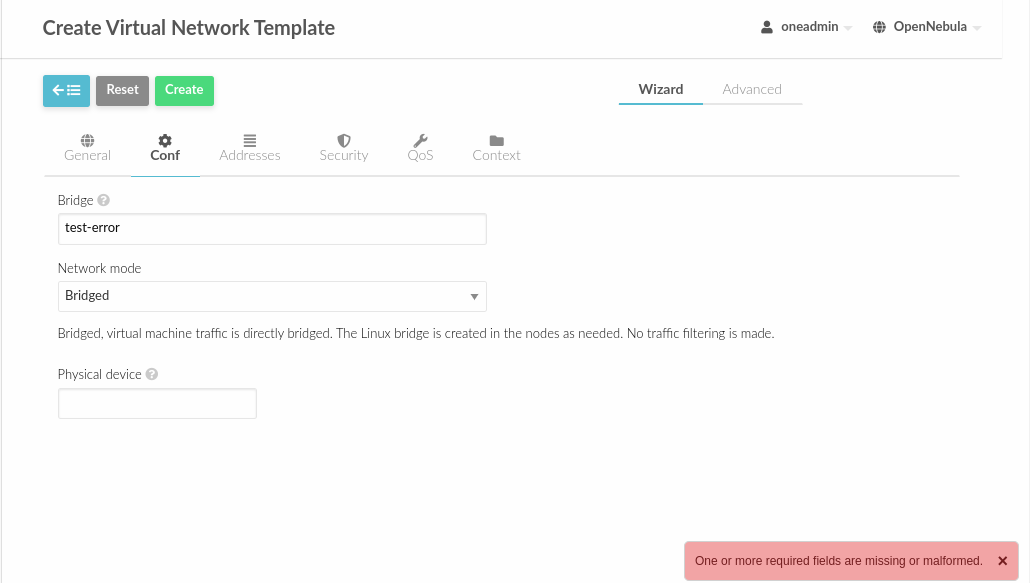
The form to create Virtual Networks is bugged after change the Network mode selector multiple times.
Same for VNet Template create form.
To Reproduce
- Go to vnet dialog
- Fill required inputs:
- Name
- Add 1 A.R.
- Then go to the
Conftab and changeNetwork modeselector several times. Eg:bridged=>802.1Q=>vCenter=>bridged - Finally, press create button and see the error
Expected behavior Error message shouldn't appear if the required inputs are hidden
Details
- Affected Component: Sunstone
- Hypervisor: [e.g. KVM]
- Version: development
Additional context
Progress Status
- [ ] Code committed
- [ ] Testing - QA
- [ ] Documentation (Release notes - resolved issues, compatibility, known issues)
