

 OpenDroneMap
Webodm shows certain projects as "running" even though they are finished
What's your browser and operating system? (Copy/paste the output of https://www.whatismybrowser.com/)
Firefox
What is the problem?
Webodm shows certain projects as "running" even though they are finished. The project doesnt stop running and shows "compressing all.zip" as last log message.
What should be the expected behavior?
Webodm should change to "completed" and allow to download the generated files.
How can we reproduce this? (What steps did you do to trigger the problem? What parameters are you using for processing? Please include multiple screenshots of the problem! If possible please include a copy of your dataset uploaded on Google Drive or Dropbox. Be detailed)
It happens with certain projects (not all). But it seems to be consistent. Either it happens or it does not. Sadly i can not share the files with you. I am running the latest docker image btw.

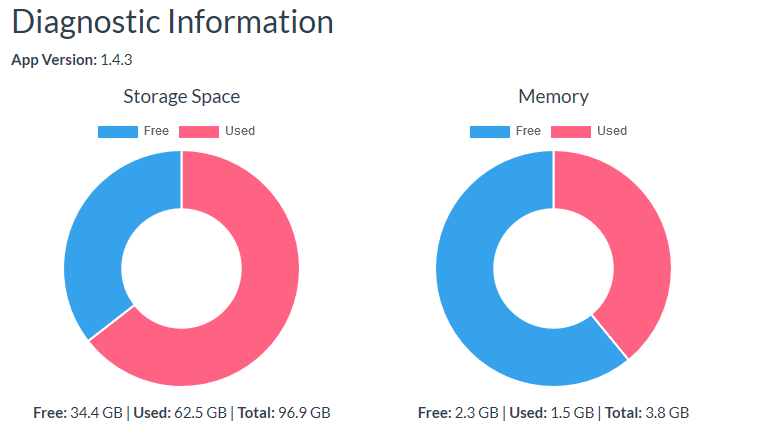
When this happens, are you running out of disk space (check in the Diagnostic panel)?
Possibly related #615 #872

I have observed something that may be identical:
Using WebODM v1.4.0 and have just experienced this issue after submitting a large number of jobs to Lightning nodes.
The jobs completed processing (logging into my Lightning account confirmed this), but after approx two days, WebODM showed the jobs in various states of progress and the log updates had stalled - in different parts of the workflow (not specifically at the end as described above).
Looks to be related to #26 ClusterODM which was recently closed, but perhaps has not been solved.
After restarting WebODM and the other docker containers, this error message replaced the stalled progress bars:
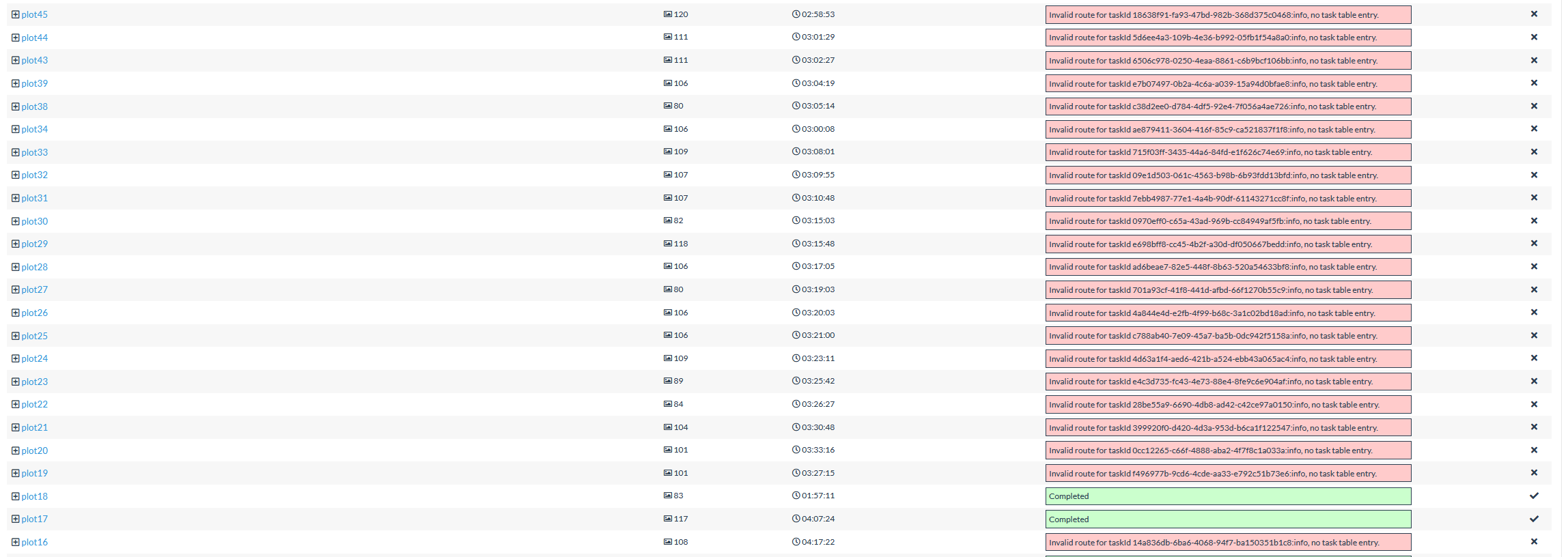
Storage not an issue:
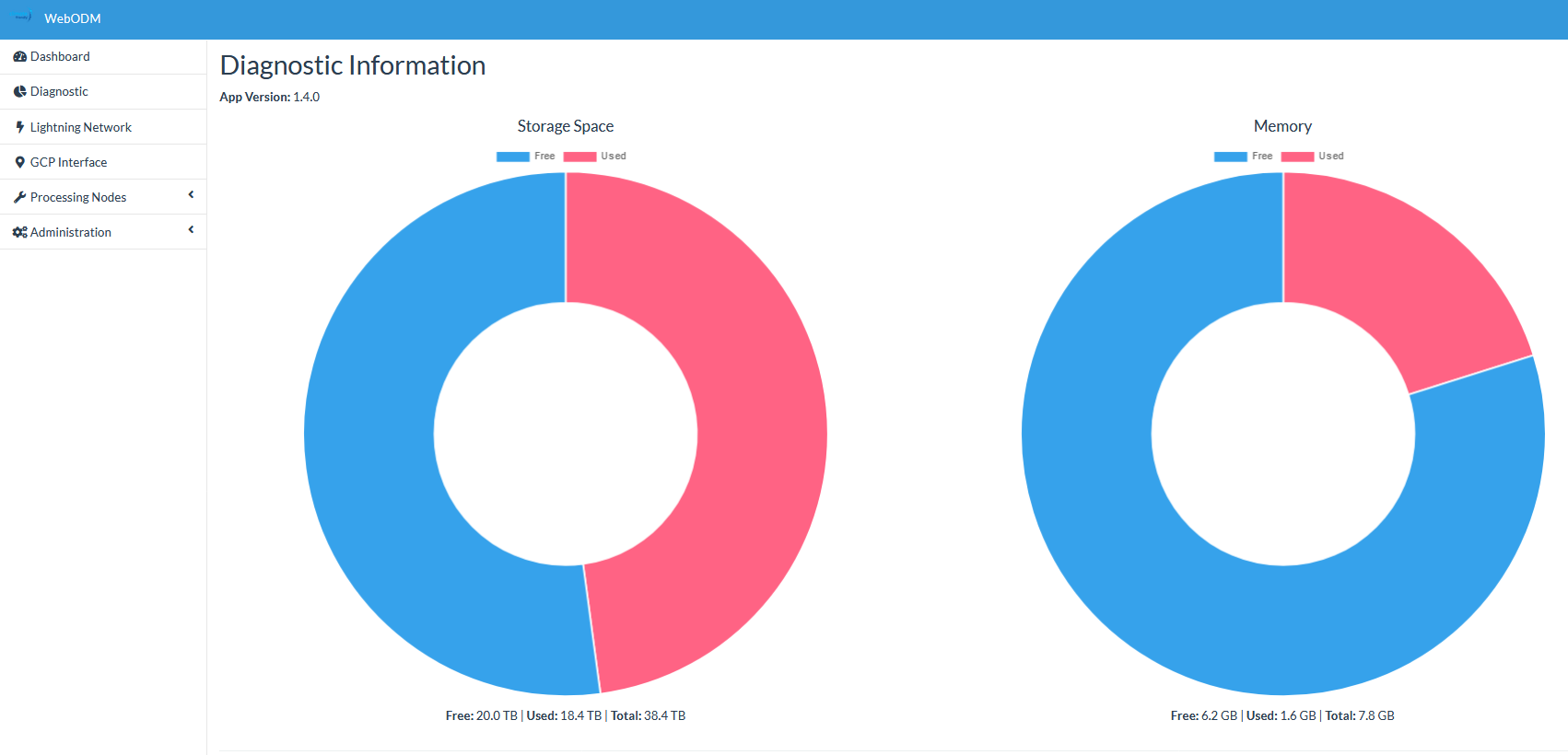

@pierotofy No i dont think i run out of disk or ram space. I've 19 TB free space and 400 GB Ram in total.
Whats interesting is, that if i queue jobs webodm will start the new job but will still show the other one as unfinished.
Can i somehow manually force it to recheck if the job is finished? As a workaround i mean.
Running into the same issue. What's your browser and operating system? (Copy/paste the output of https://www.whatismybrowser.com/)
Firefox 81 on Windows 10
What is the problem?
Webodm shows certain projects as "running" even though they are finished.
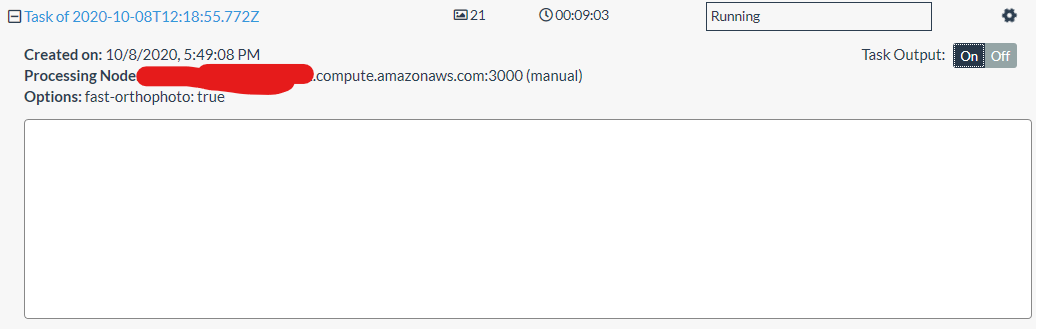
Task output is correct in NodeODM UI
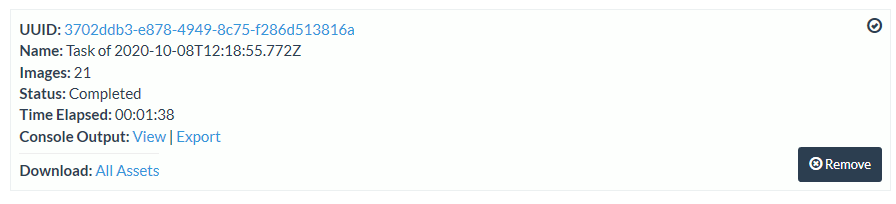
What should be the expected behavior?
Webodm should change to "completed" and allow to download the generated files.
How can we reproduce this? (What steps did you do to trigger the problem? What parameters are you using for processing? Please include multiple screenshots of the problem! If possible please include a copy of your dataset uploaded on Google Drive or Dropbox. Be detailed)
Cannot say how to replicate. Running latest docker image.
Diagnostic:
 Dataset: https://drive.google.com/drive/folders/1f3wa1KfqkOZq90fvM77Vtd2MaZ5Zi8Md?usp=sharing
Setup: Running WebODM through docker on a t3a.medium EC2 instance. Running NodeODM through docker on a r5.4xlarge EC2 instance. Both running Ubuntu 18.04.
Update:
After a few hours, it gets updated

Where should I look if I want to debug this?

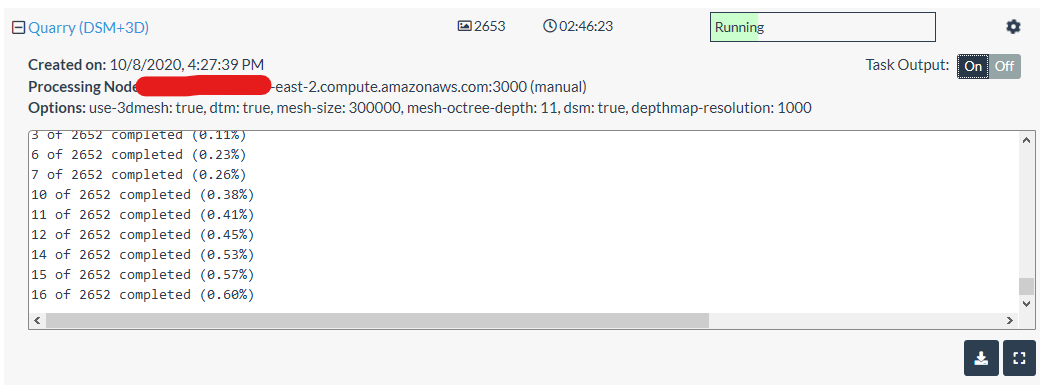
A related observation for another task. WebODM console output lags NodeODM console output by a significant difference.
NodeODM:
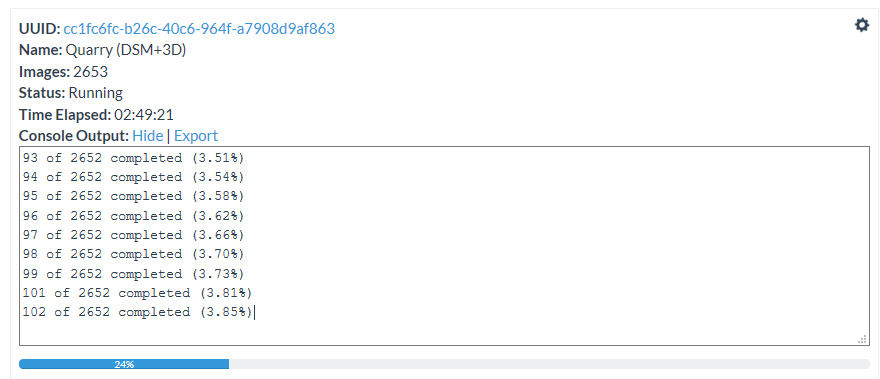 WebODM:
Next time this happens - try restarting the worker container and then refresh the webodm dashboard and confirm if any tasks have updated that were previously stalled.
I can confirm that this is something I am experiencing as well. Specifically with Lightning. We have a DJI Phantom RTK with GCPs containing 366 photos. We are hosting WebODM on a Digital Ocean VPS with plenty of disk space and bandwidth. The WebODM console freezes on our VPS at: Adding 0 - odm_georeferencing/odm_georeferenced_model.laz Pushes complete - joining... While the Lightning process continues to completion. All of the dockers containers are current and we mainly use >Firefox v83. I have spun up a large VPS to run NodeODM to process the same data set and it completes without issue. We typically use pedestrian settings on all our processes: Options: crop: 30, dtm: true, dsm: true, build-overviews: true Uploading the zip file as an import fails and restarting the WebODM instance does nothing. I think something is failing on the Lightning Cluster, but I can't put my finger on it. I would be happy to share our data set or logs.
