

 OctopusDeploy
For Git-enabled Projects, merging then deleting a branch can cause UI errors on "not version-controlled" pages
Severity
No response
Version
2023.2.2028
Latest Version
I could reproduce the problem in the latest build
What happened?
For Git-enabled Projects, merging then deleting a branch can cause UI errors on "not version-controlled" pages until a version-controlled page for that Project is visited.
Ideally, Octopus should handle this more gracefully. One possibility would be defaulting to the main branch if a branch can no longer be found (even on "not version-controlled" pages).
Reproduction
-
Start with a Git-enabled Project
-
Make a Project change
-
Commit to a new branch
-
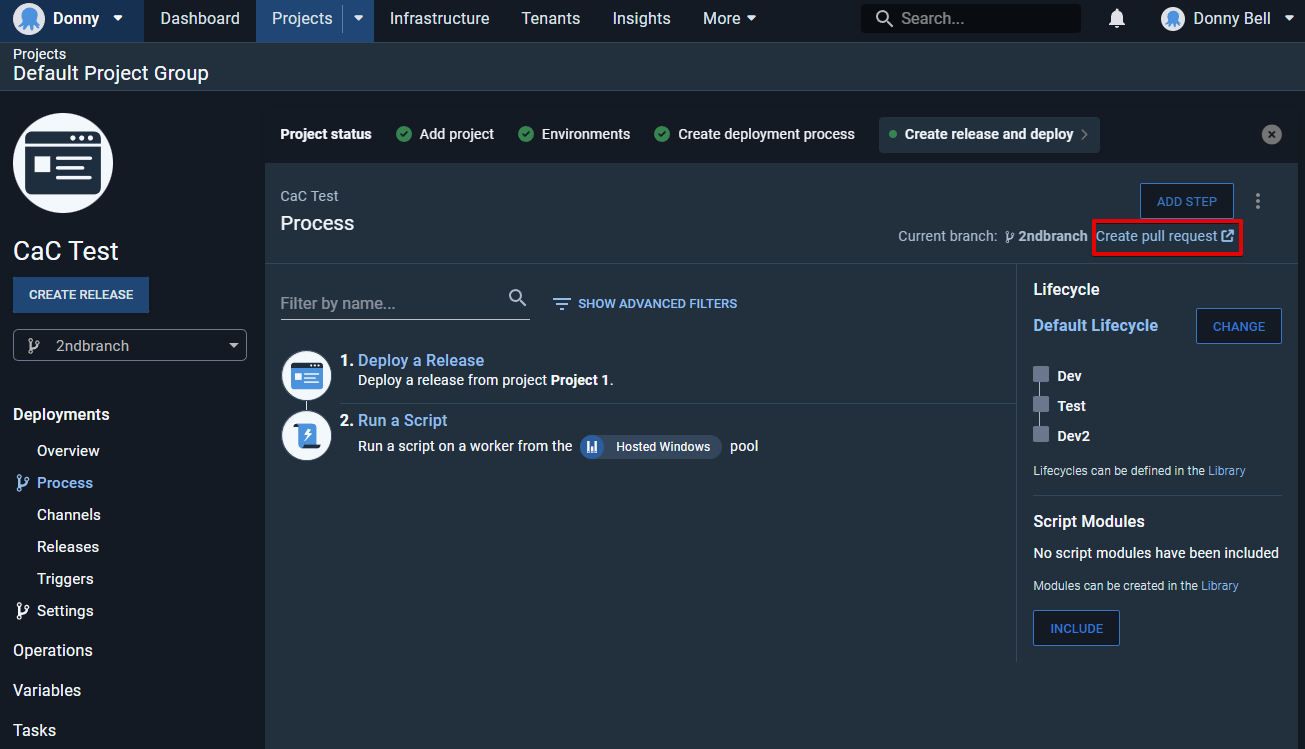
While viewing the Process for the new branch, use the Create pull request link:
-
Open the "Channels" section in a new tab
-
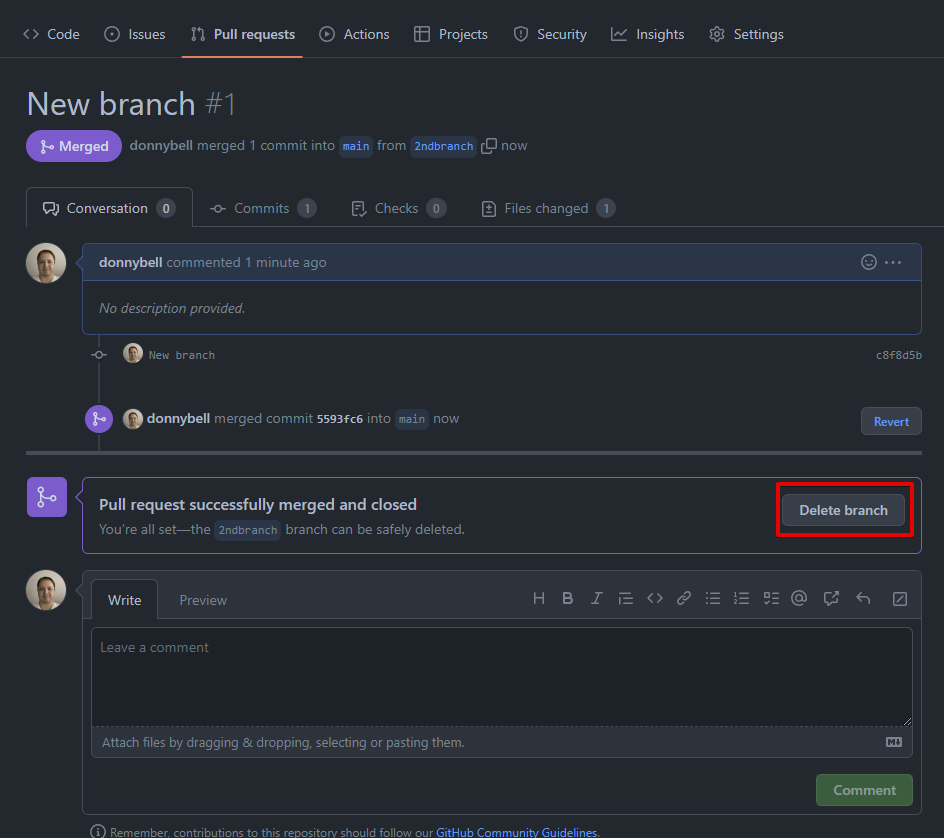
Merge, Close, then Delete the branch (GitHub example below)
-
Click on a channel in the "Channels" tab:
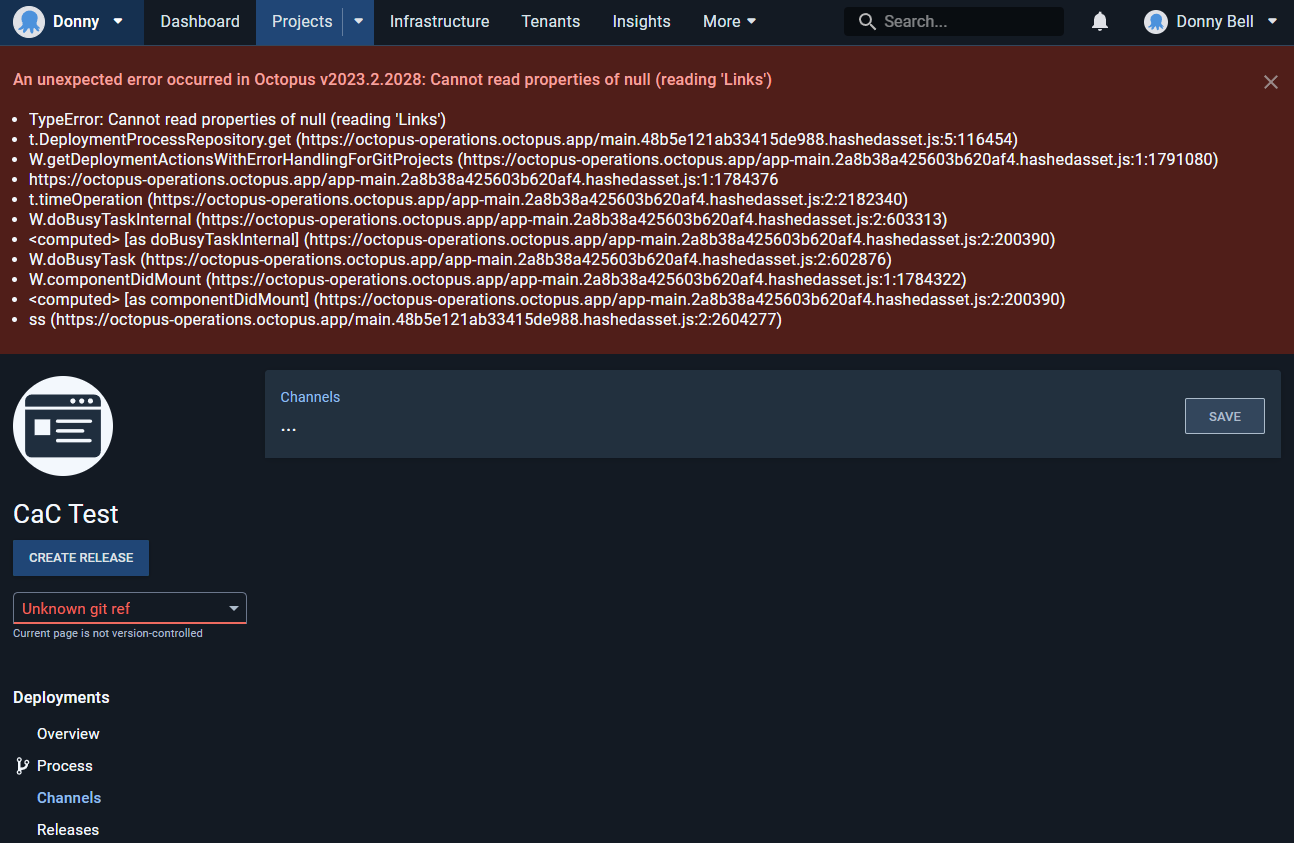
Error and Stacktrace
No response
More Information
No response
Workaround
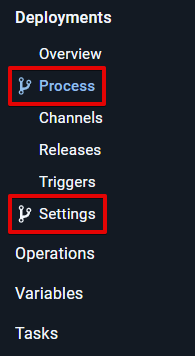
Click on any "version-controlled" page for a Project as indicated by the branch symbol:

Another occurrence (internal): https://octopus.zendesk.com/agent/tickets/122948

We've run into this as well. This also blocks redeploying a release that references a branch that was deleted. Use case there for us is that we sometimes need to update variable snapshot and redeploy to rotate some secrets.
