

 OctopusDeploy
Authentication - New User Created When Logging Into Cloud Instance - OctopusId Not Linked to External Login
Team
- [X] I've assigned a team label to this issue
Severity
Blocking Cloud Customers
Version
2022.4.7092+
Latest Version
I could reproduce the problem in the latest build
What happened?
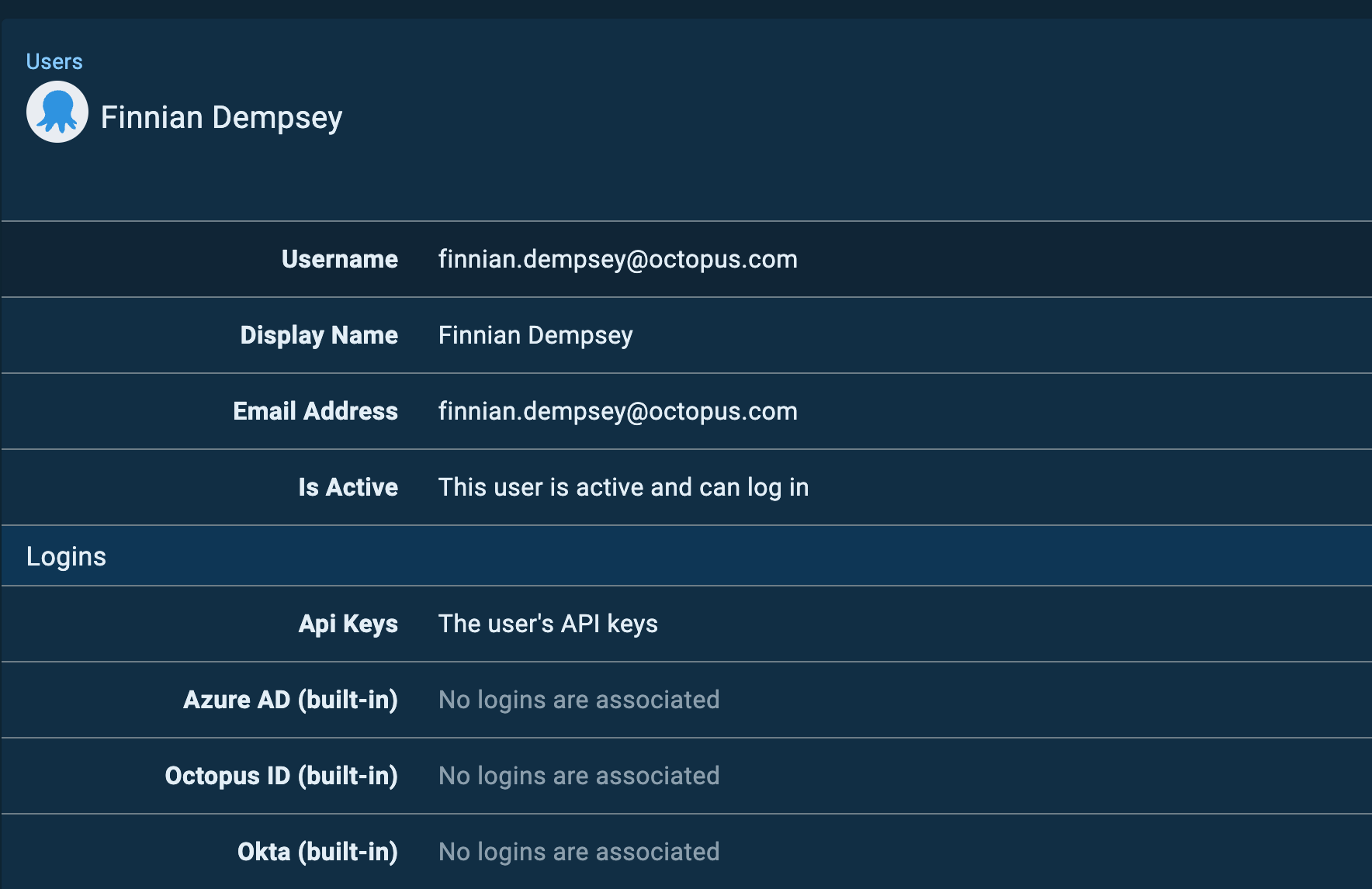
After updating to 2022.4.7092 and logging into an Octopus Cloud Instance using an OctopusId, instead of logging in with the exisiting Admin user, a new user is created which only has permissions from the Everyone team.
The original user login is missing it's associated external login:
Reproduction
Update Cloud Instance to 2022.4.7092 and login using OctopusId See new user created
Error and Stacktrace
N/A
More Information
Internal Link - Slack Internal Link - Slack Internal Link - Zendesk Internal Link - Zendesk Internal Link - Zendesk
Workaround
No known workaround however a fix has been implemented in versions 2022.4.8178+. Please log out and back in to sync External Groups after updating.
Feel free to reach out to [email protected] for assistance!

Release Note: Repaired the connection between users and external authentication providers

:tada: The fix for this issue has been released in:
| Release stream | Release |
|---|---|
| 2022.4 | 2022.4.8178 |
| 2023.1 | 2023.1.1616 |

A few customers have had this exact issue this morning and all on 8178 so re-opening this ticket. The workaround of login and logout has seemed to work though so any customers hitting this issue please login and logout and all your permissions should be re-applied (please contact us at [email protected] if this is not the case).
You may notice some spaces 'missing' in your instance but that is down to permissions so the workaround should allow a user to then see those spaces again if they had the permission to do so before.
Internal Tickets from this morning:
https://octopus.zendesk.com/agent/tickets/102038 https://octopus.zendesk.com/agent/tickets/102035 https://octopus.zendesk.com/agent/tickets/102036

API keys can be affected by this issue - the current workaround is to generate a new API key for the user. Internal Ticket here..

More affected customers: https://octopus.zendesk.com/agent/tickets/102028 https://octopus.zendesk.com/agent/tickets/101976 https://octopus.zendesk.com/agent/tickets/102099

Another occurrence [internal]: https://octopus.zendesk.com/agent/tickets/102113

API Issues - Additional information -
We can confirm the login/logout for the account with the API key does not work. Restarting the Octopus instance also does not work. Users have had to regenerate the API keys.
You will know if this issue is affecting the API key by looking at any logs which error out, if they mention permissions then you are running into this bug. I will note, if it is a brand new API key you are using do check that account has the correct permissions to perform the actions required. If the API key is an old one and it was previously working and now is not due to permissions you are running into this bug.
An example of a Jenkins API being affected by this bug is this:
You do not have permission to perform this action. Please contact your Octopus administrator. You have to have either SpaceView permission or access to the data within at least one space.
Tickets (Internal):
https://octopus.zendesk.com/agent/tickets/102092 https://octopus.zendesk.com/agent/tickets/102075 https://octopus.zendesk.com/agent/tickets/102088