

 OctopusDeploy
AWS Step Templates - Allow use of ECS TaskRole for Authentication Context
Team
- [X] I've assigned a team label to this issue
Severity
Workaround Exists
Version
2022.4.4601-hotfix.5911
Latest Version
I could reproduce the problem in the latest build
What happened?
Currently the option for AWS Step Templates to Execute using the AWS service role for an EC2 instance doesn't allow for ECS FARGATE tasks to use their assigned TaskRole.
This causes deployments to fail when targeting Octopus Tentacle hosted in ECS FARGATE as the metadata endpoint seems to be different:
EC2 - 169.254.169.254/latest/api/token
ECS - 169.254.170.2$AWS_CONTAINER_CREDENTIALS_RELATIVE_URI
Reproduction
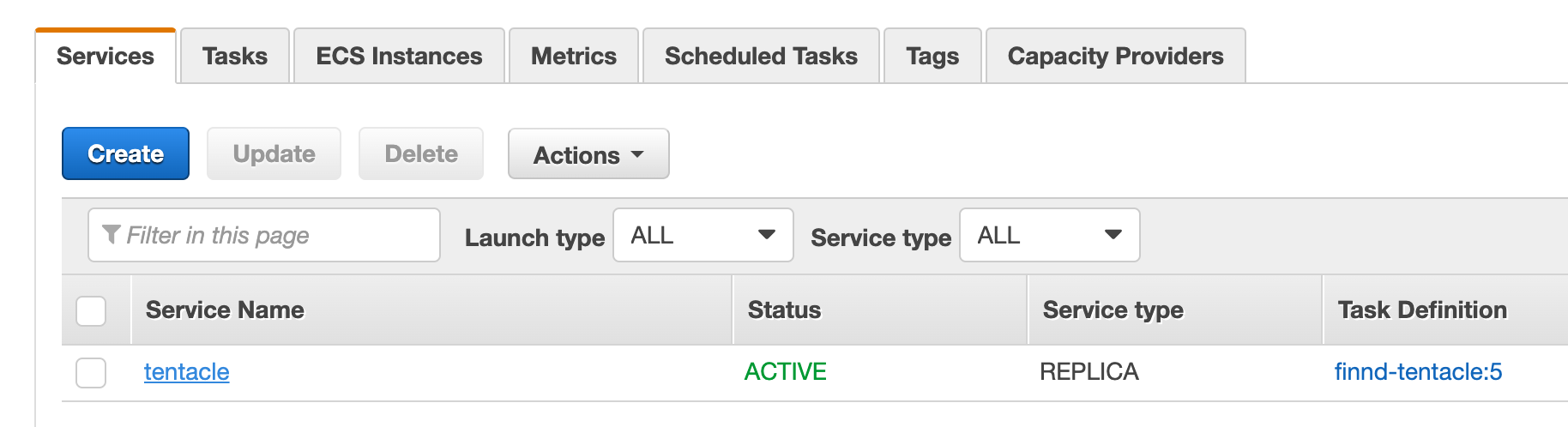
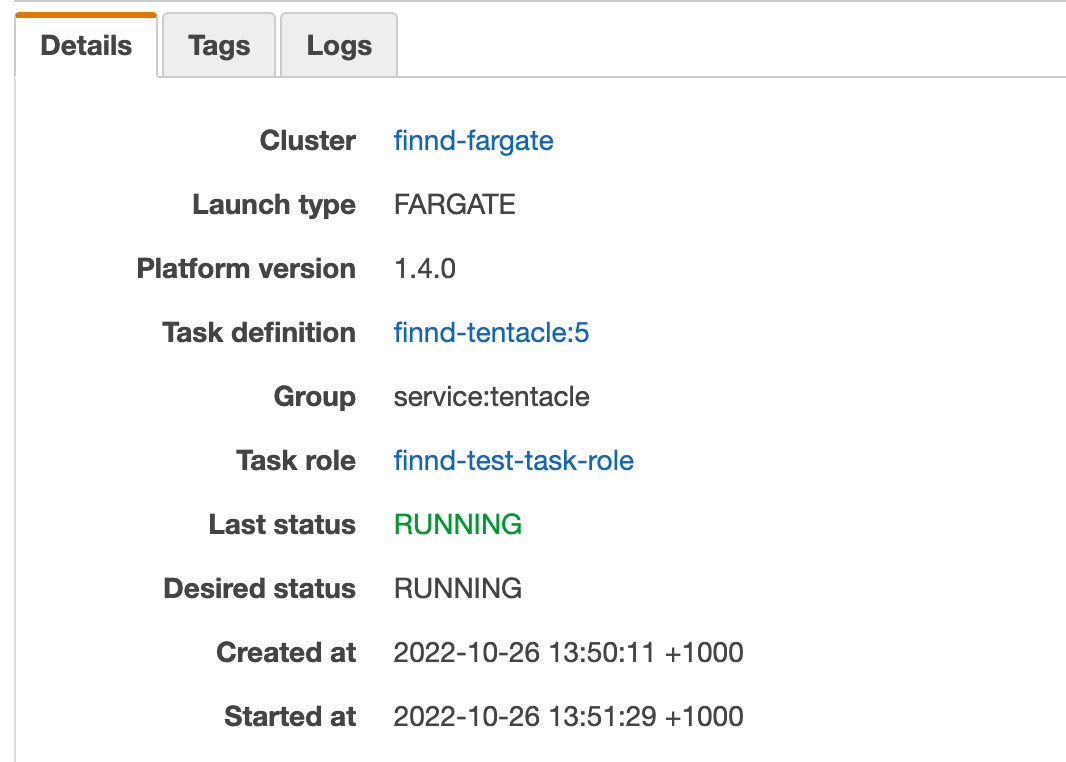
- Configure a Tentacle hosted on ECS Fargate with a TaskRole e.g. S3 upload permissions
- Configure an AWS Step Template to target the Fargate Tentacle e.g.
Upload a package to an AWS S3 bucket - Setting
Execute using the AWS service role for an EC2 instancetoYeswill result in an error as the incorrect metadata endpoint is used.
Error and Stacktrace
Error | AWS-LOGIN-ERROR-0003: Failed to access the role information under http://169.254.169.254/latest/meta-data/iam/security-credentials/, or failed to parse the response. This may be because the instance does not have a role assigned to it. For more information visit [https://g.octopushq.com/AwsCloudFormationDeploy#aws-login-error-0003](https://g.octopushq.com/AwsCloudFormationDeploy#aws-login-error-0003)
More Information
AWS Docs - EC2 Roles AWS Docs - Task Roles
Internal - Slack Internal - Zendesk
Workaround
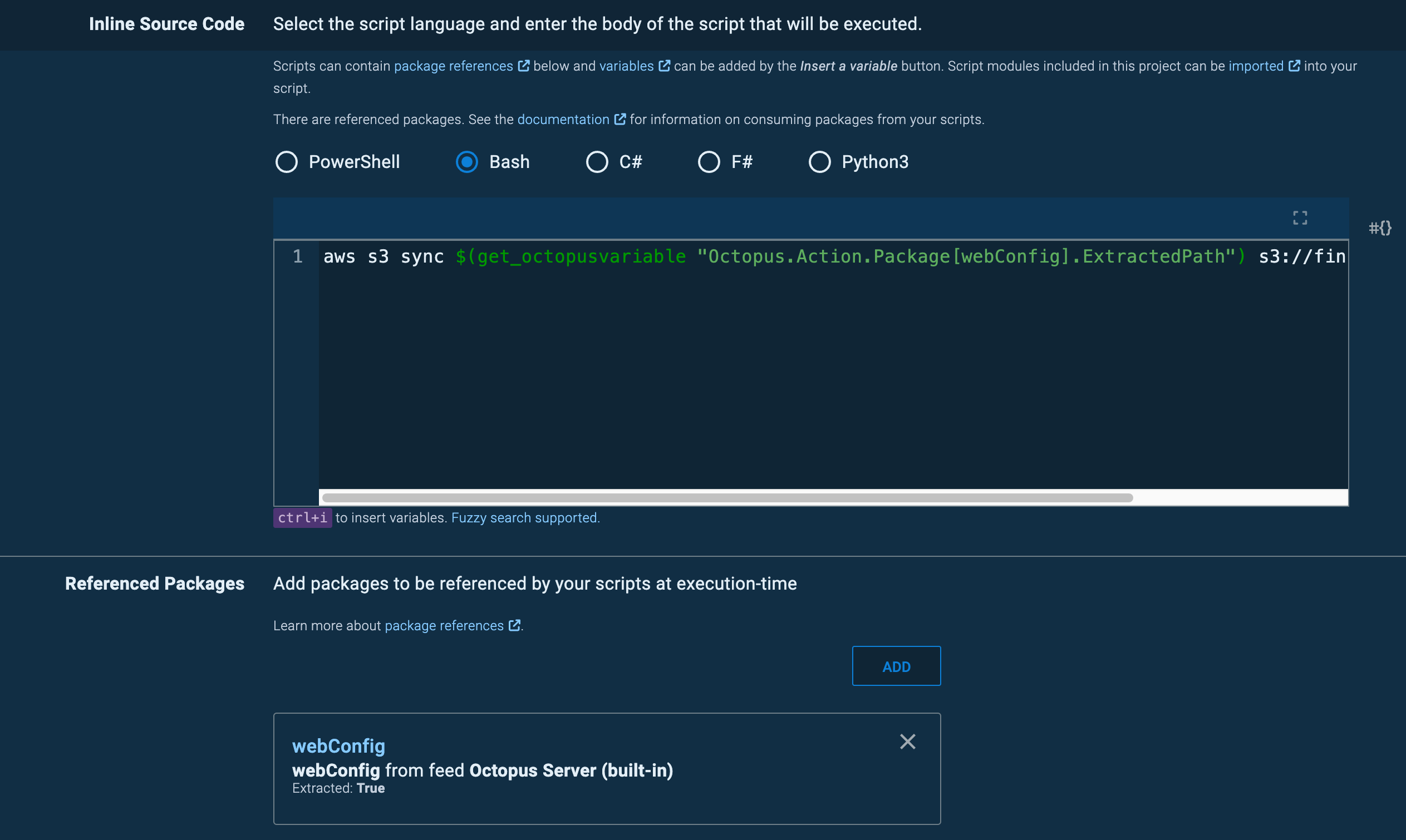
Use a Run a Script step with CLI commands to perform the deployment as the Task Role will be the default Authentication context used. Will require the AWS CLI to be installed on the target.
E.g. S3 Upload Bash Script with a Referenced Package
aws s3 sync $(get_octopusvariable "Octopus.Action.Package[myPackage].ExtractedPath") s3://myBucket/myPackage

Sorry to resurrect this but we've recently hit on something that looks like this issue.
We run some workers in ECS, and are currently moving away from basic accounts (AccountIDs with secret keys) and towards using IAM Roles.
Selecting the options above to have the deployment step use the EC2 metadata but assume a role does not work for us and returns an error: AWS-LOGIN-ERROR-0006: Failed to login via external credentials assigned to the worker.
System.Exception
March 21st 2024 12:13:06
Error
   at Calamari.CloudAccounts.AwsEnvironmentGeneration.Initialise() in C:\BuildAgent\work\e0cefbed4ad11812\source\Calamari.CloudAccounts\AwsEnvironmentGeneration.cs:line 58
This is slightly different from the reported error message so if this is not the same issue then apologies. We're testing the scripted workaround but it would be good if ECS workers could be used as seamlessly as EC2 instances in cases such as this.
Update Testing of the workaround shows that this does not work either. It looks as if an ECS worker cannot be used at all with IAM roles alone. It seems to require an AWS account with API credentials which is what we are trying to avoid. Unless I am misunderstanding something? Could this be bumped perhaps as it's starting to cause friction.

Hey @twistypigeon I've just tested and confirmed the workaround is still functioning, did you use the Run a Script type step instead of Run an AWS CLI Script?
If a non-AWS step is used to run AWS commands then Octopus won't be involved with the authentication and the AWS CLI should use the standard precedence to authenticate, which assumes the TaskRole automatically: https://docs.aws.amazon.com/cli/latest/userguide/cli-chap-configure.html
Alternatively you could use Run an AWS CLI Script Steps with OIDC from Octopus 2024.1, however this uses the OIDC Role instead of the ECS TaskRole: https://octopus.com/docs/infrastructure/accounts/aws#openid-connect