

 OctopusDeploy
Missing environments should be highlighted on tenant pages
Team
- [X] I've assigned a team label to this issue
Severity
Non blocking. But misleading.
Version
any
Latest Version
I could reproduce the problem in the latest build
What happened?
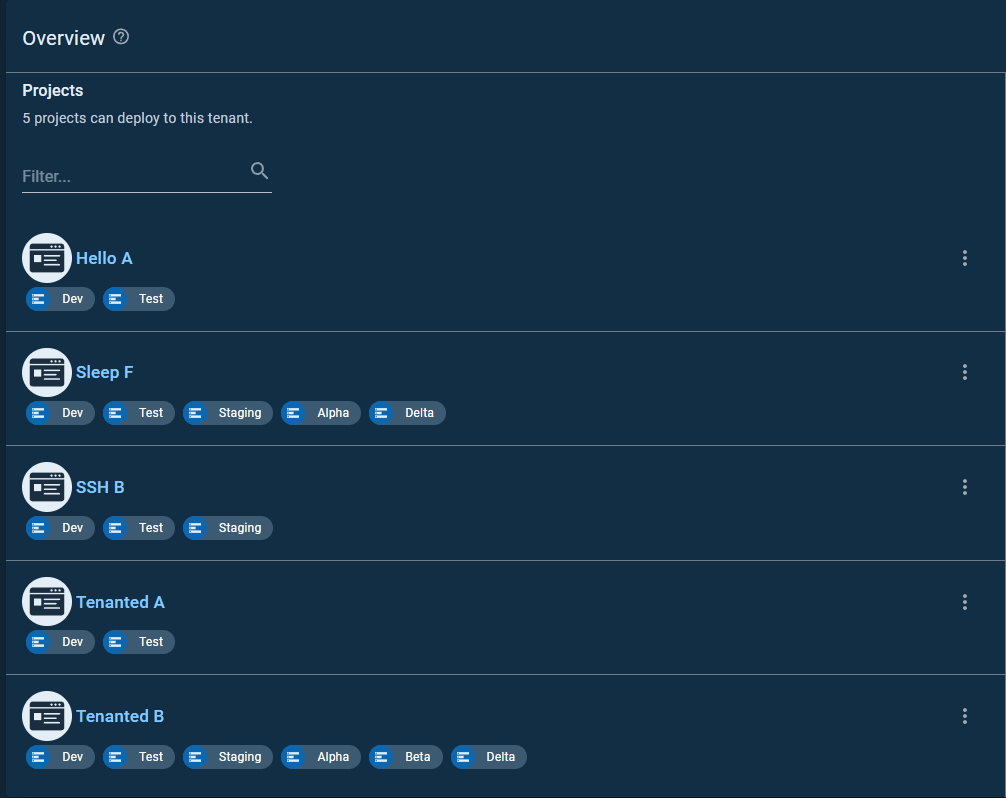
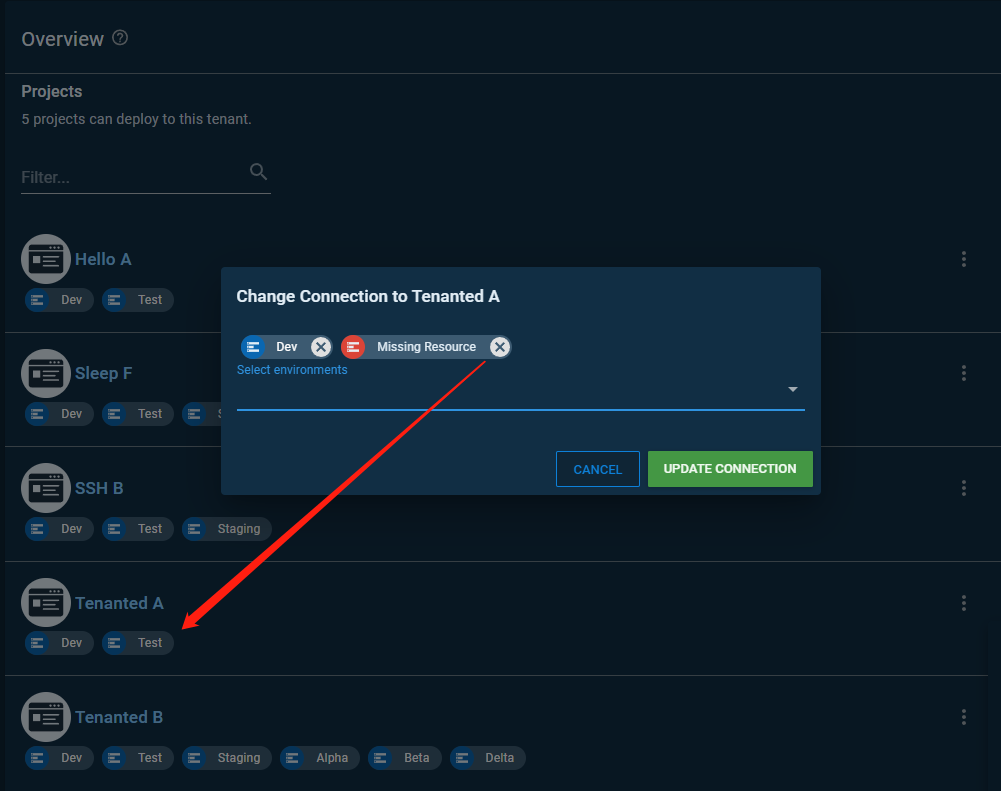
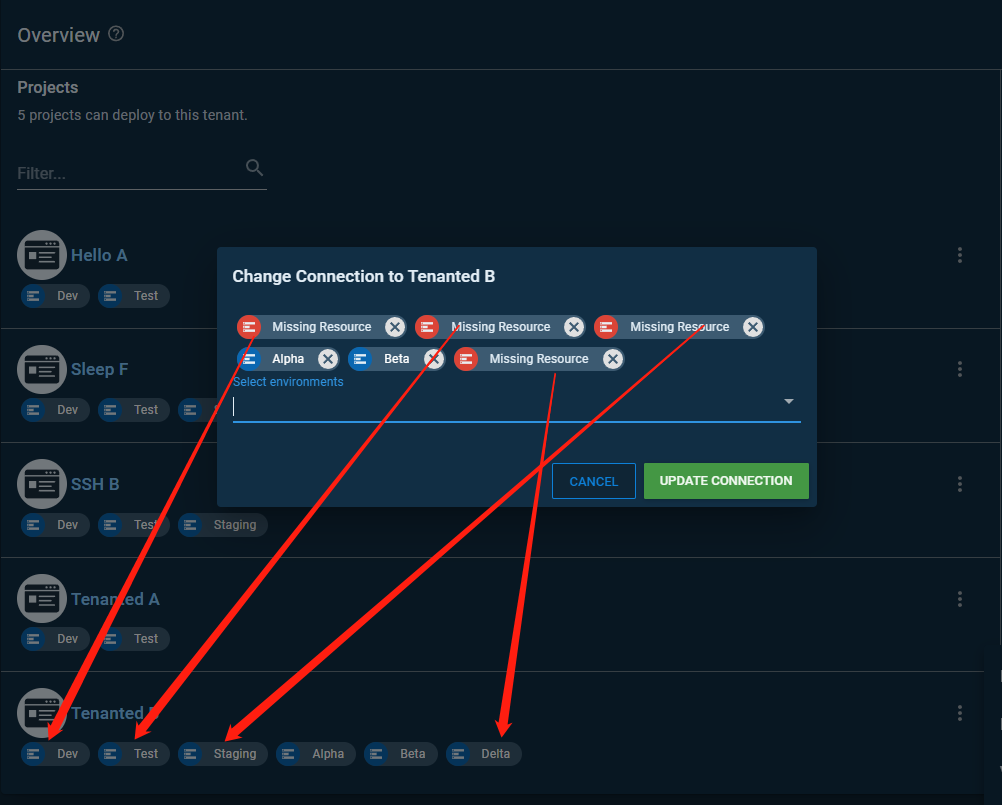
A tenant can have environments that are no longer in the project lifecycles. When this happens, there's nothing on the tenant overview page and variables page (potentially other places) that communicates this disconnect. An improvement was made to the edit dialog to explain the mismatch. But it's not highlighted on the overview and variables pages. The screenshots show the environments that are no longer part of the lifecycles but the overview is unaware of it.
Reproduction
- Make sure to have at least 3 environments (e.g.
dev,test,staging). - Create a lifecycle with 2 phases, one for
devand one fortest. - Create a project with the above lifecycle.
- Create a tenant and connect it to the project on both environments
devandtest. - Change the phase in the lifecycle from environment
testtostaging. - Go to the tenant overview page -> the tenant connection shows
devandtestbuttestis no on the lifecycle anymore. - Go to the tenant variables page -> and see the same.
Error and Stacktrace
No response
More Information
The main reason this hasn't been done was due to having to make a lot of API calls to get progression data which are expensive.
Workaround
No response

Would like to work on this if we can. @veochen-octopus - can we try the same tacky thing you did for this ticket: https://github.com/OctopusDeploy/Issues/issues/5831
