

 OPM
OPM
Case crashes on grid load
[v2022.06.0] The attached model KR2h4 crashes on opening the EGRID file. KR2h4.zip
Procedure:
- Open ResInsight
- Import Eclipse Case > KR2H4.EGRID
- *** Crashes ***
The model loads Ok in versions 1.6.0, 2016.11.0 and 2017.05.2, but fails from 2018.01.0 onwards. The case loads correctly in other software such as S3Graf. I hope this case helps you uncover and eliminate some sort of coding bug that seems to have crept in from the 2018 update.
The model is slightly unusual, it has DUALPORO/PERM and VE (=Vertical equilibrium), which may be a clue on why this case does not load.
DIMENS 14 41 30 / FIELD GAS OIL WATER DISGAS DUALPORO DUALPERM VE NOCOMP /
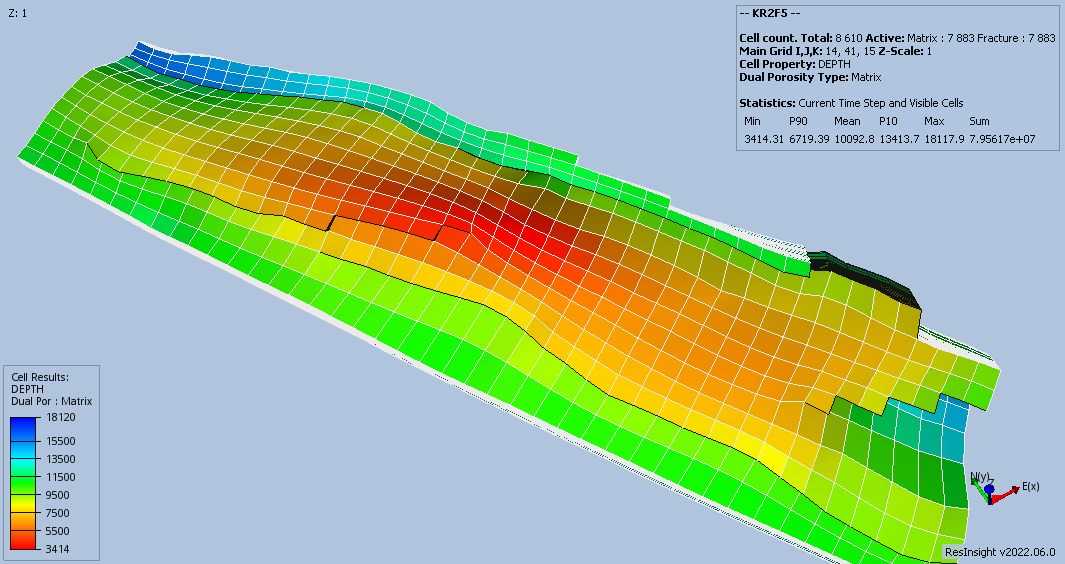
On the other hand another case of the same model KR2f5 loads correctly: KR2f5.zip
The f5 and h4 cases use identical grid and base properties ... the input .data files are included in the zip files, you will see there are a number of minor differences in property multipliers and both model are using the VE model. The f5 model is not DUALPERM and has GRAVDR (=Gravity Drainage) enabled.
DIMENS 14 41 30 / FIELD GAS OIL WATER DISGAS DUALPORO GRAVDR VE NOCOMP /
Screenshot of the KR2f5 model

This seems to be related to the import of NNCs.
For a workaround, turn off "Import NNCs" under the "Grid" tab in "Edit -> Preferences" before you import the EGRID file.

I also have the same issue with a dual porosity / dual permeability model that has reverse faults. I tried turning off the"Import NNCs" but that also failed. I am not sure that the NNCs are an issue as I can load the .EGRID file on its own. It is only when I include the .INIT that fails. B093_DNOBASE_275_139.zip
