

 ONLYOFFICE
Blurry fonts in Firefox with custom zoom
Hi. Not sure if it's this NextCloud app or the server or what, but when using OnlyOffice trough NextCloud all the content in the documents are really blurry. Both the text and the numbers/letters and lines in spreadsheets. I'm using NC 17 on Owncube, with the OnlyOffice app v 4.1.4. It's the same for ODF and OOXML files.
My browser is Firefox 72.0.1, Ubuntu 19.10. Let me know if I can help with any more info. Hope you can move this if this is the wrong place for this bug report. This is my first one with you. Thank you so much for all the great work you're doing!


Hello, @forteller. Blur seems to be related to your browser scale. What scale is set in your browser?

Ah, yes, looks like it is. In the screenshots it's at 120%. But I checked now, and it's blurry at any scale larger than 100%, except for 200%. I't hard to check for scales smaller than 100%.
I don't have this issue with any other websites or web apps.
@forteller, we are aware of this problem and plan to fix it in the future.
Any timeline on this one? We're currently testing this setup and the blur will surely turn away users, as it's distracting and frankly looks unprofessional.
Any way we can help?

I can confirm this issue on Firefox, document content fonts are always burry, no matter the hinting mode selected. I also reported this over here:
https://webcompat.com/issues/59717
Zoom settings don't solve the issue.
Personally this makes really painful to use on Firefox and I don't plan to replace my browser with other comercial user-tracking alternatives.

OK, so I managed to improve the blurriness by reduzing Firefox zoom to 80% and then using the document zoom to make the text readable (140%). Note the screen resolution is 3840x2400 and OS scaling is set to 250%.
See https://github.com/webcompat/web-bugs/issues/59717#issuecomment-726019954. How is the canvas size determined?

Given that if I spoof the user-agent as Chrome it works correctly, it seems like some UA-sniffing issue.
These bits look related:
https://github.com/ONLYOFFICE/sdkjs/blob/4c25a716cd5832e854518ff70780ee27138d56a1/common/browser.js#L187
Hi,
I confirm that I have the exact same issue with Firefox ESR 78.8: it is all bury, but fine if I zoom out to 80% with Firefox. No problem with chromium.

I have this issue on Firefox 89.0.2 on Windows 10. Using OnlyOffice via CryptPad.
- Fonts, logo, icons and sheet gridlines blurred
- Changing the UA via extension and reloading the page has no effect.
- Issue occurs with zoom at 100%
- Issue occurs with any font hinting setting
- When loading page, interface and logo are clear at first, then flash and become blurry
- Interface is not blurry at the following zoom levels:
- 67% (css uses iconssmall.png for icons)
- 133% (css uses [email protected] for icons)
- Screen resolution: 2560 x 1440
- Windows scaling: 150%
- When Windows and Firefox scaling both set to 100%, the issue does not occur.
I also note that when I change my UA to chrome, while the blurriness is not fixed, OnlyOffice reads my mouse position as 2-3 cells lower than its actual position.

Hi @N-Upchurch! Please record a video on which the problem will be visible and also indicate the version of the document editors. On my Win 10 system, the scale is set to 150% and on Firefox 90 it is set to 100%, the editors version is 6.3.1.32 and there is no problem.

Hi @LuckySpecialist, thanks so much for your reply. Could you guide me on how to check which version my instance is running? I am using OnlyOffice via CryptPad.
A user just reported me the same.
She uses font Arial and Calibri, on firefox. She said that on safari, it is fine.
And actually, she just told me that the focus cell on her spreadsheet is fine, but the rest is slightly blurry.
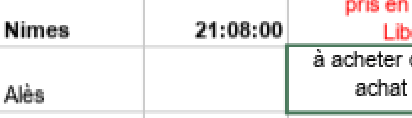
(Maybe the screenshot doesn't tell much, it is hard to spot the difference, but she can while she works.)
Hope it helps!
Have a nice day!

Hi @pierreozoux! At the moment, we only support scales of 100/125/150/175/200%. All intermediate options will be blurred. What scale do you use in this example (this refers to the system/browser scale)?
The request for this improvement is issued under #64226 We will return to it when there is a technical opportunity for this from Firefox side.