

 Novik
Novik
DataDir plugin: Error 500 when trying to change directory of a torrent file
Please complete the following tasks.
- [X] Web browser cache cleared
- [X] Link provided to install script if applicable
- [X] Web browser, ruTorrent, PHP and OS version provided
Tell us about your environment
Web Browser: Google Chrome 97.0.4692.71 ruTorrent: 4.0 PHP: PHP81 OS: Truenas 13.0 running Freebsd 13.0-RELEASE-p11
Tell us how you installed ruTorrent
Followed the following guide: https://forums.freebsd.org/threads/freebsd-install-rtorrent-and-rutorrent-on-lighttpd-full-guide.85230/#post-567706
Describe the bug
Package data Dir is not working. When trying to move a saved torrent the following error occurred:
VM25815:1 POST http://192.168.2.133:8080/plugins/datadir/action.php 500 (Internal Server Error)
Upon clicking the link the following message appears:
{"errors":[{"desc":"theUILang.datadirSetDirFail","prm":"/usr/local/rtorrent/downloads"}]}
I have made sure the permissions are correct, $topDirectory in config.php is set to "/".
Steps to reproduce
No response
Expected behavior
No response
Additional context
No response

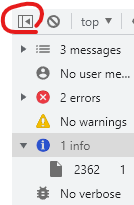
Could you go to settings -> more tools -> developer tools -> console on google chrome? Then click the button I circled and press info while on your ruTorrent webpage. Look for a stack trace. Make the error happen while viewing it.

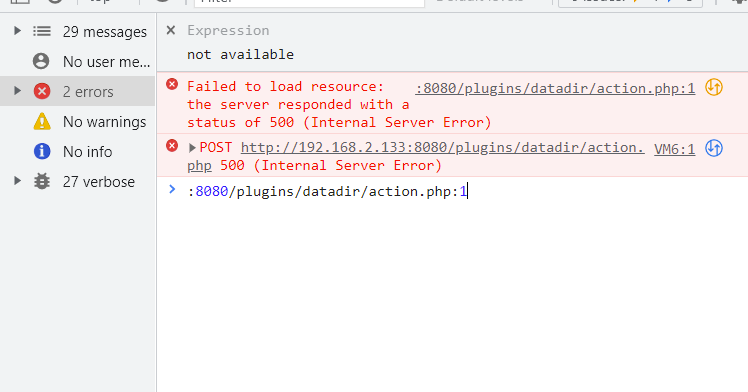
No info available :/
Yeah I figured that might happen. The next step is to edit your php.ini configuration file to log errors.
Stop services:
service php-fpm stop
service lighttpd stop
Edit your phi.ini file: ee /usr/local/etc/php.ini
uncomment this line: error_log = php_errors.log
Start services:
service php-fpm start
service lighttpd start
Provide the output of the php errors log file:
cat /usr/local/www/lighttpd/ruTorrent/php/php_errors.log
Also the guide you followed is wrong. This step should not be needed:
Create missing the directory for cache/history added .torrent file.
mkdir -p /usr/local/www/lighttpd/ruTorrent/php/share/torrents
Instead edit your ruTorrent configuration file to save cache/history content in the correct location:
ee /usr/local/www/lighttpd/ruTorrent/conf/config.php
Change $profilePath to $profilePath = '../../share';
This will save in /usr/local/www/lighttpd/ruTorrent/share/. Saving cache/history content in the php folder will break things.
If it is required to create a directory, it should be done like this instead:
mkdir -p /usr/local/www/lighttpd/ruTorrent/share/torrents
Reset permissions again afterwards:
chown -R www:www /usr/local/www/lighttpd/ruTorrent
chmod -R 0775 /usr/local/www/lighttpd/ruTorrent
@stickz here is a screenshot: on. php: 36 Stack trace: #0 {main} thrown in /usr/local/www/lighttpd/ruTorrent/plugins/datadir/action.php on line 36
Also, inscase someone needs to do this in the future. You need to add a path to error_log = php_errors.log aka error_log = /usr/local/www/lighttpd/ruTorrent/php/php_errors.log
In regards to your message after that, It was already changed from $profilePath to $profilePath = '../../share';
Also for vmtouch -i '*.torrent' -m 125K /usr/local/www/lighttpd/ruTorrent/ Can i do that at any time after restarting rtorrent or does it need be at first startup?
Also, one last thing ( if youd rather another ticket logged let me know)
Is there any way to correct the setup to allow the settings to autosave so that upon restarting the setting file doesn't get set back to 0 ? Thier reasoning was as followed:
Don't set anything else in /etc/rc.conf because it will be a mess.
Configure it to work as a daemon. The program running as a daemon does not use rtorrent.rc Based on the link below, the rtorrent daemon as built, which is also the main configuration file. https://anton-pribora.ru/articles/os/freebsd/rotrrent-web-panel-freebsd/ This is done this way, ot that way, because there is no way to save the torrent.rc file from within ruTorrent running on the server. Also, setting the ruTorrent settings on the client, works until reboot. In the daemon it is permanent. All functions from the manual RTORRENT(1)() are rewrited and can be changed in this file, between entries:
You can try this in your daemon. Ideally, this should be run every time you start rTorrent.
rtorrent_args="-O execute2='vmtouch, -i, *.torrent, -m, 125K, /usr/local/www/lighttpd/ruTorrent/' ${rtorrent_args}"
You can check if it worked successfully, by running the following command after restarting rTorrent.
vmtouch /usr/local/www/lighttpd/ruTorrent/
I tracked down the cause of your error. I believe you need to install the ctype extension for php8.1 on FreeBSD.
pkg install php81-extensions
@stickz you my sir are a genious. That all worked. I got the move to work and the script to work. in regards to having the settings actually save any ideas?
I can’t even get the setting in the Rtorrent file to work. For example, the port setting won’t work
I can’t even get the setting in the Rtorrent file to work. For example, the port setting won’t work
@colinborins Please take a screenshot of your connection tab in the ruTorrent settings menu.
You must specify a port range on rTorrent, even if you're only using 1 port. For example 6881-6881 would bind to 6881.
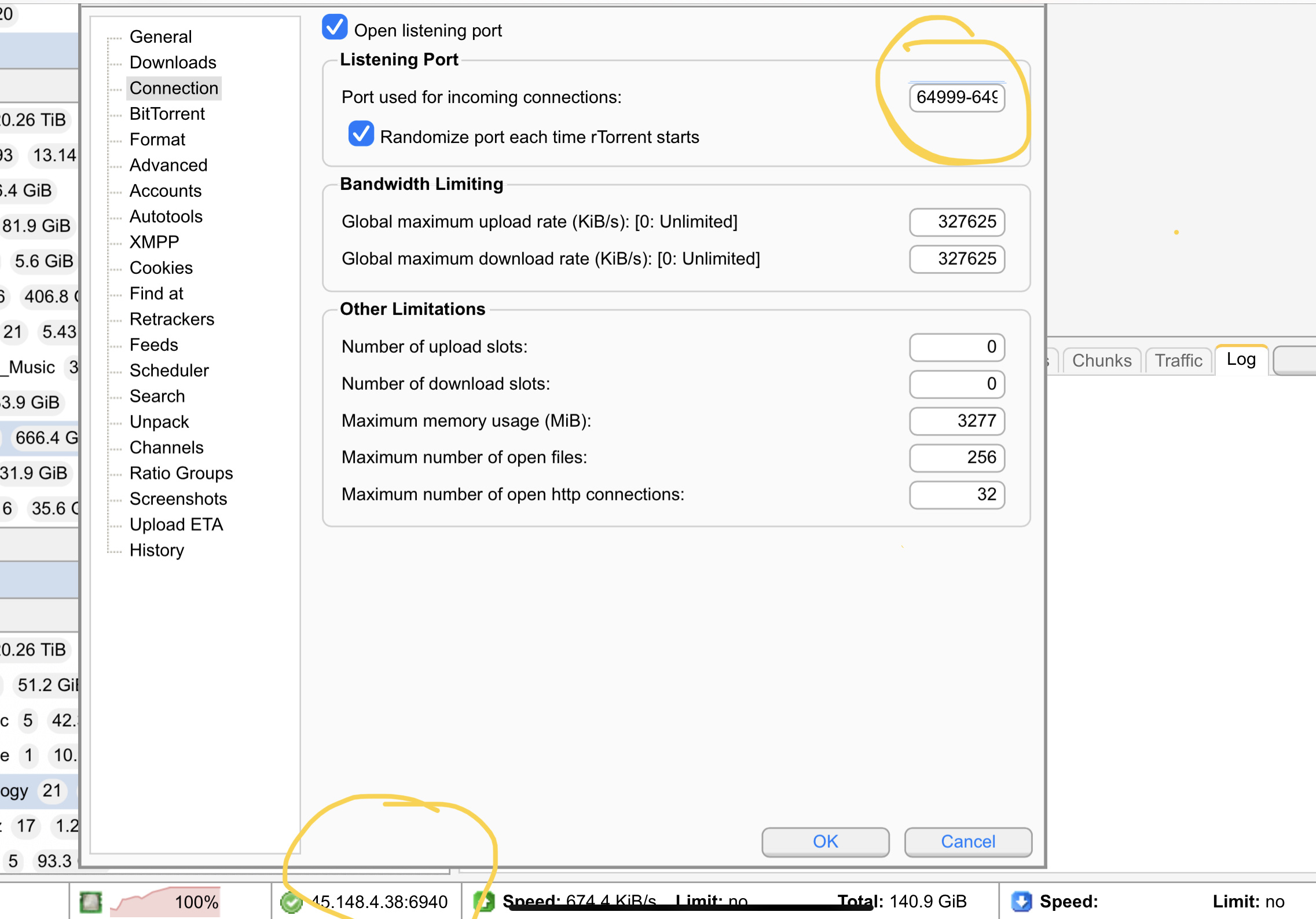
You can't change the port from ruTorrent. It's required to configure the settings file from the guide.
#General Settings
: ${rtorrent_port_range="64999-64999"}
: ${rtorrent_port_random="no"}
@stickz i should have lead with that. I also have tried that without luck:
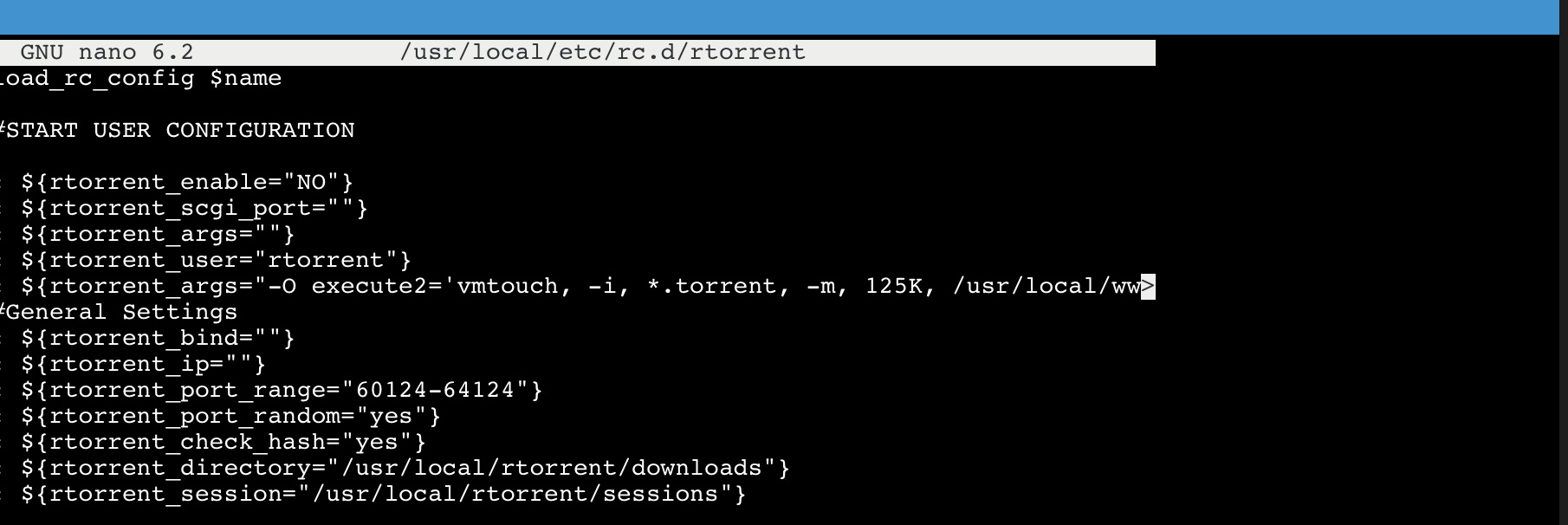
You did not install the vmtouch command properly.
rtorrent_args="-O execute2='vmtouch, -i, *.torrent, -m, 125K, /usr/local/www/lighttpd/ruTorrent/' ${rtorrent_args}"
start_cmd="echo Starting ${name}.; su -m ${rtorrent_user} -c \"${screen} -A -m -d -S rtorrent ${command} ${rtorrent_args}\""
@stickz ive corrected the vmtouch line. However, im still getting the same result for ports. If you have any ideas that would Be amazing
The author of the article also said “ PS. By the way, not all manual commands work. I do not know why maybe manual it is old.”