

 Nick1787
SQL connection failed / FIX
As I execute AdvancedSerialClient.exe I receive this message:
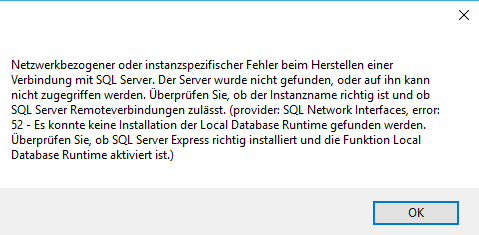
-> failed to connect to SQL Server
Reason: Microsoft SQL LocalDB not installed
Solution: Serch for and install sqllocaldb.msi
Create database as named in AdvancedSerial with command prompt (cmd): sqllocaldb create MSSQLLocalDB
Try executing AdvancedSerialClient.exe again.

THANK YOU! I used https://download.microsoft.com/download/8/D/D/8DD7BDBA-CEF7-4D8E-8C16-D9F69527F909/ENU/x64/SqlLocalDB.MSI
For those that aren't familiar with command line: File -> CMD CD C:\Users[username]\Desktop\client (or wherever you put the folder) sqllocaldb create MSSQLLocalDB
This makes a new simple local database for the data to be dumped to.
