

 NginxProxyManager
No Authorization, passwors stored in "Hints" not in "Passwords"
Checklist
- Have you pulled and found the error with
jc21/nginx-proxy-manager:latestdocker image?- No (i have no Docker, installed as LXC on Proxmox 7.3)
- Are you sure you're not using someone else's docker image?
- No
- Have you searched for similar issues (both open and closed)?
- Yes
Describe the bug Authorization passwords are stored in "Hint" not in "Password" and so the Authorzation don't work
Nginx Proxy Manager Version 2.9.19
To Reproduce
- Open "Access List"
- "Add Access List" and name it
- Click "Satisfy Any"
- Click "Authorizaion" and edit User and Password
- Click "Save"
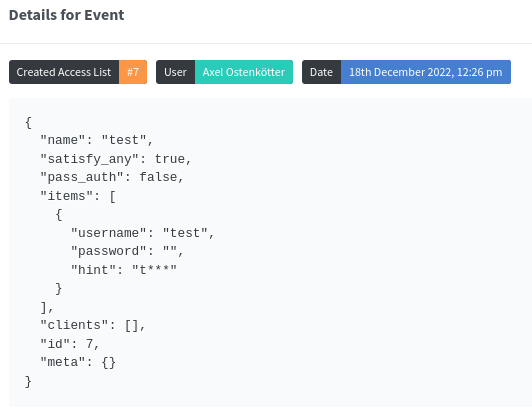
under "Audit Log" open the last "Created Access list " will show in details: { "name": "test", "satisfy_any": true, "pass_auth": false, "items": [ { "username": "test", "password": "", "hint": "t***" } ], "clients": [], "id": 7, "meta": {} }
Expected behavior Password should stored in the right location to bring up Authorization
Screenshots
Operating System Proxmox 7.3, installed with the Proxmox script
Additional context System installed in LXC Container witg the Proxmox script. Reverse Proxy works without authentikation


Issue is now considered stale. If you want to keep it open, please comment :+1:
![github-actions[bot] avatar](https://avatars.githubusercontent.com/in/15368?v=4 "Published by a pub.dev verified publisher")