NginxProxyManager
Certificate Assocation lost after ACL is edited
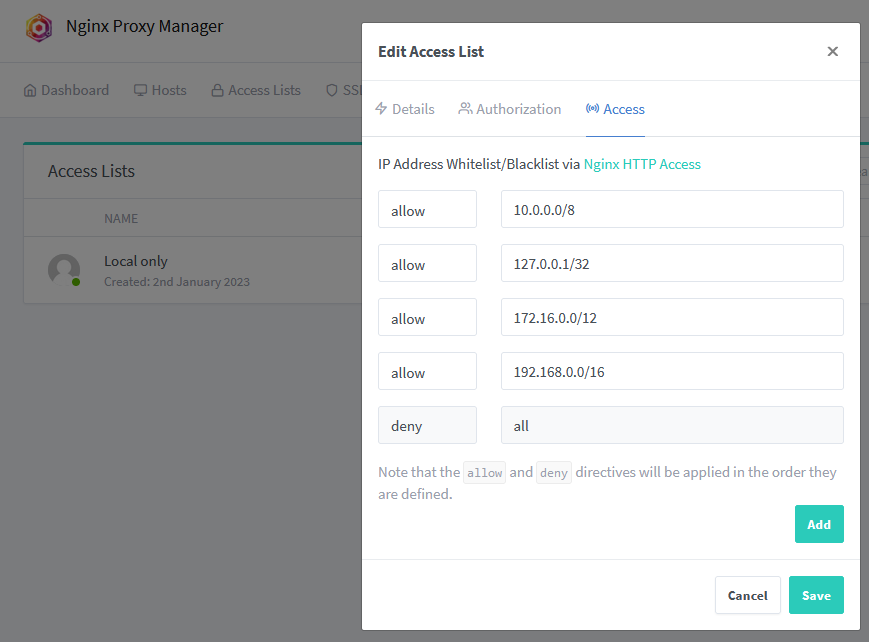
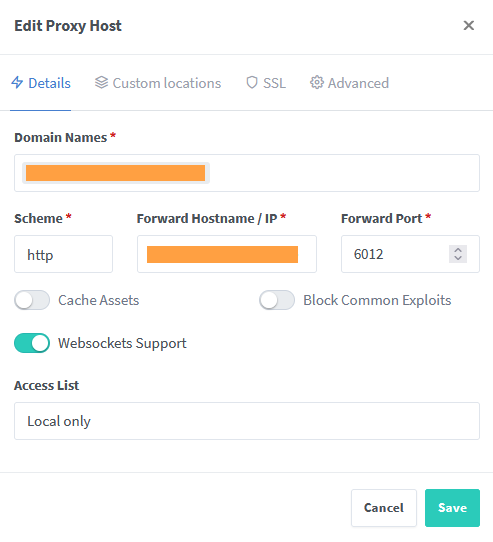
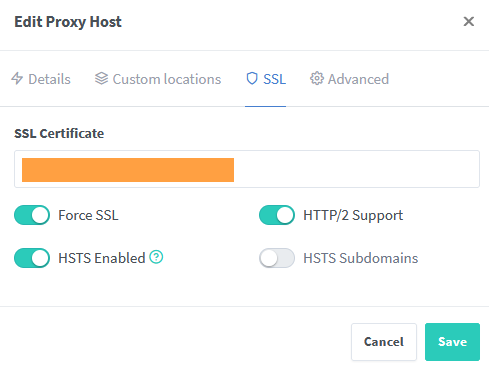
When editing an ACL Subnet list associated with a proxy host with an SSL Cert the cert becomes unassigned and reverts back to the localhost cert


me too, but it seems that to select the certificate again fixes it also for all other hosts (at least to me but I've been trying all sort of stuff thinking I had messed up something so maybe YMMV)

+1 the same problem here. When editing an ACL, all assigned hosts with LetsEncrypt Certificates will loose their SSL configuration.
To recreate:
- Createn an ACL with one or more
allow xxx.xxx.xxx.xxxand onedeny allentry - Create a proxy host with its own LetsEncrypt SSL certificate
- Assign it to said ACL
- Verify that everything works as expected
- Edit and save the ACL
- SSL is now broken on said proxy host
NPM version: v2.9.19 Deployment: Docker container managed with docker-compose on Debian Bullseye Docker engine version: 20.10.22 docker-compose version: v2.14.2
A proxy host configuration before editing the ACL:
# ------------------------------------------------------------
# <REDACTED>.mydomain.tld
# ------------------------------------------------------------

server {
  set $forward_scheme http;
  set $server         "<REDACTED_proxy_host>.mydomain.tld";
  set $port           6012;

  listen 80;
  listen [::]:80;

  listen 443 ssl http2;
  listen [::]:443 ssl http2;

  server_name <REDACTED>.mydomain.tld;

  # Let's Encrypt SSL
  include conf.d/include/letsencrypt-acme-challenge.conf;
  include conf.d/include/ssl-ciphers.conf;
  ssl_certificate /etc/letsencrypt/live/npm-22/fullchain.pem;
  ssl_certificate_key /etc/letsencrypt/live/npm-22/privkey.pem;

  # HSTS (ngx_http_headers_module is required) (63072000 seconds = 2 years)
  add_header Strict-Transport-Security "max-age=63072000; preload" always;

  # Force SSL
  include conf.d/include/force-ssl.conf;

  proxy_set_header Upgrade $http_upgrade;
  proxy_set_header Connection $http_connection;
  proxy_http_version 1.1;

  access_log /data/logs/proxy-host-11_access.log proxy;
  error_log /data/logs/proxy-host-11_error.log warn;

  location / {

    # Access Rules
    allow 10.0.0.0/8;
    allow 127.0.0.1/32;
    allow 172.16.0.0/12;
    deny all;

    # Access checks must...
    satisfy all;

    # HSTS (ngx_http_headers_module is required) (63072000 seconds = 2 years)
    add_header Strict-Transport-Security "max-age=63072000; preload" always;

    proxy_set_header Upgrade $http_upgrade;
    proxy_set_header Connection $http_connection;
    proxy_http_version 1.1;

    # Proxy!
    include conf.d/include/proxy.conf;
  }

  # Custom
  include /data/nginx/custom/server_proxy[.]conf;
}
Same config after editing the ACL:
# ------------------------------------------------------------
# <REDACTED>.mydomain.tld
# ------------------------------------------------------------

server {
  set $forward_scheme http;
  set $server         "<REDACTED_proxy_host>.mydomain.tld";
  set $port           6012;

  listen 80;
  listen [::]:80;

  server_name <REDACTED>.mydomain.tld;

  proxy_set_header Upgrade $http_upgrade;
  proxy_set_header Connection $http_connection;
  proxy_http_version 1.1;

  access_log /data/logs/proxy-host-11_access.log proxy;
  error_log /data/logs/proxy-host-11_error.log warn;

  location / {

    # Access Rules
    allow 10.0.0.0/8;
    allow 127.0.0.1/32;
    allow 172.16.0.0/12;
    allow 192.168.0.0/16;
    deny all;

    # Access checks must...
    satisfy all;

    proxy_set_header Upgrade $http_upgrade;
    proxy_set_header Connection $http_connection;
    proxy_http_version 1.1;

    # Proxy!
    include conf.d/include/proxy.conf;
  }

  # Custom
  include /data/nginx/custom/server_proxy[.]conf;
}
Screenshots: