

 NeoApplications
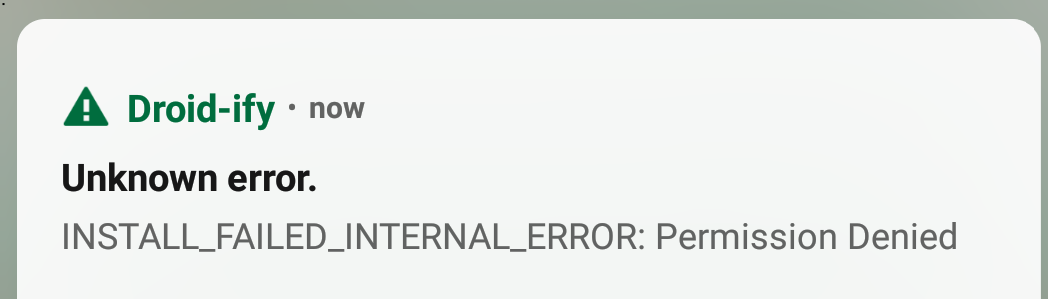
INSTALL_FAILED_INTERNAL_ERROR: Permission Denied
I am getting this error from version 0.4.2 onwards whenever I try to update an app. It occurs for any app. No problem with version 0.4.1
Android version: 8.1.0

We are planing to add a MIUI switch in settings but for now you can try disabling "MIUI Optimizations" from developer options.

try disabling "MIUI Optimizations" from developer options
FYI, this option no longer exists. The official F-Droid client is able to install apps without any extra permissions or steps other than enabling "install apps from unknown sources".

try disabling "MIUI Optimizations" from developer options
FYI, this option no longer exists. The official F-Droid client is able to install apps without any extra permissions or steps other than enabling "install apps from unknown sources".
You can use 'Legacy Installer', this will fix the issue.
Thank you, but could you elaborate please? Is legacy installer a MIUI setting, a way of installing APKs, an alternative Neo Store release channel? I've tried searching for it in those contexts and can't find anything that looks relevant.
Thank you, but could you elaborate please? Is legacy installer a MIUI setting, a way of installing APKs, an alternative Neo Store release channel? I've tried searching for it in those contexts and can't find anything that looks relevant.
Sorry I thought this was Droidify repo as I got an notification. NVM me 😅😅

I've updated to 0.9.10 and enabled the "Legacy Installer" option in Neo Store settings. The app now crashes/closes immediately when I tap the in-app "Install" button (not the system UI install button which appeared next under the previous default installer - this no longer appears).
I apologise for using such a dumb phone!
Sure:
11-23 20:00:44.050 14446 14663 E AndroidRuntime: FATAL EXCEPTION: DefaultDispatcher-worker-6
11-23 20:00:44.050 14446 14663 E AndroidRuntime: Process: com.machiav3lli.fdroid, PID: 14446
11-23 20:00:44.050 14446 14663 E AndroidRuntime: android.os.FileUriExposedException: file:///data/user/0/com.machiav3lli.fdroid/cache/releases/org.joinmastodon.android.sk_843bf7b04a21991babd9e18a014d65614957d243b2c6bc129d0e182f2f04433f.apk exposed beyond app through Intent.getData()
11-23 20:00:44.050 14446 14663 E AndroidRuntime:        at android.os.StrictMode.onFileUriExposed(StrictMode.java:2141)
11-23 20:00:44.050 14446 14663 E AndroidRuntime:        at android.net.Uri.checkFileUriExposed(Uri.java:2391)
11-23 20:00:44.050 14446 14663 E AndroidRuntime:        at android.content.Intent.prepareToLeaveProcess(Intent.java:11179)
11-23 20:00:44.050 14446 14663 E AndroidRuntime:        at android.content.Intent.prepareToLeaveProcess(Intent.java:11128)
11-23 20:00:44.050 14446 14663 E AndroidRuntime:        at android.app.Instrumentation.execStartActivity(Instrumentation.java:1724)
11-23 20:00:44.050 14446 14663 E AndroidRuntime:        at android.app.Activity.startActivityForResult(Activity.java:5389)
11-23 20:00:44.050 14446 14663 E AndroidRuntime:        at androidx.activity.ComponentActivity.startActivityForResult(ComponentActivity.java:2)
11-23 20:00:44.050 14446 14663 E AndroidRuntime:        at android.app.Activity.startActivityForResult(Activity.java:5347)
11-23 20:00:44.050 14446 14663 E AndroidRuntime:        at androidx.activity.ComponentActivity.startActivityForResult(ComponentActivity.java:1)
11-23 20:00:44.050 14446 14663 E AndroidRuntime:        at android.app.Activity.startActivity(Activity.java:5733)
11-23 20:00:44.050 14446 14663 E AndroidRuntime:        at android.app.Activity.startActivity(Activity.java:5686)
11-23 20:00:44.050 14446 14663 E AndroidRuntime:        at com.machiav3lli.fdroid.installer.LegacyInstaller$mOldDefaultInstaller$2.invokeSuspend(LegacyInstaller.kt:29)
11-23 20:00:44.050 14446 14663 E AndroidRuntime:        at kotlin.coroutines.jvm.internal.BaseContinuationImpl.resumeWith(ContinuationImpl.kt:9)
11-23 20:00:44.050 14446 14663 E AndroidRuntime:        at kotlinx.coroutines.DispatchedTask.run(DispatchedTask.kt:107)
11-23 20:00:44.050 14446 14663 E AndroidRuntime:        at kotlinx.coroutines.internal.LimitedDispatcher.run(LimitedDispatcher.kt:13)
11-23 20:00:44.050 14446 14663 E AndroidRuntime:        at kotlinx.coroutines.scheduling.TaskImpl.run(Tasks.kt:3)
11-23 20:00:44.050 14446 14663 E AndroidRuntime:        at kotlinx.coroutines.scheduling.CoroutineScheduler$Worker.run(CoroutineScheduler.kt:82)
11-23 20:00:44.050 14446 14663 E AndroidRuntime:        Suppressed: kotlinx.coroutines.DiagnosticCoroutineContextException: [StandaloneCoroutine{Cancelling}@a6996de, Dispatchers.Default]
I'm now able to install and update apps without crashing. This issue seems to be fixed, for me. Thanks!