

 NVIDIA
Object collision not work
I me an problem, the object collision does not work.
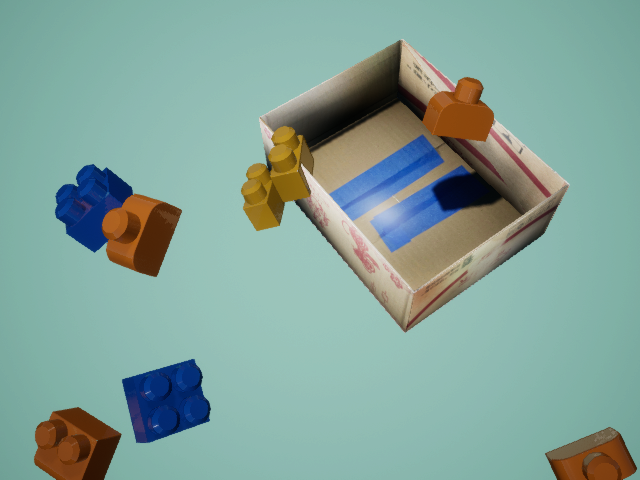
I have used the method in object collision with each other in TriggerVolume #38 but the problem still exists.

I have the same problem where objects are overlapping. Have you figured out how to fix this?

It looks like the actors are starting outside the trigger volume and by capture actor settings are finding there way to the trigger volume.
This migration is not a force applied to an actor but rather a discrete translation which does not obey physics until collision enabled actors are intersecting. If the actor does not enable physics and collision, then it will travel through any object in its path. If physics and collision are enabled, then the translation can cause an intersection with another collision enabled actor. This will result in a rather violent high acceleration physics movement that can explode objects completely through other actors including the trigger volume.
If your group actor is outside the trigger volume or the box actor depicted in your scene, and if physics and/or collision is enabled on either the trigger volume or box actor then the actors created by the group actor will not migrate into the trigger volume. Instead the group actor created actors will stop at the outside boundary of the trigger volume. In this case you can avoid the stopping of actors by placing your group actor within the trigger volume and/or box actor. Enabling collision is the only way to stop actor overlap but if you use random movement or rotation, you can produce highly energetic unintended motion due to the intersection of actors enabling collision.
I spent several days creating a scene in which each actor in the group actor used unreal applied force components to translate and rotate its actors. It was really neat and produced no intersections while still allowing actors to bounce off each other. Unfortunately ndds could not get the pose and bounding boxes right and so the annotations were worthless. I think that this is at least partly why ndds uses discrete translation and rotation.
