

 MrBlenny
smart routing makes labels out of position
When smart routing is false, labels are sticking with respective links. but when smart routing is true, link positions are not working as expected.
react-flow-chart version: 0.0.13
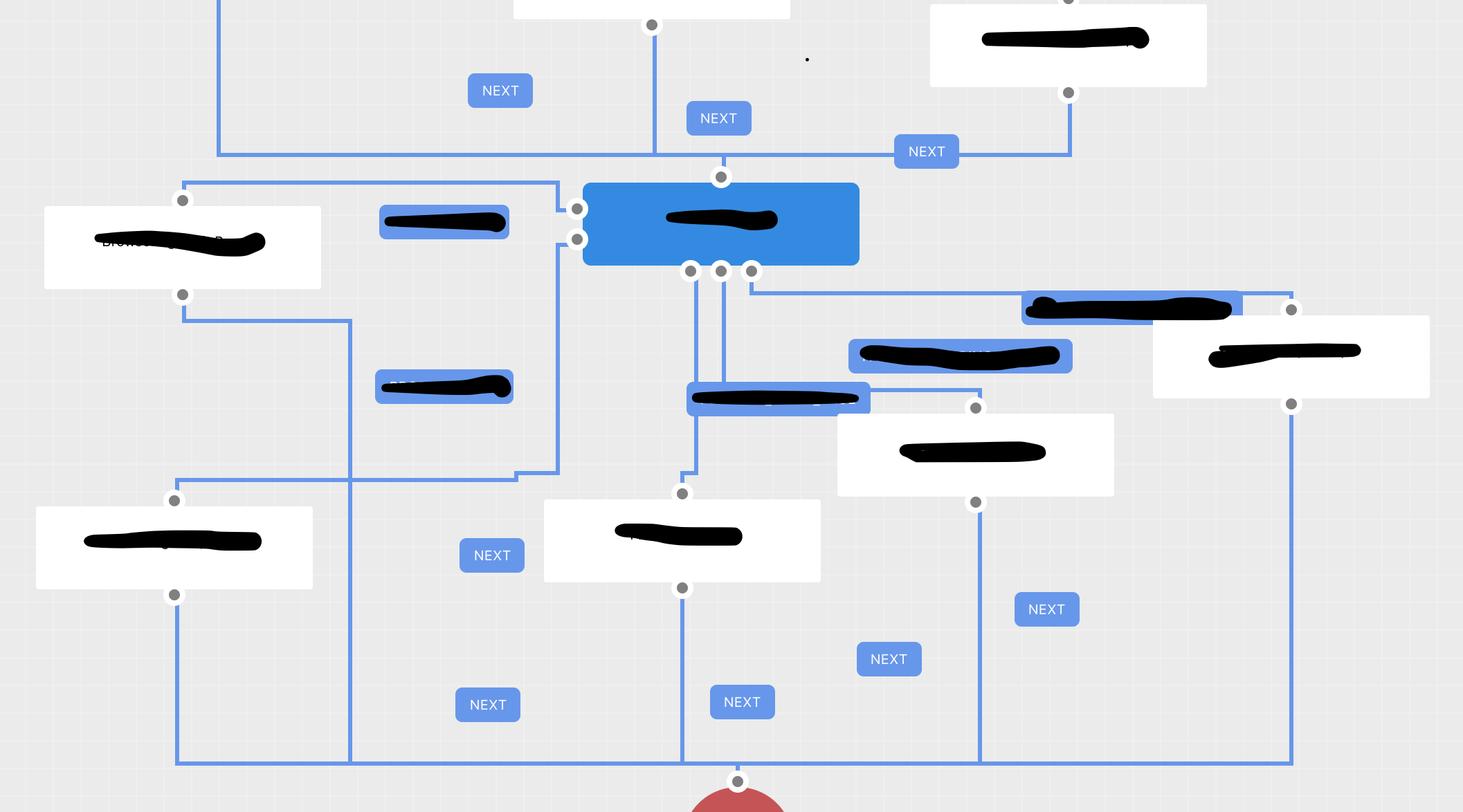

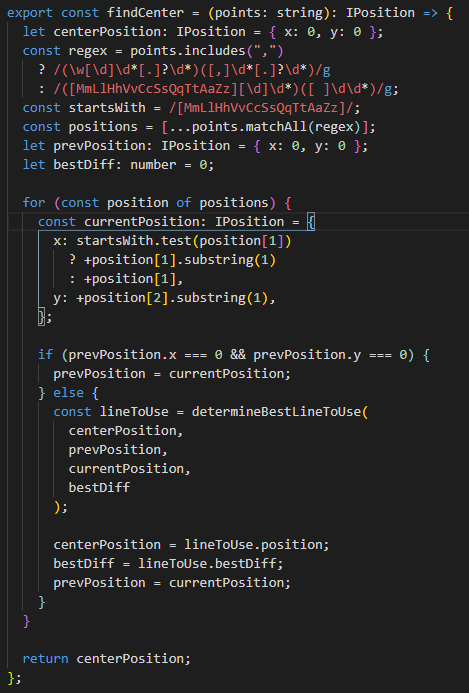
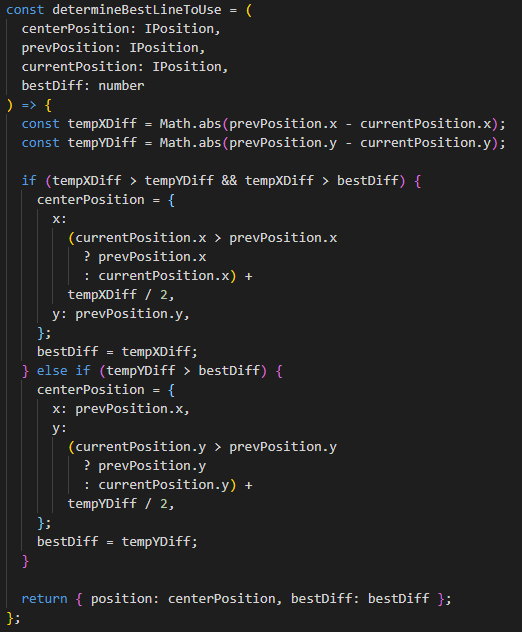
I was able to create a work around to find the longest line for a link and use the center of that.
First you have to import generateSmartPath, generateRightAnglePath and generateCurvePath
import { ILinkDefaultProps, IPosition, LinkDefault, generateSmartPath, generateRightAnglePath, generateCurvePath, } from "@mrblenny/react-flow-chart";
I then created two functions to find the longest line and the center. (Sorry for the screenshots but the code snippets would not format).
In your component you will need to add these properties.
const points = config.smartRouting ? !!toPort && !!matrix ? generateSmartPath(matrix, startPos, endPos, fromPort, toPort) : generateRightAnglePath(startPos, endPos) : generateCurvePath(startPos, endPos); console.log(points); const center = findCenter(points);
Then you will just need to set your labels x and y axis to the 'center' properties positions.
<Label style={{ left: center.x, top: center.y }}>
Full component is attached. correct extension is .tsx WorkflowLink.txt
