MicroMumps

MicroMumps copied to clipboard
 MockbaTheBorg
SETMUMPS.COM does not allow for drive selection
Using RunCPM or Apple II Softcard.
SETMUMPS.COM prompts "Enter drive of the MUMPS.COM to change:". I have MUMPS.COM on both drives A: and B: It does not matter which drive letter I enter the prompt will be asked again resulting in an infinite prompt loop. I have tried different letter combinations such as "A", "A:", "a", "a:"., etc.

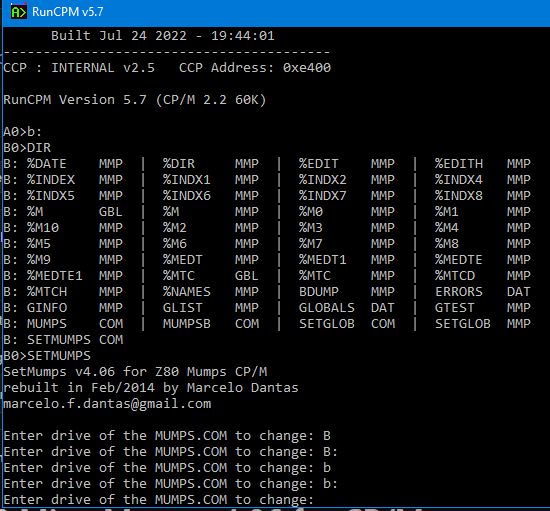
I figure out the issue. The file SETMUMPS.ASM has a constant for MumpsFCB. I commented it out and uncommented the references to MumpsFCB in the data section like this: MumpsFCB: db 0 db 'MUMPS COM' ds 24 It works now.