MitjaNemec
No "delete polygons" checkbox for relayout
This extension has saved me loads of time - and is one of the reasons that the expensive commercial solution I should use officially is way less comfortable than Kicad.
In order to allow it to improve any further I try to contribute a test case of an exotic case that still doesn't seem to work:
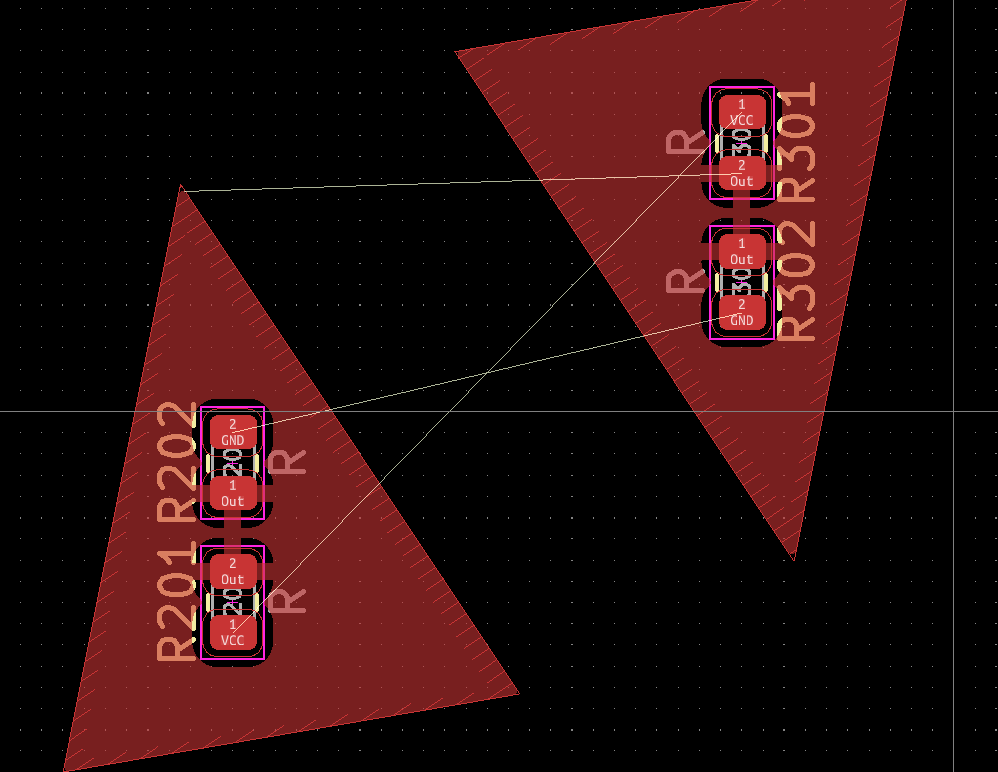
I've replicated a voltage divider that includes a polygon - which surprisingly worked well: I would have deemed that to be an edge case, already. Then I have rotated the upper resistor in the right voltage divider. If you now select the upper resistor in the left voltage divider, again and try to replicate the layout again there seems not to be a way to make the polygon adapt to the new position of the resistors. ReplicateLayout.zip

Thanks for reporting the issue. I especially appreciate the test case.
But I can not recreate your issue. If I select R202 (left upper) and rerun the plugin with "Replicate intersecting tracks/zones/drawings" and "Remove existing tracks/zones/drawing" ticked I get replicated layout with triangle pointing down as expected.