
lolgym
 lolgym copied to clipboard
 MiscellaneousStuff
PyLoL OpenAI Gym Environments for League of Legends v4.20 RL Environment (LoLRLE)
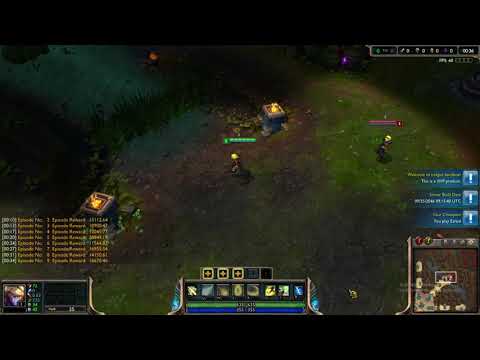
PyLoL OpenAI Gym Environments
OpenAI Gym Environments for the League of Legends v4.20 PyLoL environment.
Installation
You can install LoLGym from a local clone of the git repo:
git clone https://github.com/MiscellaneousStuff/lolgym.git
pip3 install -e lolgym/
Usage
You need the following minimum code to run any LoLGym environment:
Import gym and this package:
import gym
import lolgym.envs
Import and initialize absl.flags (required due to pylol dependency)
import sys
from absl import flags
FLAGS = flags.FLAGS
FLAGS(sys.argv)
Create and initialize the specific environment.
Available Environments
LoL1v1
The full League of Legends v4.20 game environment. Initialize as follows:
env = gym.make("LoLGame-v0")
env.settings["map_name"] = "New Summoners Rift" # Set the map
env.settings["human_observer"] = False # Set to true to run league client
env.settings["host"] = "localhost" # Set this to a local ip
env.settings["players"] = "Nidalee.BLUE,Lucian.PURPLE"
The players setting specifies which champions are in the game and what
team they are playing on. The pylol environment expects them to be in
a comma-separated list of Champion.TEAM items with that exact capitalization.
Versions:
LoLGame-v0: The full game with complete access to action and observation space.
LoL1DEscape
Minigame where the controlling agent must maximize it's distance from the other agent by moving either left or right. Initialize as follows:
env = gym.make("LoL1DEscape-v0")
env.settings["map_name"] = "New Summoners Rift" # Set the map
env.settings["human_observer"] = False # Set to true to run league client
env.settings["host"] = "localhost" # Set this to a local ip
env.settings["players"] = "Nidalee.BLUE,Lucian.PURPLE"
Versions:
LoL1DEscape-v0: Highly stripped version of LoL1v1 where the only observation is the controlling agents distance from the enemy agent and the only action is to move left or right.
Notes
-
The action space for this environment doesn't require the call to
functionCalllikepyloldoes. You only need to call it with an array of action and arguments. For example:_SPELL = actions.FUNCTIONS.spell.id _EZREAL_Q = [0] _TARGET = point.Point(8000, 8000) acts = [[_SPELL, _EZREAL_Q, _TARGET] for _ in range(env.n_agents)] obs_n, reward_n, done_n, _ = env.step(acts)The environment will not check whether an action is valid before passing it along to the
pysc2environment so make sure you've checked what actions are available fromobs.observation["available_actions"]. -
This environment doesn't specify the
observation_spaceandaction_spacemembers like traditionalgymenvironments. Instead, it provides access to theobservation_specandaction_specobjects from thepylolenvironment.
General Notes
- Per the Gym environment specifications, the reset function returns an observation,
and the step function returns a tuple (observation_n, reward_n, done_n, info_n), where
info_n is a list of empty dictionaries. However, because
lolgymis a multi-agent environment each item is a list of items, i.e.observation_nis an observation for each agent,reward_nis the reward for each agent,done_nis whether any of theobservation.step_typeisLAST. - Aside from
step()andreset(), the environments define asave_replay()method, that accepts a single parameterreplay_dir, which is the name of the replay directory to save theGameServerreplays inside of. - All the environments have the following additional properties:
episode: The current episode numbernum_step: The total number of steps takenepisode_reward: The total reward received for this episodetotal_reward: The total reward received for all episodes
- The examples folder contains examples of using the various environments.
Metadata
Owner
 MiscellaneousStuff
Metadata
PyLoL OpenAI Gym Environments for League of Legends v4.20 RL Environment (LoLRLE)