

 MicrosoftEdge
PDF Toolbar disappears when window is resized below a certain width
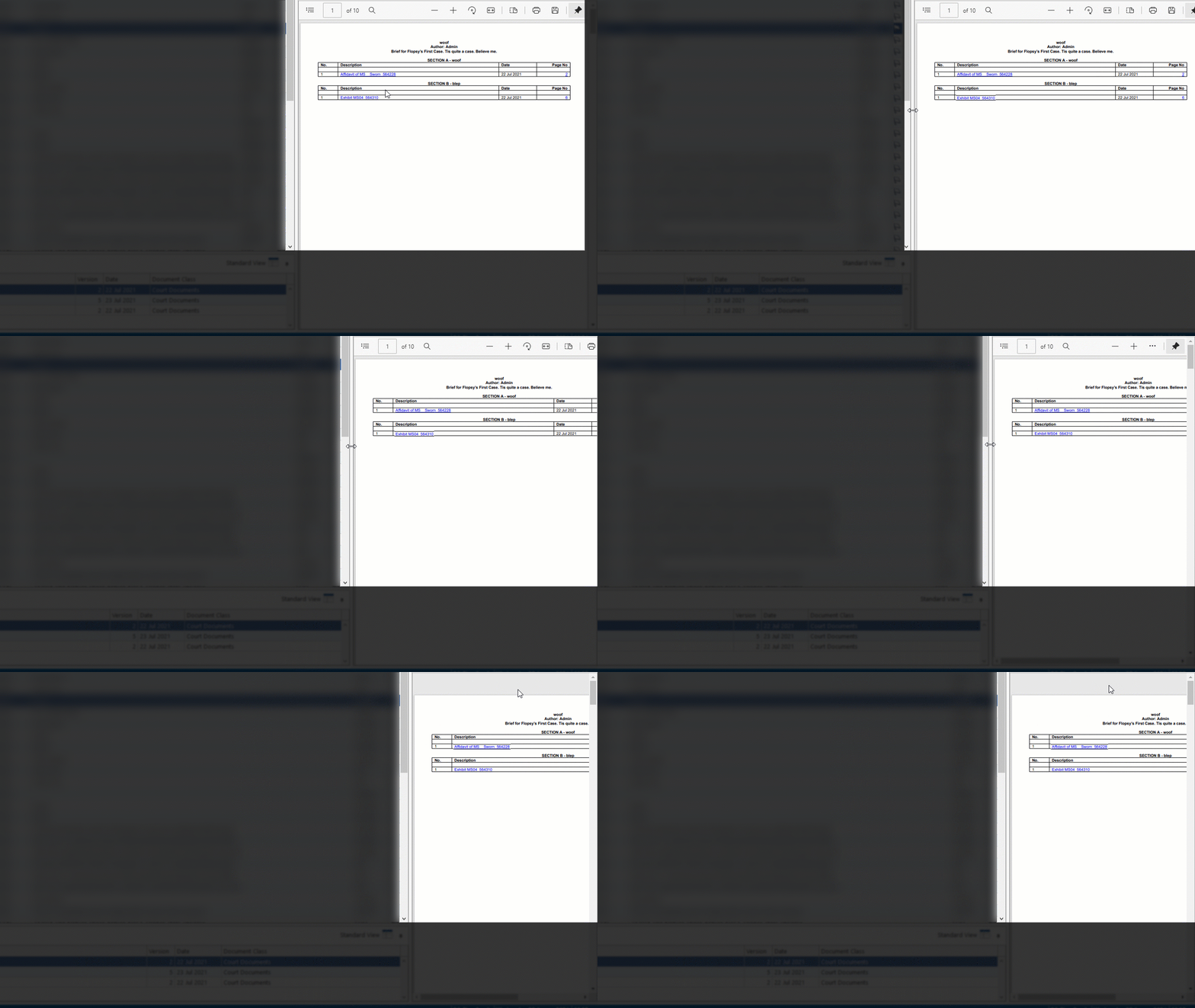
Description When a WebView2 control is hosted on a WPF window and the part of the window hosting the WebView2 is reduced below a certain width, the Toolbar for PDF documents disappears.
Version SDK: 10.0.902.49 Runtime: n/a Framework: WPF OS: n/a or unknown (Windows 10 on developer machine)
Repro Steps Create a resizable WPF window and host a WebView2 control in a grid column with width "*" so that it resizes with the window. Host a PDF document in the WebView2. As far as we can tell it doesn't matter whether you set its source or navigate to a HTML page containing an object tag referencing the PDF. Start with a large enough width and start resizing the width down.
Expected behaviour: The toolbar should remain visible for much longer. Perhaps start reducing its size when the WebView2 goes below a certain width. If the width becomes so small that the Toolbar can no longer reasonably be displayed have some way of alerting the user why this is. Perhaps a warning triangle where the toolbar should be with a tooltip on it?
Actual behaviour: Toolbar simply disappears


I don't necessarily consider this one to be a bug. My sense is that this behavior is driven by the Edge browser, but the Edge browser has a minimum window width constraint that keeps the toolbars visible. There is a closely related bug whereby if the WebView2 (or the Edge browser) is too small to display the toolbar when a PDF is loaded, the toolbar is not restored when you resize the window. This can be easily be produced in the WebView2 by reloading the PDF when the WebView2 is small enough to hide the PDF toolbar, and it can also be produced in the Edge browser by reloading the PDF with the vertical height of the window collapsed enough so that the PDF toolbar cannot be fully seen.
It would be great if the WebView2 could workaround either of these.
