Meituan-Dianping
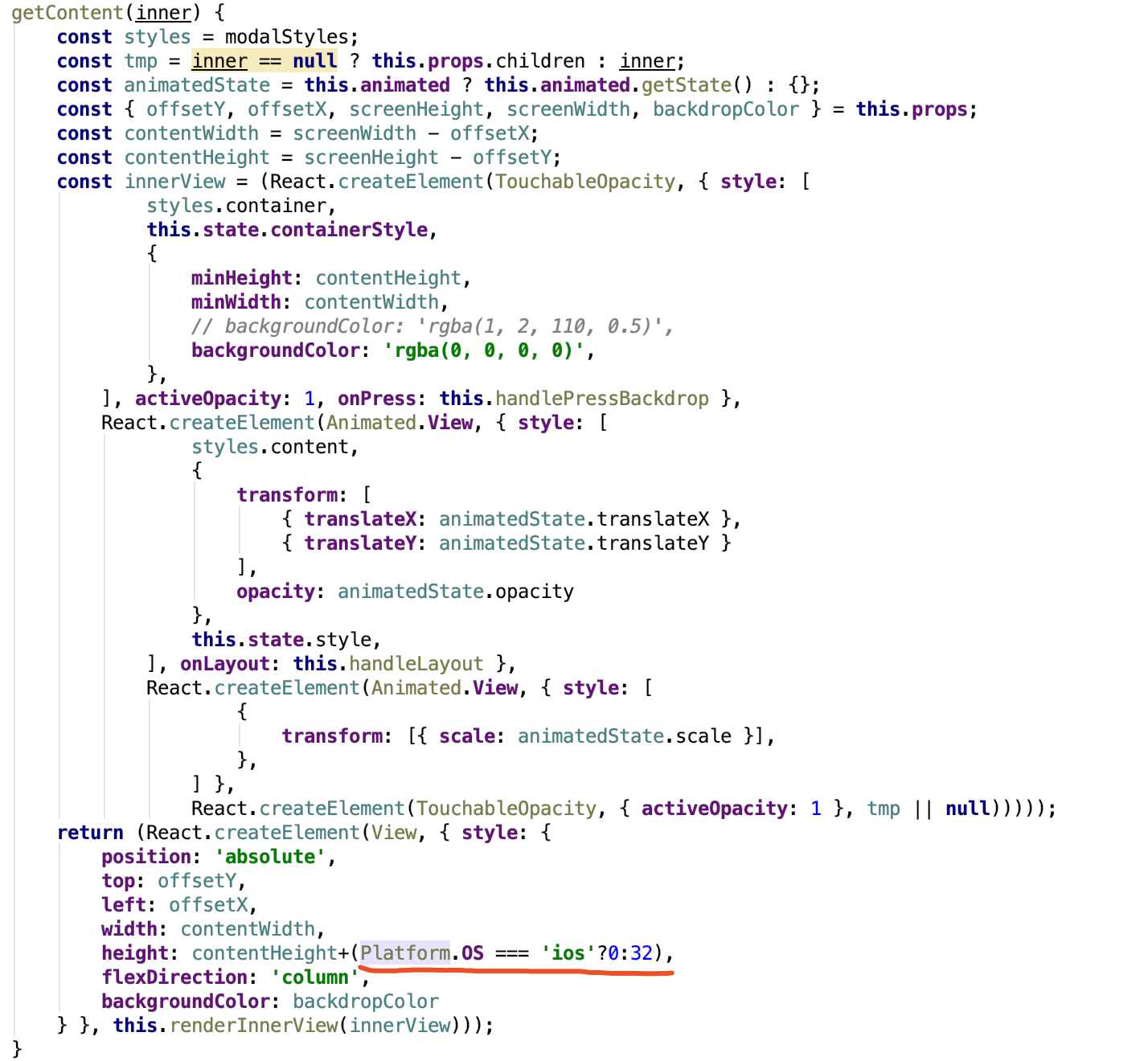
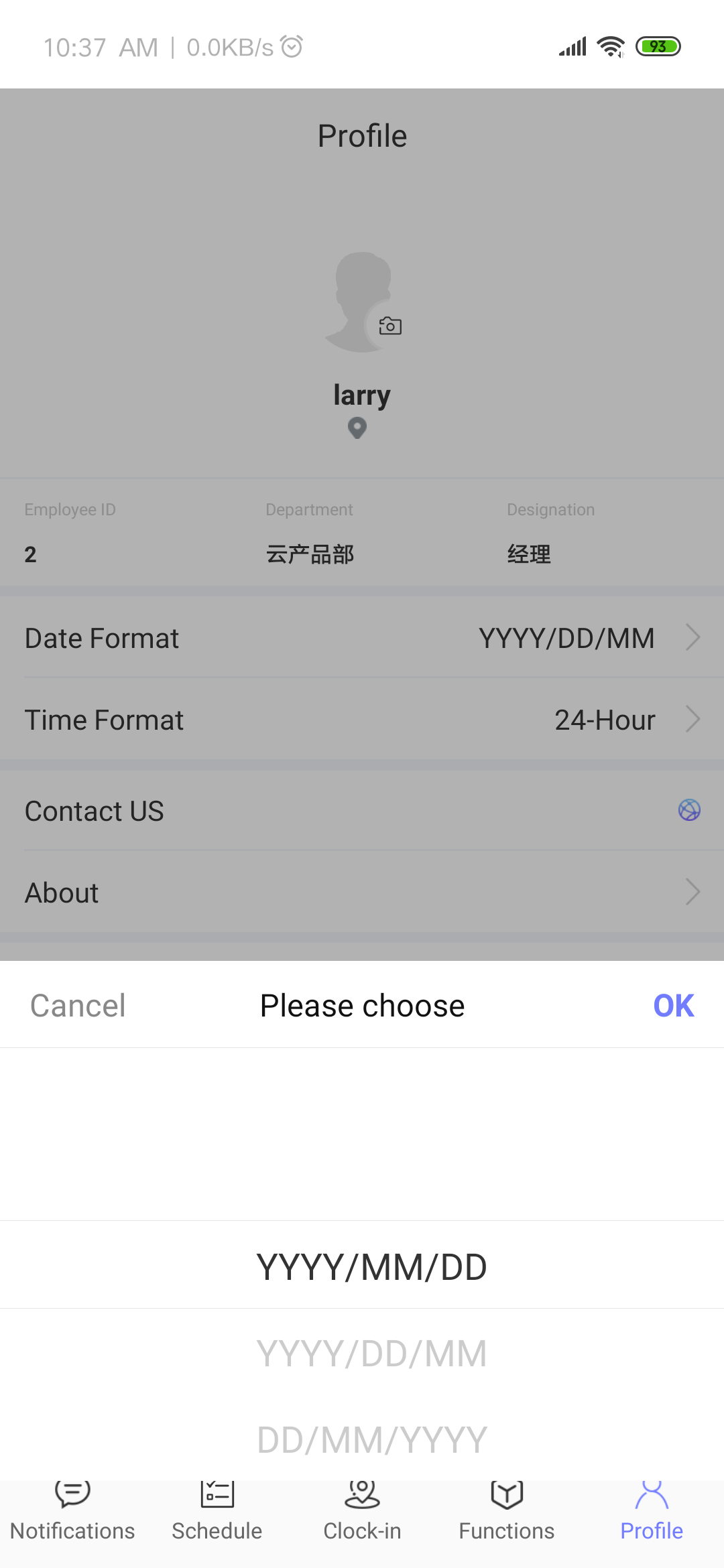
使用BottomModal弹出选择器,未能遮住底部的tabbar一栏
代码如下:
<BottomModal
style={{
marginBottom: this.adjustBottomMargin(),
height: null
}}
rightLabelTextStyle={{
color: AppStyle.tintColor
}}
ref={c => {
_self.bottomModal = c
}}
rightLabelText={'OK'}
leftLabelText={'Cancel'}
title={I18n.t('please choose')}
rightCallback={_self.onOKClick.bind(this)}
cancelable
>
<Scrollpicker
style={{ paddingHorizontal: 70 }}
list={[_self.props.itemList]}
proportion={[1]}
renderItem={item => {
return (
<View
style={{
flexDirection: 'row',
paddingVertical: 10
}}
>
<Text
style={{
color: '#333333',
fontSize: 20,
marginLeft: 10
}}
>
{item.name}
</Text>
</View>
)
}}
onChange={(columnIndex, rowIndex) => {
_self.selectedItem = _self.props.itemList[rowIndex]
if (_self.props.onChange)
_self.props.onChange(_self.props.itemList[rowIndex])
}}
/>
</BottomModal>
结果图片如下:

通过 styles 属性解决遮挡问题,解决方式如下:
<BottomModal
          styles={{
            root: {
              bottom: 0,
              height: null
            }
          }}>
</BottomModal>

试过了没有效果。在android 8.0以上手机出现的。
---原始邮件--- 发件人: "wxlworkhard"[email protected] 发送时间: 2019年7月2日(星期二) 晚上6:47 收件人: "Meituan-Dianping/beeshell"[email protected]; 抄送: "Author"[email protected];"jolly-wu"[email protected]; 主题: Re: [Meituan-Dianping/beeshell] 使用BottomModal弹出选择器,未能遮住底部的tabbar一栏 (#55)
通过 styles 属性解决遮挡问题,解决方式如下:
<BottomModal styles={{ root: { bottom: 0, height: null } }}> </BottomModal>
—
You are receiving this because you authored the thread.
Reply to this email directly, view it on GitHub, or mute the thread.