

 MattFiler
Launch game option with Epic store version; failed to launch- game running issue
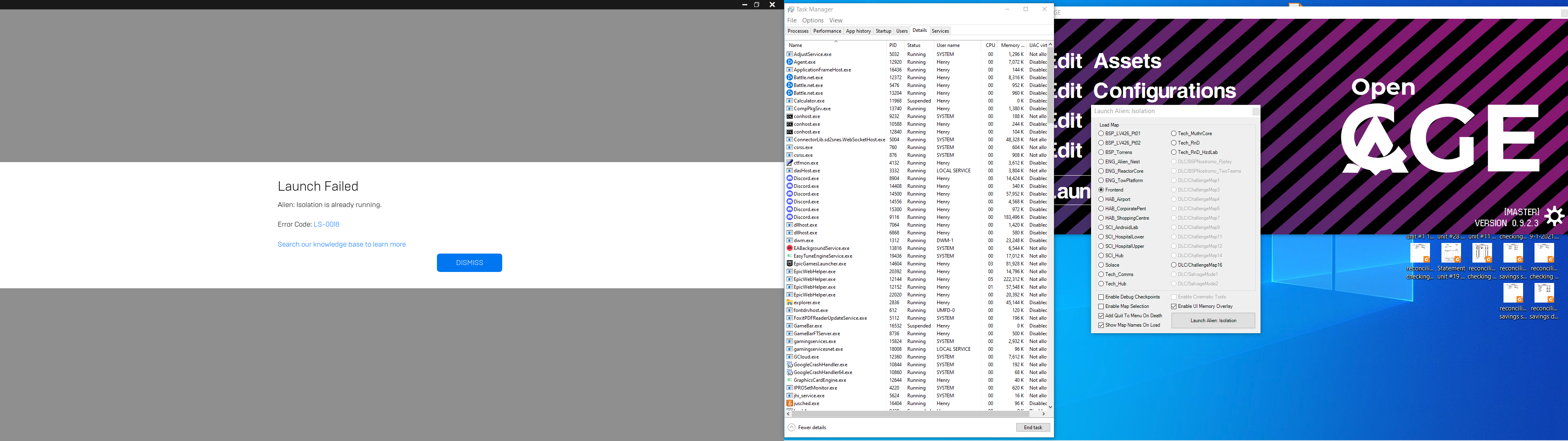
This is on Epic Store version of Alien Isolation. I've restricted my mod use to that version.
The game launches normally from it's exe or epic library. When I tried to launch game option on opencage it seems nothing happens. I twice or more and still nothing. I killed the epic launcher and restarted it's background service. Tried again. Nothing. Then I got thewindow shown on the screenshot. Monitoring task manager when I tried to launch it the AI.exe opens for a moment then disappears . After a delay the launcher message window appears.
I tried to make the screenshot so let you see the options I used and the TM.
I think the issue is in one or more of the options I selected. But I don't know which one.
Also, not sure if it's pertinant, but I have ReShade installed.

Tried replicating this myself and haven't had any luck. OpenCAGE prevents you from launching two instances of the game at once itself, so this issue should never occur.
Out of interest, do you have OpenCAGE in your A:I folder? Could you try copy the exe into a different folder & see if that resolves the issue?
Alternatively, try a restart without moving the OpenCAGE exe and see if that resolves the problem. EGS is nutoriously slow/buggy to launch apps, so something could be stuck in a background process.

After I posted here. I opened and closed AI a few times normally and it worked. It also seemed to open depending on which option I checked and unchecked.
I was going to make a short vid clip so it would be better illustrated the delay and to my surprise the issue has vanished.
Launch immediately opened the game without delay.
I didn't restart the computer so I don't know what transpired that it's working. I guess the issue is closed.
Hmm interesting, I'll test a bit more extensively this evening - but in the meantime let me know if it returns!
So, I been having some more issues with this. Seems EPS launcher thinks the game is running if I use the script editor and it seems to be blocking AI from opening either throwing the aforementioned error 0013 "reverify the game" (which is a bogus error from EP Launcher) or launching the game properly only following exiting of opencage. I'm not sure where the hang up is though. Possibly in how the EPS launcher checked DRM.
I'm of the opinion this may be mostly on EPS Launcher side. I went round with their tech support a couple months ago. If I want to launch the AI.EXE it doesn't launch it direct. Instead it tries to launch the top item on their launcher's quicklaunch menu. However, If I've played the DLC recently it mysteriously attempts to directly launch the DLC without first opening the game and fails again throwing what seems to be a catch-all, error 0013.
That's a separate EPS issue though.
Thanks for reopening the ticket with this extra info! I'll explore some options.
Are there any log files from either Epic , Cage or AI that can be turned on that could help. EPS launcher has debug log option.
This is minor honestly except if it stops cage from triggering AI to load which it does per my orignal post in March.