

 MaterialDesignInXAML
ListBox SelectedItem row highlighting barley visible after listbox lost focus
When a ListBox item (row) is selected, it gets highlighted. When the list box loses focus, the opacity is reduced too much. The highlight of the selectedItem row becomes barely visible:
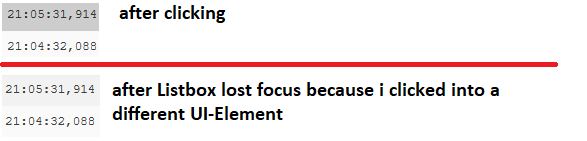
Losing the listbox focus can be simulated by clicking into a Textbox which is not part of the listbox.
For the standard material design listbox, this issue can be fixed by increasing the opacity value in this line:
 https://github.com/MaterialDesignInXAML/MaterialDesignInXamlToolkit/blob/master/MaterialDesignThemes.Wpf/Themes/MaterialDesignTheme.ListBox.xaml#L281
PS: is it actually necessary to have the highlight change for the listbox, when it loses focus? It is not part of material design or? Would it not be best if the highlighting of listbox in focus is applied to listbox out of focus?
