Xen-HTML

Xen-HTML copied to clipboard
 Matchstic
“Hide Lockscreen clock” on “All Pages” leaves empty space
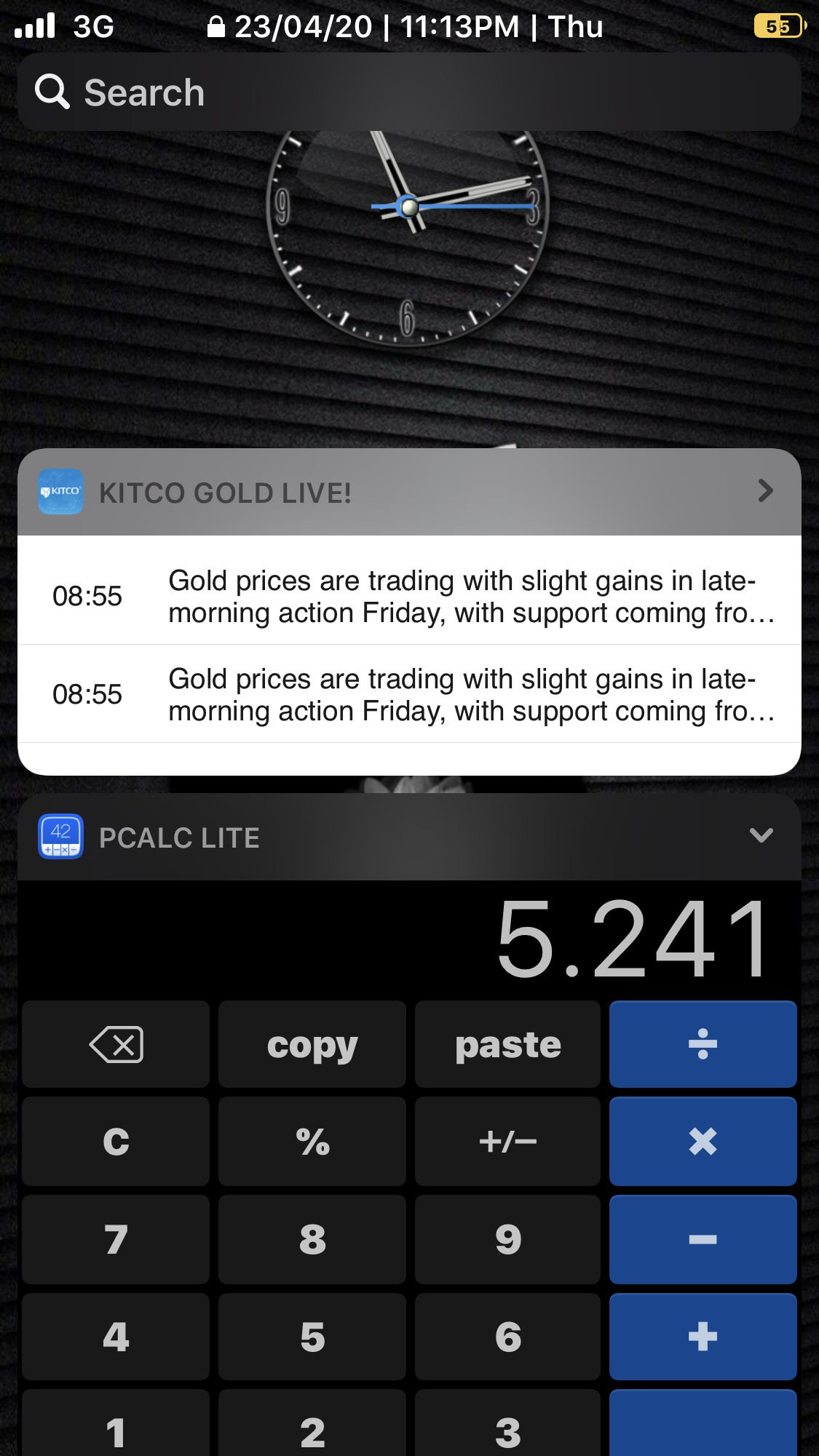
Describe the bug When setting “Hide Lockscreen clock” to “All Pages”, i see clock hidden BUT it’s background space is still occupied. This requires widgets to be scrolled up manually
To Reproduce Steps to reproduce the behavior:
- Go to XenHTML
- Click on Hide lockscreen clock” and set “All pages”
- Get out of setting, lock and go to Today view page by swiping right
- See error
Expected behavior When i swipe right on lockscreen, i expect to see my widgets instead of empty space of hidden clock
Screenshots If applicable, add screenshots to help explain your problem.
Smartphone (please complete the following information):
- Device: iPhone 7+
- OS: iOS 13.3.1
Additional context
🤔maybe if you decrease font size to 1 and then hide clock, it could still give some space?