

 MapIV
MapIV
The posiitoning error is not normal
Hi @rsasaki0109 , Thanks for sharing such a good package. I am replicating the demo that you provide. I got the results as follows:

The data that I use are as follows:

I found that the provided rosbag name is the kitti_00_video.bag, but the bag file you instruct to play is the "rosbag play kitti_00.bag # (on another terminal)".
I also try to slow down the rosbag play speed with 0.2 rates but it still gets large error, Could you please kindly help to point out the reason behind this?
My computer setup is as follows: Ubuntu 18.04 -- PCL version: 1.7.2 -- OpenCV version: 3.2 -- Eigen3 version: 3.3.7 -- Found OpenGL: /usr/lib/x86_64-linux-gnu/libGL.so -- g2o version: 1.0.0

Sorry for the confusion regarding the name of the rosbag. Just play the downloaded one.
For positional errors, first try to manually specify the correct position with rviz's 2D pose estimate. If that's not possible, then perhaps your PC's CPU specs are not sufficient. The following issues may be helpful. https://github.com/MapIV/iris/issues/2

Haha, it is ok, I also guess this can be possibly a mistake :-) Hi @rsasaki0109 Thanks for your kind reply. I also looking into the issue you mentioned. But I found that the CPU usage is normal as follows (i got enough CPU capability):
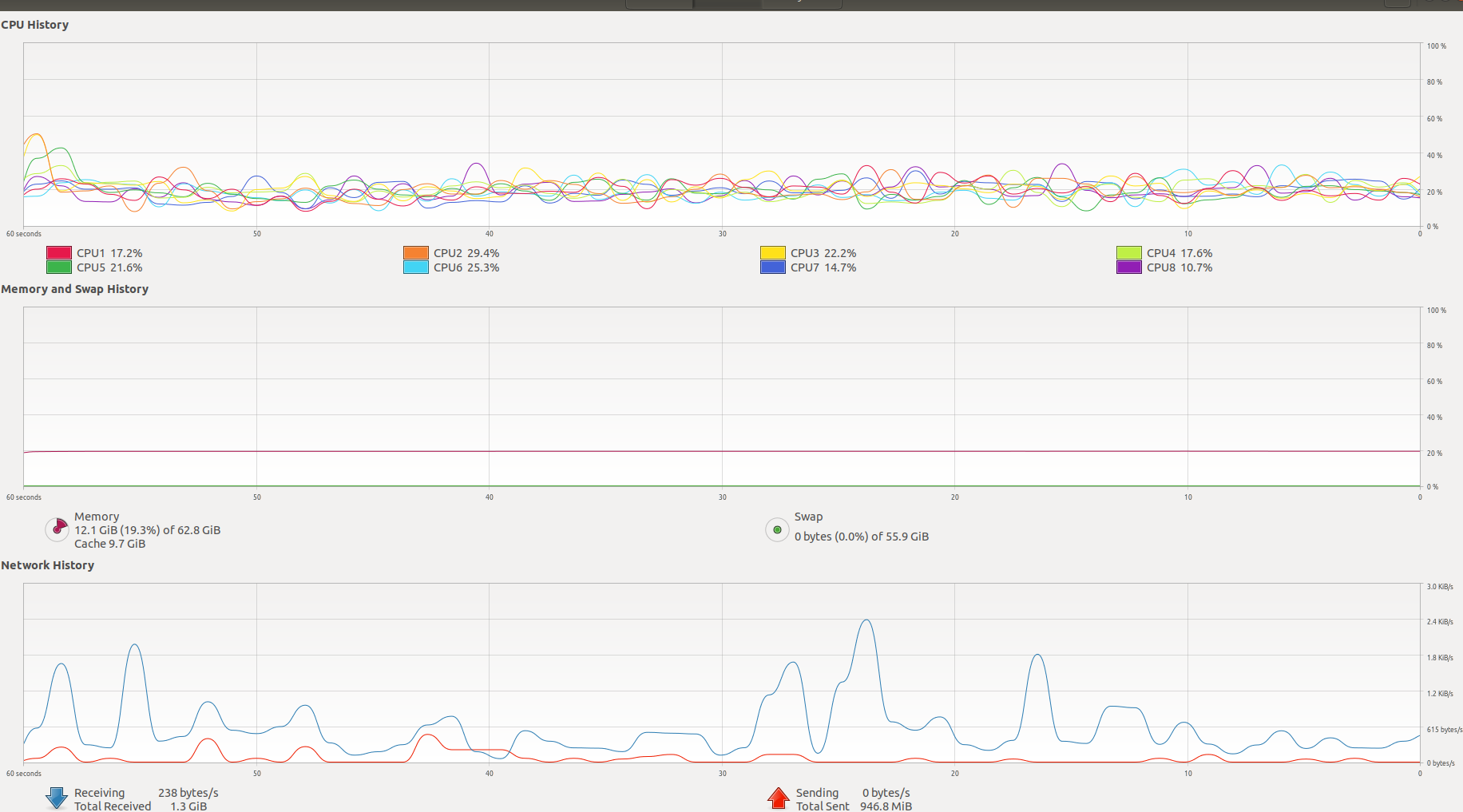
Do you have any ideas..
Well, it seems unlikely that the CPU is the problem. Can you show me a image or a video of rviz and the terminal?
Hi @rsasaki0109 , Thanks for your kind reply,
The video can be found here (https://www.dropbox.com/s/tw61cjy8qsq964d/convert_nmea.m?dl=0). This is a dropbox link, please let me know if you can download it :-)
Thanks, Weisong,
Hi @rsasaki0109 , Thanks for your kind reply,
The video can is Updated here (https://www.dropbox.com/s/vy0uvu5q1dejzdp/debug_video.mp4?dl=0). This is a dropbox link, please let me know if you can download it :-)
Thanks, Weisong,
What was the result of specifying an initial position using rviz's "2D Pose Estimation"?
Also, no matter how many times you try to demonstrate it, it fails to estimate every time?
Hi @rsasaki0109 , I tried several times by rerun and provide an initial guess via "2D Pose Estimation" but the results are still not accurate as you can see in the video. The scale of the visual features recovered from the package is not very stable, Do you have any ideas..
Best, Weisong,
Sorry for the delay in contacting you.
If you specify an initial position in rviz, the position estimation doesn't work as well as the first image you gave? Or is the location estimation improved than before?
You may need to patiently specify in 2D initial pose. When We look at the screenshots and the movie, the initial scale is large, so even if you set the correct position once with 2D Pose Estimate, the scale is misaligned during the adjustment process. Once the scale of iris is roughly correct in the first 2D Pose Estimate, you may need to go through two steps, like adjusting the position of iris again in the 2D Pose Estimate.
Also, if the scale of the gray trajectory (trajectory by OpenVSLAM only) is too large every time, you can reduce the Init.scale in ros/iris/config/sample_iris_config.yaml a little bit (if you have reproduced the events of the posted screenshot or movie, you can use 1 .2 or so?)
If after trying the above, the localization estimation is still not good, again, please upload a picture or a video.
@rsasaki0109 Thanks for your kind instructions, I will try your suggestions first and let you know if I get any updates.
Best, Weisong,