

 LycheeOrg
How show image when share link ? and filename bug.
Dear, I'm newbie.
I try to install new 4.0.6 on Apache, php7.4 Image Upload : Good.
If I share public image, but Lychee Photo View: https://.... /view?p=15960537351352, show title only.
 how can I show hidden image ?
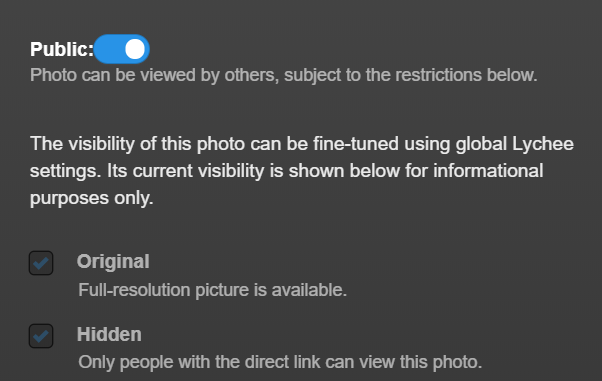
Maybe bug ? User can't make New album folder. user can upload image to public folder only.
bug, If filename start multibyte character, removed until first alphanumeric at title and original filename. ex) abc-하하.jpg -> abc-하하.jpg (OK) 하하-abc.jpg -> -abc.jpg (Issue) 하하.jpg -> .jpg
Thank you for Lychee Best Regards,
Detailed description of the problem [REQUIRED]
A clear and concise description of what the bug is.
Steps to reproduce the issue
Steps to reproduce the behavior:
- Go to '...'
- Click on '....'
- Scroll down to '....'
- See error*
Screenshots If applicable, add screenshots to help explain your problem.
Output of the diagnostics [REQUIRED]
Diagnostics
-------
Warning: Pictures that are rotated lose their metadata! Please install Imagick to avoid that.
Warning: Dropbox import not working. dropbox_key is empty.
Warning: Image optimizer enabled but cwebp not found!
Warning: Image optimizer enabled but gifsicle not found!
Warning: Image optimizer enabled but jpegoptim not found!
Warning: Image optimizer enabled but optipng not found!
Warning: Image optimizer enabled but pngquant not found!
Warning: Image optimizer enabled but svgo not found!


System Information
--------------
Lychee Version (git):            master (896bfe2) - Data not in Cache
DB Version:                      4.0.6

composer install:                --no-dev
APP_ENV:                         production
APP_DEBUG:                       true

System:                          Linux
PHP Version:                     7.4
Max uploaded file size:          500M
Max post size:                   500M
MySQL Version:                   5.7.31-0ubuntu0.18.04.1

Imagick:                         -
Imagick Active:                  1
Imagick Version:                 -
GD Version:                      2.3.0


Config Information
--------------
version:                         040006
check_for_updates:               0
sorting_Photos_col:              takestamp
sorting_Photos_order:            ASC
sorting_Albums_col:              max_takestamp
sorting_Albums_order:            ASC
imagick:                         1
skip_duplicates:                 0
small_max_width:                 0
small_max_height:                360
medium_max_width:                1920
medium_max_height:               1080
lang:                            en
layout:                          1
image_overlay:                   1
image_overlay_type:              desc
default_license:                 none
compression_quality:             90
full_photo:                      1
delete_imported:                 0
Mod_Frame:                       1
Mod_Frame_refresh:               30
thumb_2x:                        1
small_2x:                        1
medium_2x:                       1
landing_page_enable:             0
landing_owner:                   John Smith
landing_title:                   John Smith
landing_subtitle:                Cats, Dogs & Humans Photography
landing_facebook:                https://www.facebook.com/JohnSmith
landing_flickr:                  https://www.flickr.com/JohnSmith
landing_twitter:                 https://www.twitter.com/JohnSmith
landing_instagram:               https://instagram.com/JohnSmith
landing_youtube:                 https://www.youtube.com/JohnSmith
landing_background:              dist/cat.jpg
site_title:                      Lychee v4
site_copyright_enable:           1
site_copyright_begin:            2019
site_copyright_end:              2019
additional_footer_text:
display_social_in_gallery:       0
public_search:                   1
SL_enable:                       0
SL_for_admin:                    0
public_recent:                   1
recent_age:                      1
public_starred:                  1
downloadable:                    0
photos_wraparound:               1
map_display:                     0
zip64:                           1
map_display_public:              0
map_provider:                    Wikimedia
force_32bit_ids:                 0
map_include_subalbums:           0
update_check_every_days:         3
has_exiftool:                    0
share_button_visible:            0
import_via_symlink:              0
has_ffmpeg:                      0
location_decoding:               0
location_decoding_timeout:       30
location_show:                   1
location_show_public:            0
rss_enable:                      0
rss_recent_days:                 7
rss_max_items:                   100
prefer_available_xmp_metadata:   0
editor_enabled:                  1
lossless_optimization:           1
swipe_tolerance_x:               150
swipe_tolerance_y:               250
Browser and system

Hi,
Dear, I'm newbie.
Nothing wrong with being new. Welcome to Lychee. :)
If you have 3 issues, please open 3 tickets. :)
Anyway, see below what my thoughts about it are.
Issue 1
When you open the view.php?... then you get this javascript error which prevent the image to be displayed. This is a problem with the front-end.
view.js?1596058394:743 Uncaught ReferenceError: tabindex is not defined
    at Object.build.imageview (view.js?1596058394:743)
    at view.js?1596058394:447
    at Object.success (view.js?1596058394:108)
    at c (view.js?1596058394:2)
    at Object.fireWith [as resolveWith] (view.js?1596058394:2)
    at l (view.js?1596058394:2)
    at XMLHttpRequest.<anonymous> (view.js?1596058394:2)
@tmp-hallenser can you solve that one as you are the one who added tabindex ? :)
Issue 2
User can't make New album folder. user can upload image to public folder only.
What do you mean by User ? do you mean an other user than admin ? if so it is already a known issue. I need to fix it. See #669
Issue 3
bug, If filename start multibyte character, removed until first alphanumeric at title and original filename. ex abc-하하.jpg -> abc-하하.jpg (OK) 하하-abc.jpg -> -abc.jpg (Issue) 하하.jpg -> .jpg
I am not sure about that one.

Hi, Thank for comment.
The Issue 3 maybe international set locale issue. I'm not programmer. but, search... then, I put code at first line in web.php manually. setlocale(LC_ALL,'xx.xx'); Then solved. but, this is not professional. ^^
Hi,
Dear, I'm newbie.
Nothing wrong with being new. Welcome to Lychee. :)
If you have 3 issues, please open 3 tickets. :)
Anyway, see below what my thoughts about it are.
Issue 1
When you open the view.php?... then you get this javascript error which prevent the image to be displayed. This is a problem with the front-end.
view.js?1596058394:743 Uncaught ReferenceError: tabindex is not defined
    at Object.build.imageview (view.js?1596058394:743)
    at view.js?1596058394:447
    at Object.success (view.js?1596058394:108)
    at c (view.js?1596058394:2)
    at Object.fireWith [as resolveWith] (view.js?1596058394:2)
    at l (view.js?1596058394:2)
    at XMLHttpRequest.<anonymous> (view.js?1596058394:2)
@tmp-hallenser can you solve that one as you are the one who added
tabindex? :)
The file tabindex.js is not delivered to the client. Do you happen to know where we specify this?

The file
tabindex.jsis not delivered to the client. Do you happen to know where we specify this?
You mean gulpfile.js?

The Issue 3 maybe international set locale issue. I'm not programmer. but, search... then, I put code at first line in web.php manually. setlocale(LC_ALL,'xx.xx'); Then solved. but, this is not professional. ^^
Yeah, I tried to reproduce your issue on my system but I wasn't able to. Multibyte characters in file names worked just fine irrespective of their location.
So what value did you set LC_ALL to in web.php? And are you normally running your server with a non-English locale setting?

Hi, I try to find where ...., the basename() php function return value issues. (https://stackoverflow.com/questions/4451664/make-php-pathinfo-return-the-correct-filename-if-the-filename-is-utf-8.) I don't know, can we set locale os or php wide ? I set setlocale(LC_ALL,'ko_KR.UTF-8'); in web.php.
The Issue 3 maybe international set locale issue. I'm not programmer. but, search... then, I put code at first line in web.php manually. setlocale(LC_ALL,'xx.xx'); Then solved. but, this is not professional. ^^
Yeah, I tried to reproduce your issue on my system but I wasn't able to. Multibyte characters in file names worked just fine irrespective of their location.
So what value did you set
LC_ALLto inweb.php? And are you normally running your server with a non-English locale setting?
Hi, I try to find where ...., the basename() php function return value issues. (https://stackoverflow.com/questions/4451664/make-php-pathinfo-return-the-correct-filename-if-the-filename-is-utf-8.) I don't know, can we set locale os or php wide ? I set setlocale(LC_ALL,'ko_KR.UTF-8'); in web.php.
Thank you for the links; they were helpful!
So php only works correctly with multibyte characters if the locale is set accordingly. And not just in the shell but system-wide so that, e.g., apache has it set when running php scripts.
On my server I have LANG set system-wide to en_US.utf8, which is why I could not reproduce it.
Now the question to the rest of the Lychee developers is, what should we be doing in Lychee? Should it be up to the user to configure their system locale (I suppose we could mention it in the docs)? Should we set LC_ALL ourselves to an utf8-aware locale if it isn't set? Should we print a warning in the diagnostics?
Documenting seems sensible. I don't mind a warning (so long the test is generic enough). I'm opposed to us overriding system locale settings unless it's clearly configurable and the default is based on the install/migrate-time system locale.
Well, we provide our own TIMEZONE in .env; we could do something similar with the locale...
Well, we provide our own
TIMEZONEin.env; we could do something similar with the locale...
Good point, well made!
in v4.1.0. edit app/ModelFunctions/PhotoFunctions.php line924 private function getFileMetadata($file, $path, $kind, $extension) add setlocale(LC_ALL,'en_US.UTF-8'); before $info['title'] = substr(basename($file['name']), 0, 98);
It is work for me.

I'm experiencing the same issue as T.S's first point: just the title of the image is displayed when copying the Photo View link from a public album (visible as well as hidden), not the image itself. However, the URL to the image page works as expected. I run Lychee v. 4.5.2 from Git Master 89fcba4 and PHP 8.1.8.
EDIT: I created a new issue addressing the point: https://github.com/LycheeOrg/Lychee/issues/1419#issue-1317027873


Did we actually solve the original issue reported here (which I believe had to do with localization)?