

 LycheeOrg
[Updating version4.4.0 to 4.5.3] Migrate! and error 403 - Incorrect username or password!
Dear friends, today i've tried to updating Lychee from 4.4.0 to 4.5.3 step by step...
(Manually upgrading)
- download the latest package
- Unzip, delete public/upload, public/dis/user.css, database/database.sqlite as guided.
- Upload everything else to server.
- Enter my web again... It's automatically go to migrating page,
input admin/pass and wait... then TIME OUT error...
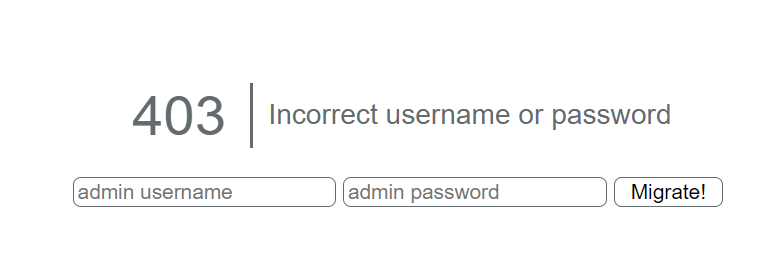
- Tried again but this time it says: 403: Incorrect username or password
Screenshots
Output of the diagnostics [REQUIRED]
Can not access to diagnostics, it seems i dont have admin account anymore.
(error_log might help!?)
Browser and system
Google Chrome: Version 103.0.5060.134 (Official Build) (64-bit) Windows 10 Home
How can i recreate admin account? or anything i can do?
Thank you.

Here are a bunch of drop in scripts you can use to check the status of your installation, place them in your public and access them.
Do remove them once used, because they are EXTREMELY INSECURE.
-
reset_admin.php: will reset your admin user<?php $ret = []; exec('php ../artisan lychee:reset_Admin', $ret); echo '<pre>'; foreach ($ret as $r) { echo $r."\n"; } echo '</pre>'; -
migration_status.php: check the status of the migrations<?php $ret = []; exec('php ../artisan migrate:status', $ret); echo '<pre>'; foreach ($ret as $r) { echo $r."\n"; } echo '</pre>'; -
diagnostics.php: print out the diagnostics.<?php $ret = []; exec('php ../artisan lychee:diagnostics', $ret); echo '<pre>'; foreach ($ret as $r) { echo $r."\n"; } echo '</pre>'; -
migration.php: will apply the migrations left<?php $ret = []; exec('php ../artisan migrate --force', $ret); echo '<pre>'; foreach ($ret as $r) { echo $r."\n"; } echo '</pre>';

Thanks for you kind reply, @ildyria
after going through your guide above, now i've got this:
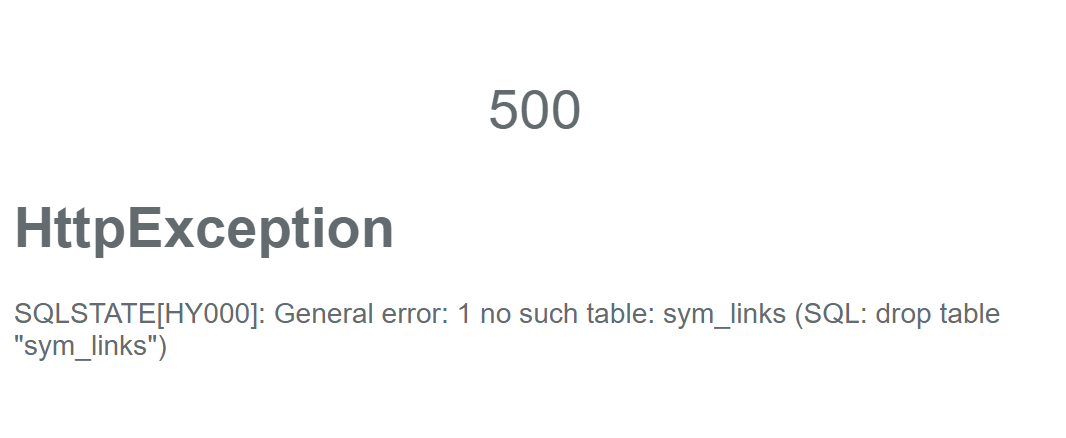
and maybe my stupid question but after reset my admin, what user/pass is it?
Thanks for your time....
your guide above
Those are no guides, just 4 scripts which could help in your situation.
and maybe my stupid question but after reset my admin, what user/pass is it?
Not a stupid question. You will be ask to enter a new username and admin at your first time on the "normal" gallery page.
From what I see, your installation is in a pretty bad state, and I honestly have no clue how to help. To make a metaphor out of it. It is as if you are bringing your car to the mechanics, they swap the engine, but due to time constraint they have to stop. And for some reason, when you tried to get your car back to drive, it is missing a piston in the engine...
For some reasons unknown to me (aside from the timeout), something went wrong in the migration. :(
May I ask:
- how many pictures did you have uploaded ?
- do you have a backup of your database ?
- do you have ssh access or just ftp-access ?
@ildyria Thanks for your time, I've tried all your scripts and nothing went wrong except the 4th script (migration.php)
- i have thousands of pics that uploaded
- i'm using sqlite database and i have a backup of that database.
- i only access via ftp. (too noop to use ssh...)
i have thousands of pics that uploaded
I think that's why it died in a time out. :(
Because it is a sqlite DB, here is what you can do.
- install php locally on your computer
- install a copy of Lychee locally (you don't need the photos, just the DB)
- use a copy of your sqlite in
database/database.sqlite - apply the migration locally
- transfer the database.sqlite to your website.
I don't think there is any file move. So in theory it should work. The point of this is to be free from the "timeout".
Because it is a sqlite DB, here is what you can do.
- install php locally on your computer
- install a copy of Lychee locally (you don't need the photos, just the DB)
- use a copy of your sqlite in
database/database.sqlite- apply the migration locally
- transfer the database.sqlite to your website.
I don't think there is any file move. So in theory it should work. The point of this is to be free from the "timeout".
@ildyria This is a good idea i think... I'll try... Thank you for your great support!
Vuong Quoc
What was the output of the second script (migration_status.php)?
@ildyria @nagmat84 If it's the big model migration that timed out (as I think we all suspect), I wonder if we should add code to try to reset the timeout every so often, like we do for import from server...

Yes, I suspect that, too. But I am not sure if it is the script which times out (I doubt it) or if it is the web server or client which generates the time out, because there hasn't been any generated output to STDOUT for so long which could be transferred from the web server to the client.
Ultimately, this problem will be gone after I have refactored the web installer to use JSON and streamed responses.

Oh, right, I forgot about the no output timeout. Looks like there may be no easy way out in this case...
I'm getting the same error, except without the initial timeout, when trying to update from 4.4.0 to 4.7.0, and I don't have that many pictures. I'm using mysql database instead of sqlite, though.
