
Brightness
 Brightness copied to clipboard
 LordAmit
Using Brightness Controller, you can control brightness of both primary and external displays in Linux. Check it out!

I wanted to directly control the backlight brightness of my monitors rather than just software brightness. It detects if ddcutil is installed and if it is then there is a...

The secondary controller seem not not be adjustable, but the primary controller works well. 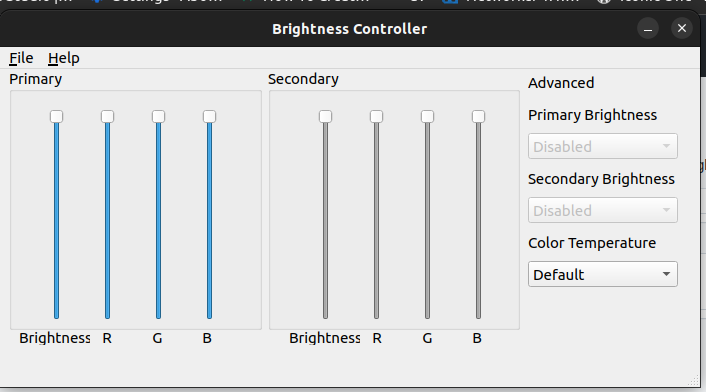


**Describe the bug** When i want to change the brightness right after starting the program i get this crash: ``` warning: output None not found; ignoring xrandr: Need crtc to...

**Describe the bug** Brightness Controller crashes ``` warning: output None not found; ignoring xrandr: Need crtc to set gamma on. Traceback (most recent call last): File "/usr/share/brightness-controller/init.py", line 277, in...

OS: Ubuntu Mate 16.04 LTS Version of Brightness Controller: 2.0.2 allan@L4:~$ xrandr -q Screen 0: minimum 8 x 8, current 5760 x 1620, maximum 32767 x 32767 eDP1 connected primary...

With dual monitor system it seems as though the color temperature "presets" only apply to the primary monitor. Is it possible to adjust this so that it can apply the...

**Describe the bug** After installing and trying to "save current setting", the default folder for saving the configuration in is the installation path. If trying to save in this folder,...

Please add a setting so when you launch the app, it will not open the window but the icon will appear in the taskbar and run in the background.
