

 LibreSign
Some changes in validation page
Hi
Think in this scenery:
- I request TWO signers in a document
- User A signs the document so a new document is generated and can be validated, user B does not sign the document
When I validate the document the validation page shows that the document is valid, signed by A in mm/dd/yyyy, no date for B
I suggest that the page should show a message indicating that the document is valid but it's not completed (until user B signs it). So if in the table oc_libresign_file the status is=1 the document should show a warning in the validation screen adverting that it's not completed.
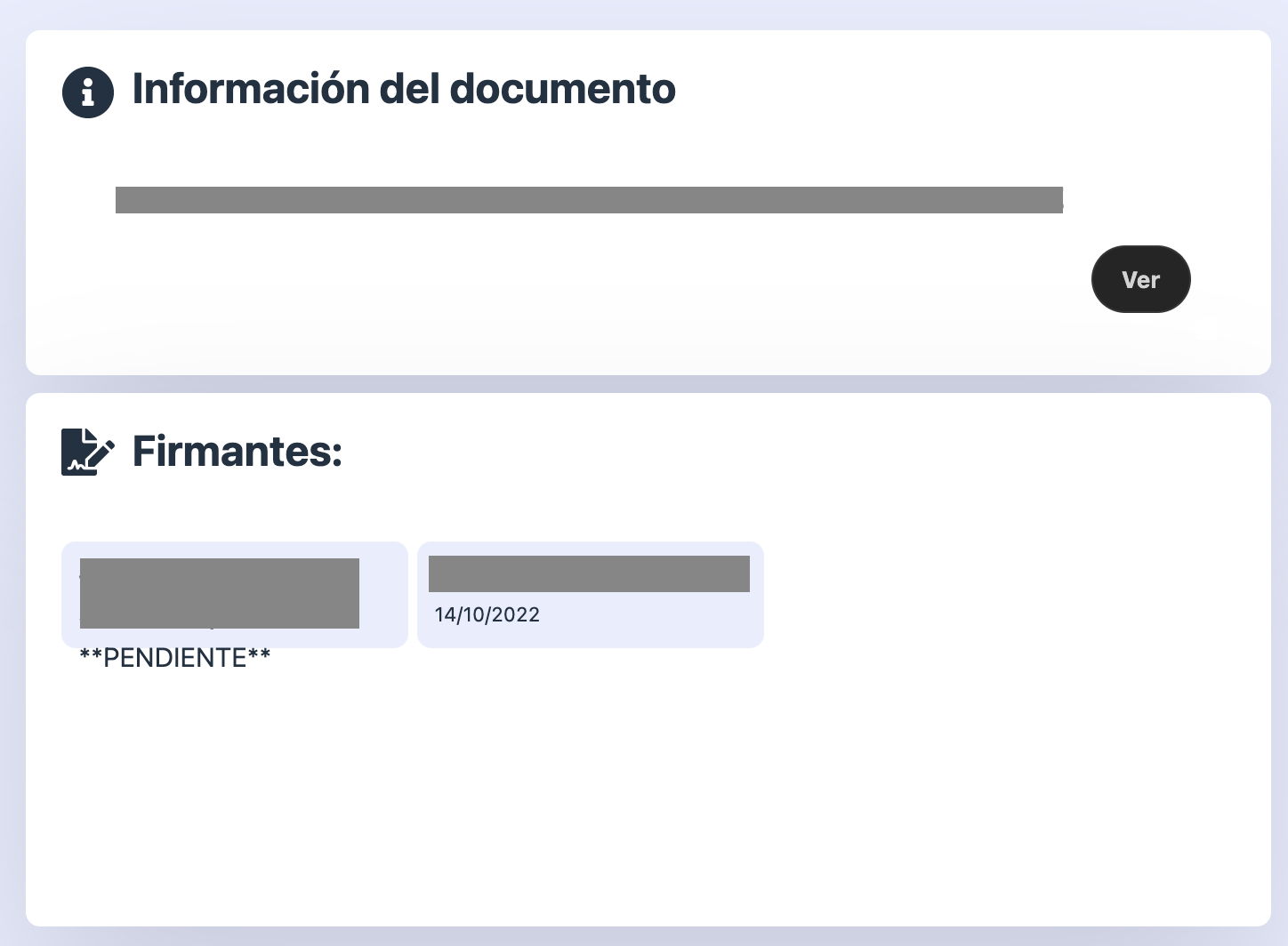
Also in that page would be nice to have separated shapes for signed/unsigned, example, this is the standard page, the left signagture still is pending, the right one is signed:
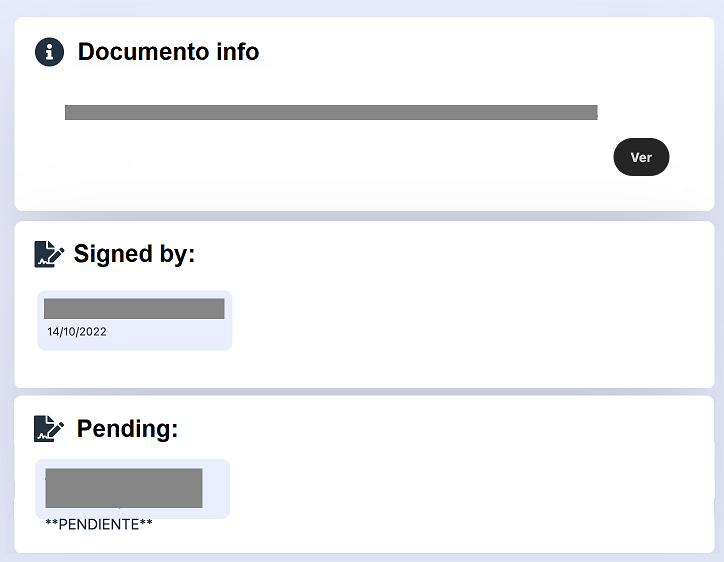
I guess this would be better:
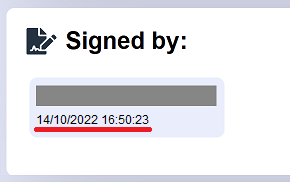
Also should be fine to have the datetime in the sign:

Hi @tasagore, excellent suggestions!
For now, we need funding to maintain the development of this project. We have a lot of ideas, but we don't have the necessary to maintain an engineer team and then, the dedicated time to the project is the free time of volunteers from community like you did to create this very cool UI suggestion.
We have a funding project in Patreon: https://www.patreon.com/libresign

I understand. For me this (the ability to sign a PDF completely in a self-hosted environment) is one of the most important lack in Nextcloud and this app could be perfect to solve it.
I'm a developer but not in web environments and my knowledge in JS is near zero, anyway here is a piece of code if it helps. To separate signed from unsigned in validation screen just change in validation.vue from this:
<div class="infor-bg signed"> <div class="header"> <img class="icon" :src="signatureIcon"> <h1>{{ t('libresign', 'Signatories:') }}</h1> </div> <div class="infor-content"> <div v-for="item in document.signers" id="sign" :key="item.fullName" class="scroll"> <div class="subscriber"> <span><b>{{ getName(item) }}</b></span> <span v-if="item.signed" class="data-signed">{{ formatData(item.signed) }} </span> <span v-else>{{ noDateMessage }}</span> </div> </div> </div> </div>
to this:
<div class="infor-bg signed"> <div class="header"> <img class="icon" :src="signatureIcon"> <h1>{{ t('libresign', 'Signatories:') }}</h1> </div> <div class="infor-content"> <div v-for="item in document.signers"> <div v-if="item.signed" id="sign" :key="item.fullName" class="scroll"> <div class="subscriber"> <span><b>{{ getName(item) }}</b></span> <span class="data-signed">{{ formatData(item.signed) }} </span> </div> </div> </div> </div> </div> <div class="infor-bg signed"> <div class="header"> <img class="icon" :src="signatureIcon"> <h1>{{ t('libresign', 'Pending signatures:') }}</h1> </div> <div class="infor-content"> <div v-for="item in document.signers"> <div v-if="item.signed"></div><div v-else id="sign" :key="item.fullName" class="scroll"> <div class="subscriber"> <span><b>{{ getName(item) }}</b></span> <span class="data-signed">{{ noDateMessage }} </span> </div> </div> </div> </div> </div>
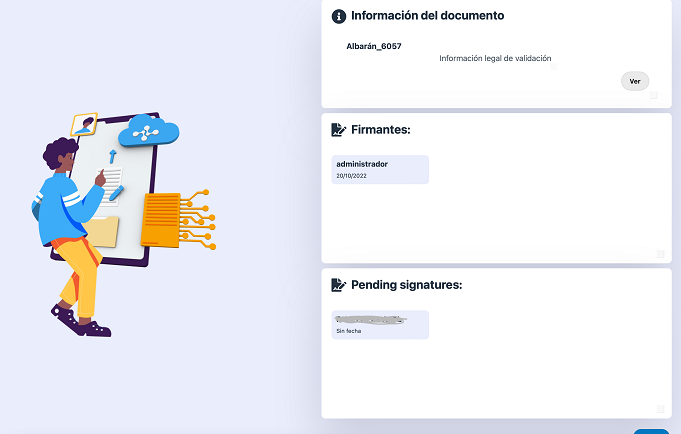
After that the validation page will show like this:
Excellent! Could you send in a new PR to make easier the review, or, maybe, allow to other person follow in your change?
Excellent! Could you send in a new PR to make easier the review, or, maybe, allow to other person follow in your change?
I'll take a look to the Github PRs since I don't use GitHub in my job. The first think I did was clone the repository and edit it with VS-Code but the version was 7.0.0 (that doesn't work in NC25) so I did the mod over the 5.1.4 version that seems the latests stable.
I guess I need to read more about the Github stuff and JS before I can help, but I'll do.
Also I'm working in let request signature for username, not only for email (in my case all signatures are internals), don't know if it's a feature already implemented in future releases.
Also I'm working in let request signature for username, not only for email (in my case all signatures are internals), don't know if it's a feature already implemented in future releases.
I think that this is related with #791
We have plans to remove the hard link between the signers and Nextcloud user do make possible sign a document without the necessity to create user in Nextcloud.
The idea is to create a signer identifier with multiple possibility to identify the signer using email, phone, Nextcloud user_id, other type of user id (maybe a key/value table associate to LibreSign User) and when sign the document, copy all signers data to save in the document metadata to have a screenshot of all user data in the moment of signature and prevent user deletion or change user data.
We want to define in administration settings the way to sign the document.
About the development, need to be made in main branch of LibreSign. The main branch work with master branch of server.
I recommend using a development environment to do this.
I use this environment: github.com/librecodecoop/nextcloud-docker-development But have a lot of app developers that use this: https://github.com/juliushaertl/nextcloud-docker-dev/
You will need to clone the main branch of LibreSign in app folder and inside libresign folder, run the command make serve, this will install all composer and javascript dependencies and start the watch mode. To run the watch mode again, you could run npm run watch or make watch-js
Could you test the newest release?! At this screenshot, John Doe signed the document and the signer [email protected] not. This is a screenshot of newest release:
PS: If you like this app, don't hesitate to help us to maintain the development sponsoring by GitHub sponsor https://github.com/sponsors/LibreSign or also contacting us to have Enterprise support: https://libresign.coop