LibrePDF
Rendering a SVG file with `feGaussianBlur` leads to a glitch in the resulting PDF file
Describe the bug
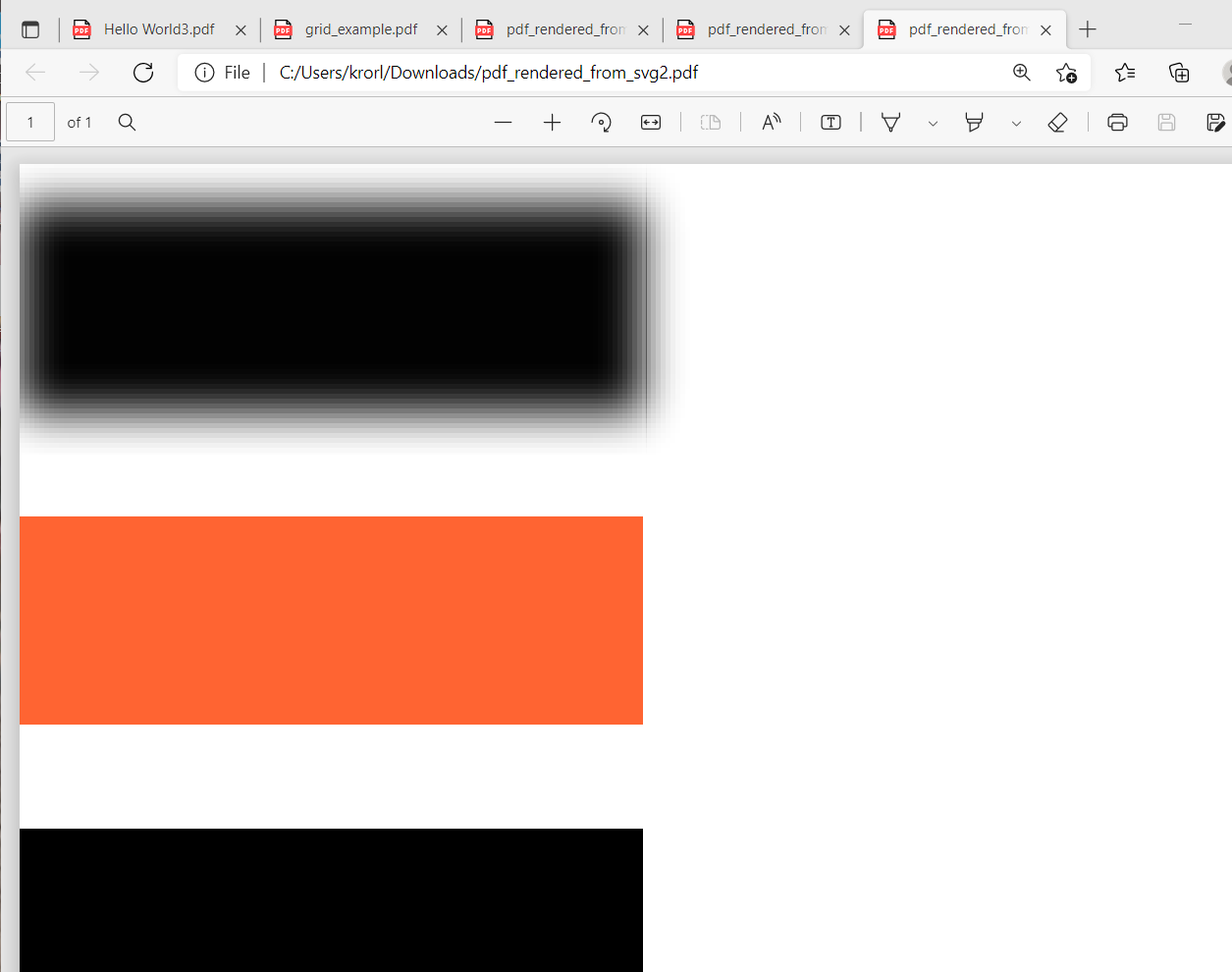
Hi, I generated a PDF from a SVG file with a feGaussianBlur and the resulting PDF file has a glitch. Is this a bug in OpenPDF? If I render the same using Apache FOP v2.6 it has no glitch.
To Reproduce
Expected behavior
No glitch in the resulting PDF file.
Screenshots
SVG file with feGaussianBlur:

PDF file rendered from SVG with feGaussianBlur using OpenPDF:

PDF file rendered from SVG with feGaussianBlur using ApacheFOP:

System (please complete the following information):
- OS: Arch Linux / EndeavourOS
SVG file and resulting PDF files: svg_feGaussianBlur_pdf_rendering_files.zip


@BuZZ-dEE this issue happen when there are many pictures to merge. when you use ApacheFOP, the pdf only have one picture. so it does not have a glitch. But if page page size of OpenPDF is suitable, it will have one picture and do not have a glitch. And how to solve the issue when too many picture to merged, I have not idea. I think it is the problem for the tool to render it.
pdf:
 origin format:
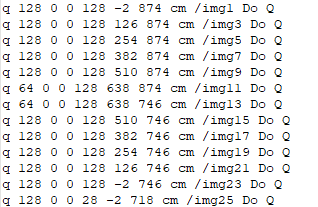 each image is 128*128, and I think cm has no problem.

@Wugengxian what is a suitable page size? We tested the PDF in Okular, Evince, Qpdf and Adobe Reader, all these tools show a glitch. Do you know a tool, which renders this correct?
each image is 128*128, and I think cm has no problem.
What do mean, "cm has no problem"?
I tried to recreate the issue and think the problem is with pixel count/viewing pdfs in different viewers on different systems. Playing around with pagesize made the issue go away on a Linux pdf viewer but brought up a weird line to the right on the Windows adobe and Microsoft Edge viewer. It may have to do with pixel count in the pdf, this article helps explain it: https://docs.oracle.com/cd/E87306_01/TSG/FAQ/Fixing%20the%20thin%20line%20display%20issue%20when%20viewing%20a%20PDF.html