

 Krypton-Suite
[Feature Request]: Messagebox expandable footer
Is your feature request related to a problem? Please describe.
Is it possible to have a expandable footer to the KryptonMessageBox


Now that the KMB has a proper designed Form, the above should be a lot easier. The problem I have come across in the past with these controls is text limitations, and the type of "Opening" methods - i.e. Scroll, explode, jump

Interesting - see this before only in SyncFusion and used it there for detailed debug information. Is this currently available? Noticed it's a old thread.

Interesting - see this before only in SyncFusion and used it there for detailed debug information. Is this currently available? Noticed it's a old thread.
@mikel3361 No, need to find a way to implement it
Can KryptonTaskDialog show details than i can handle debug messages over it - i try... (Can't do it with this dialog - not what i sarching for)
Can KryptonTaskDialog show details than i can handle debug messages over it - i try... (Can't do it with this dialog - not what i sarching for)
@mikel3361 Yes it can, but it'll be quite good if the KMBox has a similar feature too
An option around DebugText and whether it should already be enabled as with application errors in a multi-line read-only text box would be great. SyncFusion controlled it via these two optional parameters.
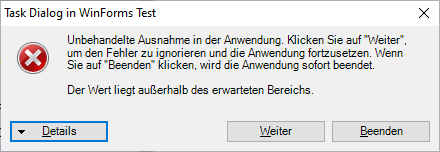
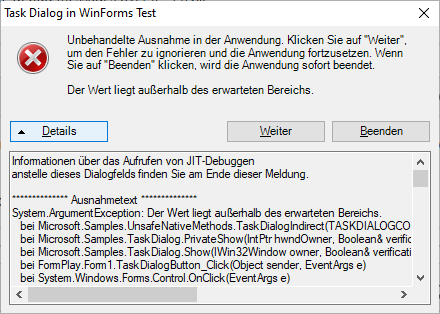
Hi @Smurf-IV & @mikel3361
So, I've got this part working... but struggling with the sizing. Any ideas?
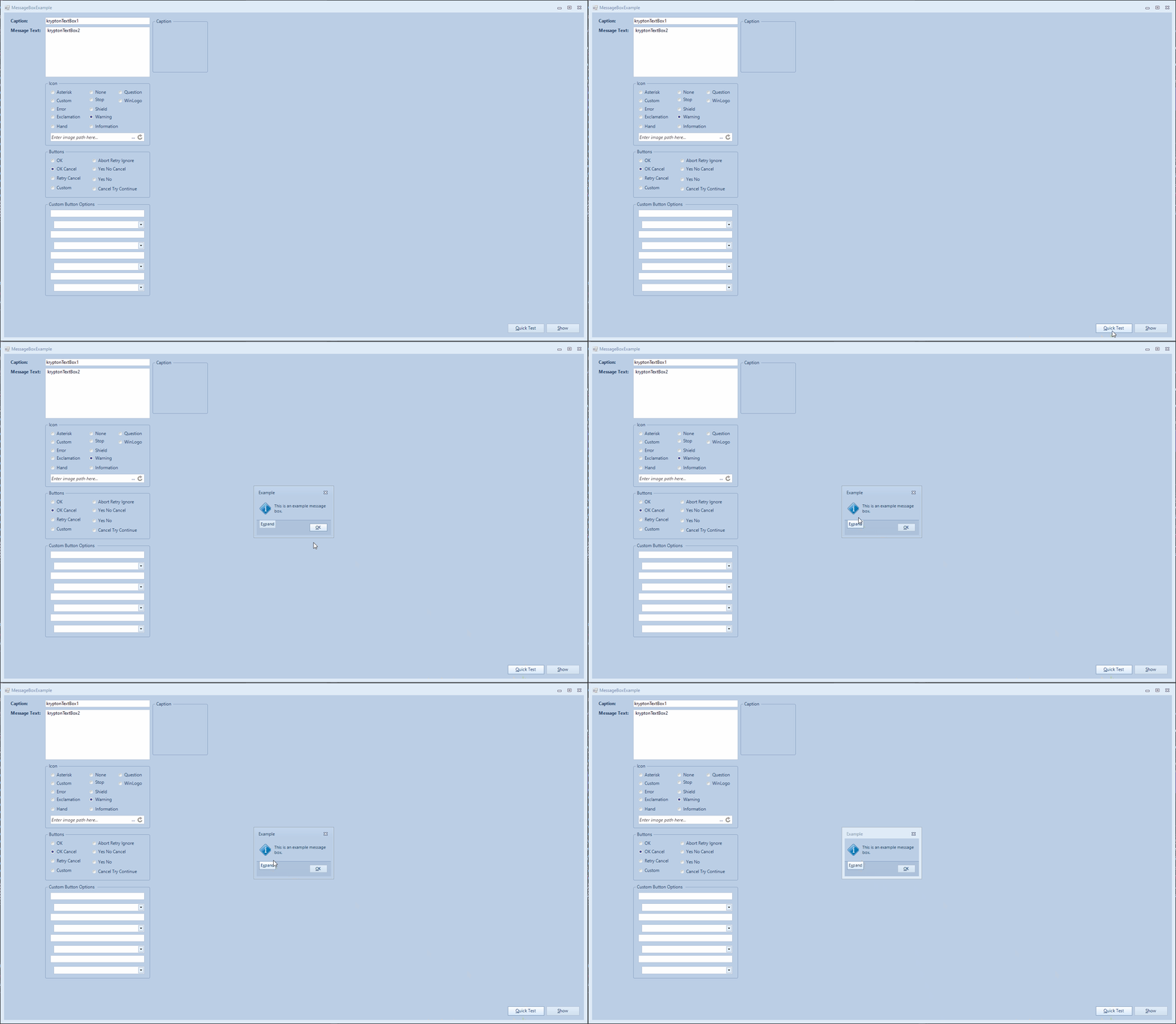
you will need to resize the parent form
I've tried, but it doesn't seem to work :(
private void UpdateMoreDetails()
        {
            int currentHeight = Height;

            krtbMoreDetails.StateCommon.Content.Font = _messageBoxTypeface;

            if (mbMoreDetails.Text == _expandText)
            {
                mbMoreDetails.Text = _collapseText;

                //ContentLayoutPanel.RowStyles[2].Height = _maximumMoreDetailsDropDownHeight;

                Height = currentHeight + ContentLayoutPanel.Height;

                kpnlExpandableFooter.Visible = true;

                krtbMoreDetails.Visible = true;

                krtbMoreDetails.Text = _detailsText;
            }
            else if (mbMoreDetails.Text == _collapseText)
            {
                mbMoreDetails.Text = _expandText;

                kpnlExpandableFooter.Visible = false;

                krtbMoreDetails.Visible = false;

                Height = currentHeight;
            }
        }
If you have auto size for the following Height = currentHeight + ContentLayoutPanel.Height;
Then the `ContentLayoutPanel.Height¬ will be zero, as it is not visible. Or On resize, is being overriden by "preferred height" calcs whihc are not including the expected "ContentLayoutPanel.Height"
Would it be the 'core' panel height then, i.e Height = currentHeight + kpnlBase.Height;?
NB: kpnlBase contains the TableLayoutPanel.
Hi @Smurf-IV & @mikel3361
I'm a bit stumped on this one, would you mind taking a look? All changes are here: https://github.com/Krypton-Suite/Extended-Toolkit/pull/344/files#diff-3d08f7e00bf490321e7b6b53f023a88e5cc8ceff55739dfab450bb2659a51d76 (alpha-outlookgridlocalisation branch). I'm going to be away next week 14 - 21 August, so can't do any updates.