

 Kong
Kong
Use Vertical Layout not working
Expected Behavior
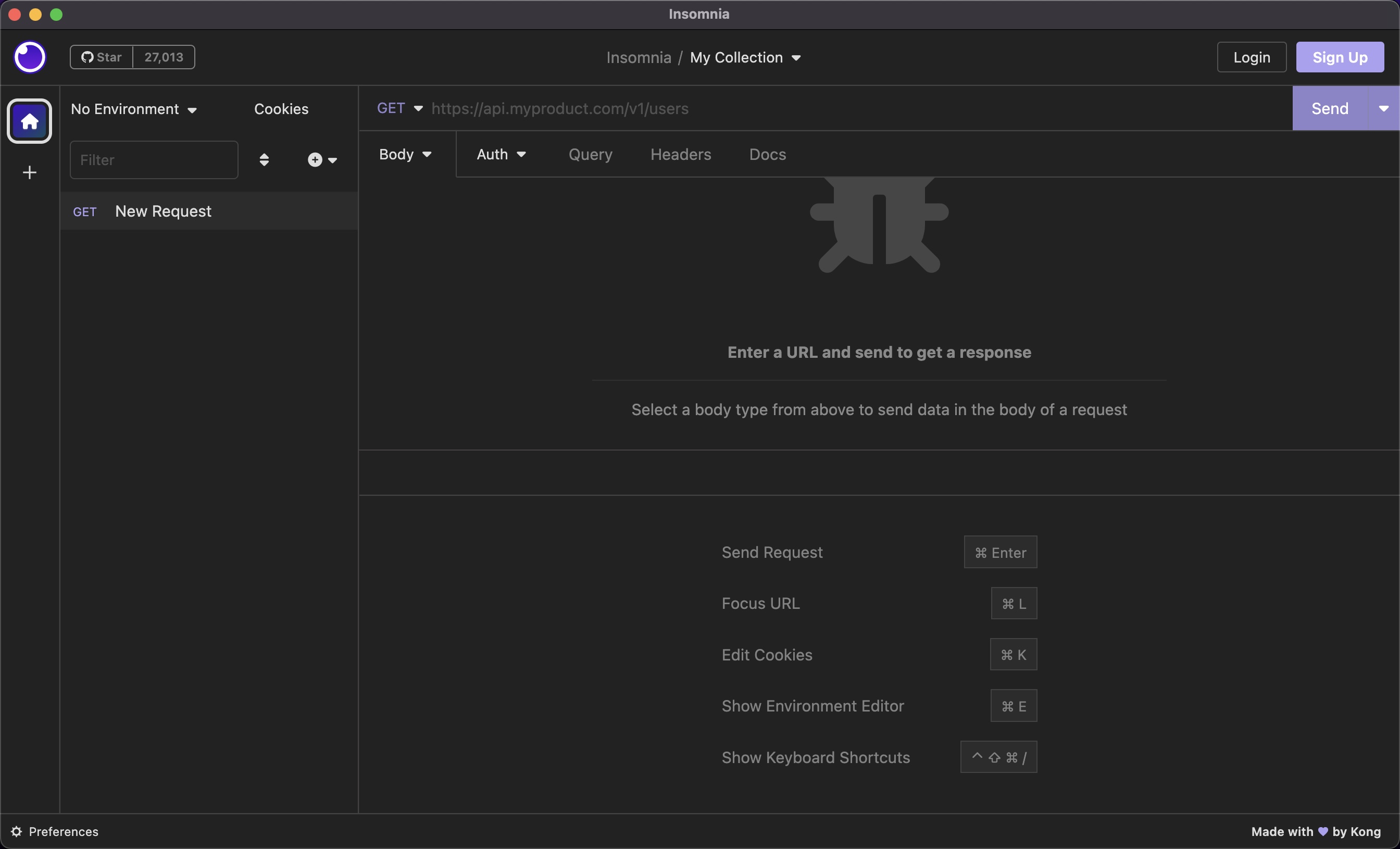
trying enable the checkbox "use vertical layout" so Response section to the right of Request section
Actual Behavior
Request section is horizontal above the the response section (this is the default view after download)
Reproduction Steps
- download insomnia 2023.1.0
- open a collection
- notice the image like so:
Is there an existing issue for this?
- [X] I have searched the issue tracker for this problem.
Additional Information
Mar 10, 2023 i downgraded to v2022.7.5 and this checkbox toggle works instantly
Insomnia Version
2023.1.0
What operating system are you using?
macOS
Operating System Version
Ventura 13.1
Installation method
insomnia.rest
Last Known Working Insomnia version
2022.7.5

I have the exact same issue. Seems like it is a regression in version 2023.1.0.


A few days ago I was stuck with horizontal layout.
Testing again today, it seems that the checkbox is the opposite of the label. When 'use vertical layout' is checked it's horizontal, when unchecked it's vertical.

I also thought that was it. But with a checkbox checked or not, the result doesn't change. I needed to go back to an old version, 2022.7.5.
@524c That was my experience at first as well. I just tried updating my laptop and I'm seeing the same there.
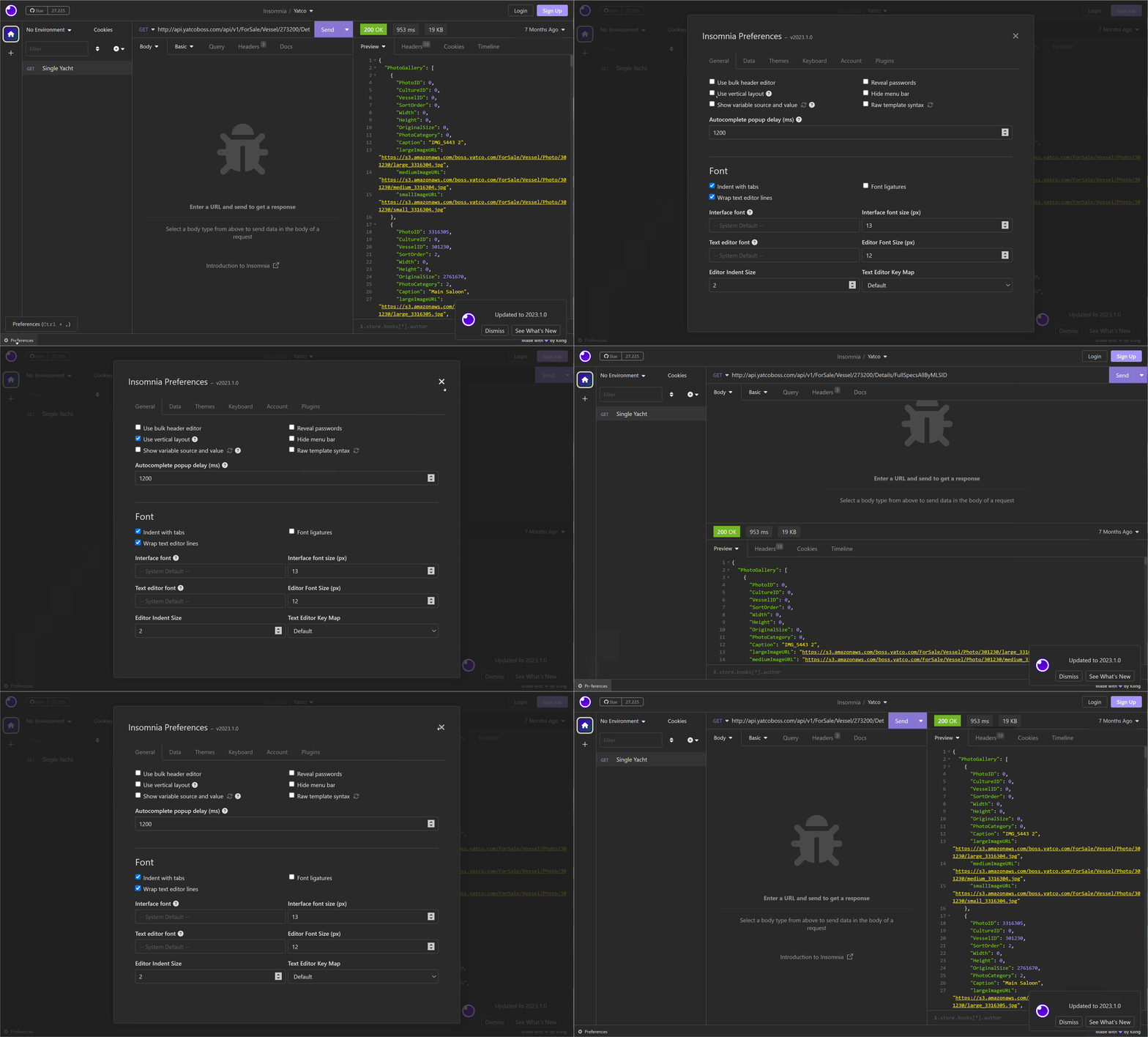
@524c That was my experience at first as well. I just tried updating my laptop and I'm seeing the same there.
The issue only happens on small window sizes. Try reducing the width of your window and you will see it is stuck on vertical layout.
@merc1er That's true. Reducing the width forces the horizontal layout.
The checkbox option is still the opposite of the expected behaviour though.
Just updated to the latest version and noticed the same behavior. The option "user vertical layout" doesn't work as expected.
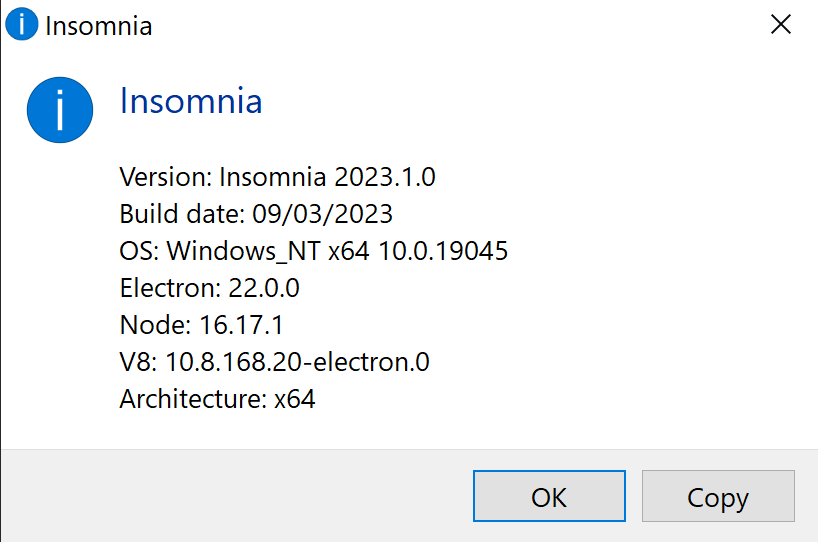
Version: Insomnia 2023.1.0 Build date: 3/9/2023 OS: Darwin arm64 22.3.0 Electron: 22.0.0 Node: 16.17.1 V8: 10.8.168.20-electron.0 Architecture: arm64

Also experiencing the layout not changing when the vertical layout checkbox is checked or unchecked.
Version: Insomnia 2023.1.0 Build date: 3/9/2023 OS: Darwin arm64 21.6.0 Electron: 22.0.0 Node: 16.17.1 V8: 10.8.168.20-electron.0 Architecture: arm64

Same for me :
Version: Insomnia 2023.1.0 Build date: 3/9/2023 OS: Darwin x64 22.2.0 Electron: 22.0.0 Node: 16.17.1 V8: 10.8.168.20-electron.0 Architecture: x64

It still doesn't work in the latest version.
Impossible to use on notebooks with small screens (13").
Version: Insomnia 2023.2.0 Build date: 4/26/2023 OS: Darwin x64 22.1.0 Electron: 22.0.0 Node: 16.17.1 V8: 10.8.168.20-electron.0 Architecture: x64
The problem seems to come from the beakpoint for layout switching. They must have changed the value.
Start by checking that "Use vertical layout" is not checked in your preferences.
Then you can correct the problem by simply zooming out a bit your UI.
- Windows/Linux:
Ctrl+-(not sure about the shortcut) - Mac:
Cmd+-
Then you can correct the problem by simply zooming out a bit your UI.
The issue with that is that the text becomes too small and barely legible. But I guess that's a valid workaround on some screen types.
Then you can correct the problem by simply zooming out a bit your UI.
The issue with that is that the text becomes too small and barely legible. But I guess that's a valid workaround on some screen types.
@merc1er, @Foohx, I don't know why it always worked before, but a zooming out "fix" the problem and the vertical layout came back 🙏 Thanks!
Hey @filfreire, how are ayou? When this bug is prioritized, I'll be happy to help with any testing you need on MacOS. I'm using it on a 13" Macbook air.
I have tried zooming in/out and changing the Use vertical layout checkbox to checked/unchecked and still cannot make response section come to the right.
I am on macOS (with Larger Text in display settings), and this is the first time I am using Insomnia and I am having trouble seeing the Graphql variables properly in vertical layout. hence I would like to see response in the right section with divider.
In postman graphql variables are on right and response is at bottom which is still okay. Will stick with postman for now I guess until this issue is fixed...
Here is Insomnia version info:
Version: Insomnia 2023.2.2
Build date: 5/17/2023
OS: Darwin x64 21.6.0
Electron: 22.0.0
Node: 16.17.1
V8: 10.8.168.20-electron.0
Architecture: x64

I don't know if this has been updated but apparently there's a misunderstanding about this feature.
Version: Insomnia 2023.2.2
Build date: 5/17/2023
OS: Linux x64 5.19.0-42-generic
Electron: 22.0.0
Node: 16.17.1
V8: 10.8.168.20-electron.0
Architecture: x64
As we can see:
- While checked (Vertical), the option is supposed to stack Request and Response panels. Request to the top and Response to the bottom.
- While unchecked (Horizontal), the option (was supposed to) put both panels side-to-side. Request to the left and Response to the right.
Vertical or Horizontal terms are not related to the layout of one panel individually, but to the arrangement of both of them.
That said, I was also struggling with this problem, Checking or Unchecking this option didn't change nothing.
It seems that the problem is related to auto adjust based on window width/zoom. Smaller width and/or bigger zoom will automatically adjust to vertical layout.
And while there is an option to force vertical layout (which is already the standard one), there's no option to force the horizontal. The unchecked box do not force horizontal, opposite to what is possible to deduce.
Maybe having options to choose what layout to force would solve this issue?


@sindelio my solution for now is downloading the last release that did not have the issue from here https://github.com/Kong/insomnia/releases/tag/core%402022.7.5 and disable software updates. In the meantime I'm keeping an eye on this ticket.

I would very much like to see this fixed, Insomnia keeps updating and the bug comes back
It seems this issue is caused by unclear language in the checkbox description. Horizontal/Vertical vs column/row Layout rules: Use vertical layout: Checked This will show request and response in a single column. Use vertical layout: Unchecked This will show request and response in a single row above 1200px, below this width, layout will be in a single column.
This approach allows us to use more horizontal screen space for tabs and such.
I've made a PR to update the tooltip to clarify this behaviour #6739

@jackkav regardless of language the problem is that on smaller screens (e.g. MacBook Pro 14") changing the setting doesn't do anything (unless you play around with zoom level but then the text becomes too small). At least this was true until recently. Like many others in this thread I disabled updates on my Mac, but I could re-enable and test if a fix is out, please advise.
@jackkav specifically this part of your comment is not true for me and the other people in this thread
Use vertical layout: Unchecked This will show request and response in a single row above 1200px, below this width, layout will be in a single column.
We still see request and response in a single column with the setting unchecked
Hello everyone - I am trying to understand better what's happening here.
This is the standard layout with "Use vertical layout" unchecked:
And this is the layout with "Use vertical layout" checked:
It seems that the layout is changing accordingly to the "Vertical" setting, with the response section on the right when unchecked, and the response section below (in a vertical stacked position) when checked.
When the screen size is too small, the application defaults to a vertical stacked layout by default (even when the "Use vertical layout" setting is unchecked) because there wouldn't be enough space to show all the columns otherwise. I seem to understand that this is the objection?

@subnetmarco
[...] the layout is changing accordingly to the "Vertical" setting, with the response section on the right when unchecked, and the response section below (in a vertical stacked position) when checked.
Correct
When the screen size is too small, the application defaults to a vertical stacked layout by default (even when the "Use vertical layout" setting is unchecked) because there wouldn't be enough space to show all the columns otherwise.
Not true, there is plenty of space, download https://github.com/Kong/insomnia/releases/tag/core%402022.7.5 on a 13" Mac and see for yourself. The side-by-side layout is superior in all screen sizes because you can see more lines of JSON with less scrolling, it's one of the reasons I switched from Postman
I seem to understand that this is the objection?
The objection is that before this checkmark existed we could have the side-by-side layout all the time, regardless of screen size and now this is impossible unless reverting to the old version of Insomnia.
This is really weird.. People just want the same behaviour as it was before. It seems that someone changed something because they thought it would be better for small screens, but those changes defied the options.
@robwent If enough folks are interested we could fork Insomnia, we would keep merging all the other updates from upstream, except the Postman-like layout. It would be better than being stuck on an 18-month-old version I guess?
@mastazi What does this have to do with the current issue we are discussing?
If you want to contribute a fix on the layout problem we are discussing, you are welcome. If you want us to attempt to fix it, you need to have patience as we go through the issue. If you want to fork the project and fix this issue there, let us know when you do that so we can also merge the fix here.
@subnetmarco insomnia is open source, yes? So what's wrong with forking?
Your previous comment from Nov 2nd read like "this is working as designed by our team" so in that case forking would be the logical solution, I don't see what's wrong with that.
If you want to contribute a fix on the layout problem we are discussing, you are welcome.
It seemed you did not want the fix to happen as I explained above.
If you want us to attempt to fix it, you need to have patience as we go through the issue.
I don't want you to do anything, I don't pay you and I have no say in how you use your time.
If you want to fork the project and fix this issue there, let us know when you do that so we can also merge the fix here.
This is obvious, it's just how open source works.