
KappaTools

KappaTools copied to clipboard
 Kappa-Dev
Reset Zoom option should adjust if sites are being shown
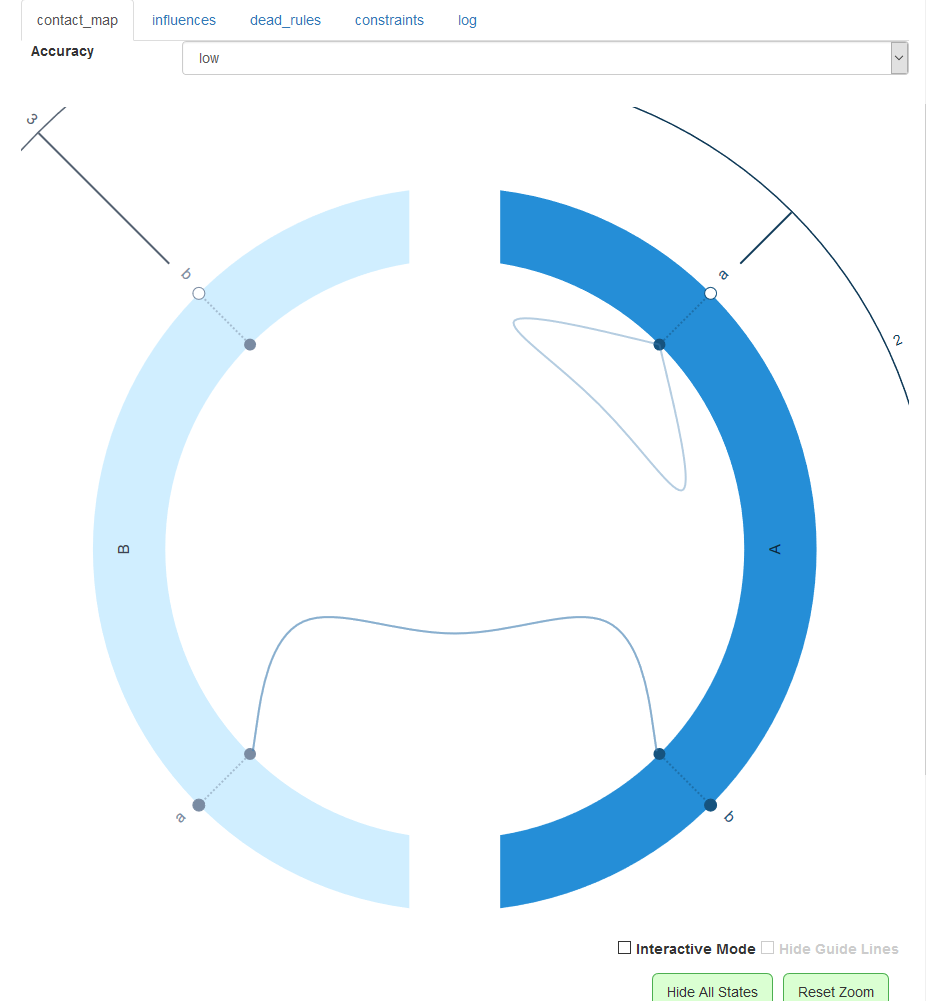
In the UI (KaSimCloud), when one makes a model and the CM is rendered, there is an option to display the sites' states. Next to it, there is an option to reset the zoom level. When resetting the zoom level, if the states are displayed, the zoom should adjust to show the full CM with the states being shown. Right now, it resets to the agent view, truncating the sites. For example:
%agent: A(a~1~2,b)
%agent: B(a,b~1~2~3~4~5)
A(b!./!1),B(a!./!1) @ 1.0
A(a!./!1),A(a!./!1) @ 1.0
Is viewed as this, obscuring most of the states on site b of B.

I made it so the zoom is centered now when you click reset zoom, while this doesn't solve the issue, it should serve as good placeholder for now.
