

 KDAB
KDAB
Unable to start launcher - missing windows platform plugin
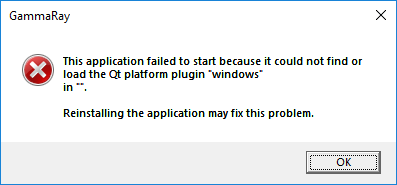 I get this from the installer, downloaded from the CI - https://ci.appveyor.com/project/KDAB/gammaray
I tried setting QT_QPA_PLATFORM_PLUGIN_PATH environment variable to %QTDIR%\plugins\platforms\
(and setting QTDIR to c:\Qt\5.11.1\msvc...\ ) to no avail.

I also downloaded the pre-built package from AppVeyor and also got the error message:
This application failed to start because it could not find or load the Qt platform plugin "windows" in "".
Reinstalling the application may fix this problem.
The following did the trick for me: set "QT_PLUGIN_PATH=M:\Programs\KDAB\GammaRay\2.9.50_x64_Qt-5.10_VC-15\plugins" && M:\Programs\KDAB\GammaRay\2.9.50_x64_Qt-5.10_VC-15\bin\gammaray-launcher.exe (substitute your own path of course).
Creating the qt.conf file:
[Paths]
Prefix = ..
in the bin directory works even better (no need for the environment variable).

I've also tried building from scratch and my colleague has tried to build from scratch with qt 5.12 and also gets the same issue. (He had managed to build 5.9 and 5.11 probes in the past but there seems to be issues now).