
Guava
 Guava copied to clipboard
 JosephShenton
420 Signer - The most powerful signing utility ever created.
Guava
A powerful cross-platform signing utility built on top of zSign.
Key Features • How To Use • License
Project Status
- [x] Setup
- [x] Launching Guava
- [x] Checking Docker Installation
- [x] Building Docker Image
- [x] Testing Docker Image
- [ ] On-Device Signing
- [ ] UI
- [x] Design
- [ ] Product
- [ ] UI
- [ ] Signing
- [x] Select App (Individual Resign)
- [ ] Select Folder (Bulk Resign)
- [ ] Sign App
- [ ] Certificates
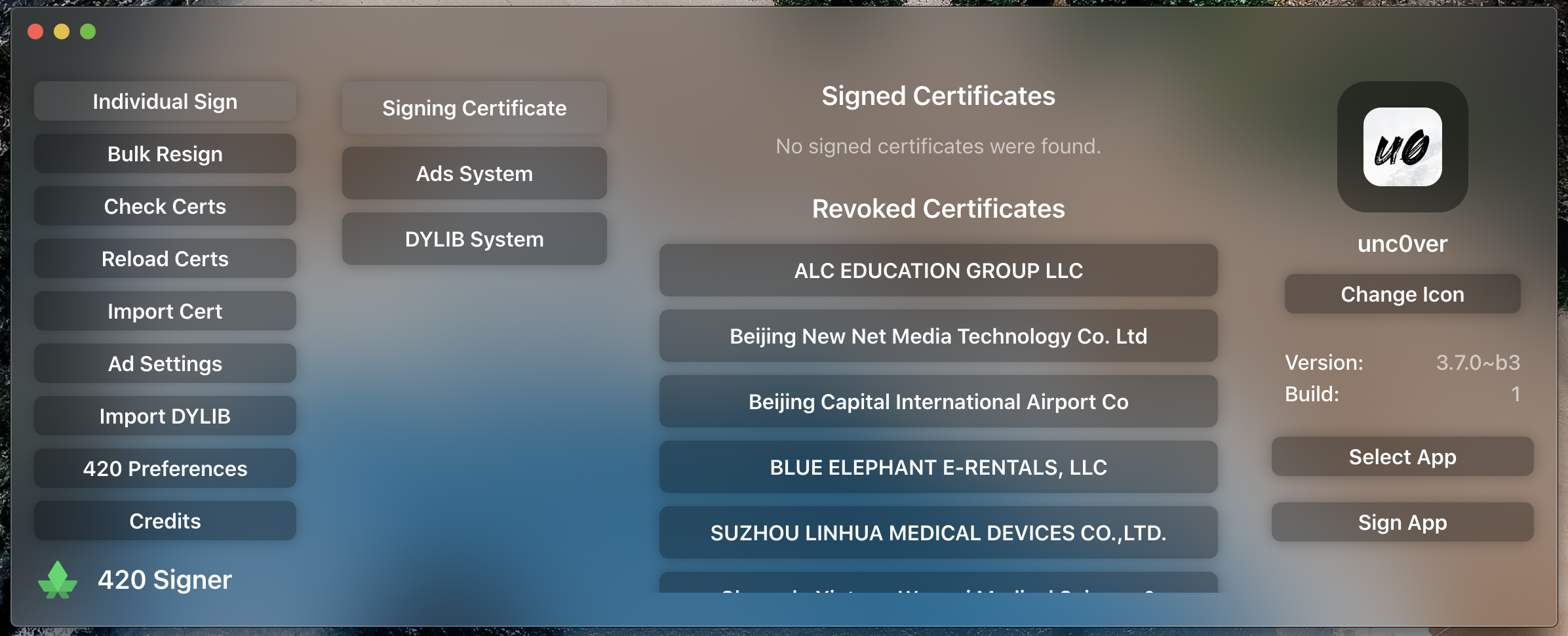
- [x] Reload Certificates
- [ ] Import Certificates
- [x] Revoked Certificates
- [ ] Signed Certificates
- [x] Separate Certificates
- [ ] Ads
- [ ] AdMob
- [ ] AppNext
- [ ] DYLIBs
- [ ] Import DYLIB
- [ ] App Information
- [ ] Change App Icon
- [ ] UI
- [ ] On-Device
- [ ] Change App Name
- [x] UI
- [ ] On-Device
- [ ] Change App Version
- [x] UI
- [ ] On-Device
- [ ] Change App Build
- [x] UI
- [ ] On-Device
- [ ] Change App Icon
Key Features
- Bulk Resign
- Resigning a huge amount of IPAs has never been easier.
- Certificates
- We provide revokes and signed certificates for use with Guava.
- Ads
- Easily integrate Google Admob or AppNext advertisments into signed apps.
- Tweak Injection
- Easily inject DYLIBs into IPAs.
- Cross platform
- Windows (W.I.P), macOS and Linux (W.I.P) ready.
How To Use
To clone and run this application, you'll need Git, Docker and Node.js (which comes with npm) installed on your computer. From your command line:
# Clone this repository
$ git clone https://github.com/JosephShenton/420Signer

# Go into the repository
$ cd 420Signer

# Install dependencies
$ npm install

# Run the app
$ npm start
Note: If you're using Linux Bash for Windows, see this guide or use node from the command prompt.
License
GNU GPL v3
ignition.fun · GitHub @JosephShenton · Twitter @TryIgnition
Metadata
15
Stars
6
Forks
Watchers
Owner
 JosephShenton
Metadata
420 Signer - The most powerful signing utility ever created.