Jonno12345
Adobe programs still showing white even I have created custom shortcut
Hello, you might remember me from "Adobe programs showing white tiles after I iconifie them" bug. This problem was solved after new 3.1.1.1 update. But today I noticed it's not. Program now selects custom background by default. But when I select Default background for tile, it still turns to white. I want to select default because tiles are not fully same with others when transparency in start menu is on. If I select the "same" color with others for custom shortcut, it normally looks same with them but when the app under start menu is white, other tiles turns to more light gray but Adobe programs remains in the same color. That can sometimes look weird. I want to make the background look "same" everytime with other tiles.
So I decided to create a custom shortcut. Which is creates a .vbs file which is independent from Adobe programs, so it's background must be normal, it shouldn't turn to a white tile. But it turns. I can't believe but it still turns into a white tile except Premiere Pro and Photoshop. Before creating custom shortcut, 3 of 4 tiles was turning to white but now 2 of 4 turning to white. I don't know how Premiere Pro tile stops being white tile but other Adobe programs remains white even I made them custom shortcut.
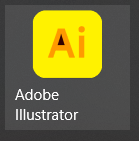
Here is the image:
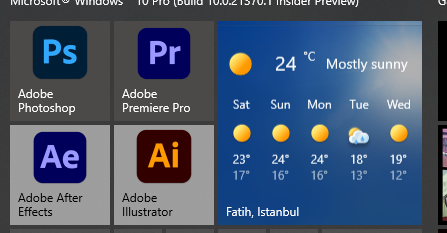
Yesterday, Windows 10 Insider Preview 21370.1 update arrived, fixed an annoying bug with start menu.
Creating custom shortcut is not a completely solution. Maybe you must add a second option of creating custom shortcut. For example creating a Python file which runs the program, then convert it to an executable. But this requires to pyinstaller run when creating executable and pyinstaller must be installed by pip in the computer which will run this program. Maybe you have a other solution for that. I don't know.

Hey,
I'm also surprised it's not picking up the vbs file correctly - it should have no way to find the original Adobe image as the start menu isn't smart enough to work out the end target of the vbs that is generated...! Are you 100% sure you're pinning the tiles created from your TileIconify folder and not the standard Adobe shortcuts? If you turn on 'Utilities -> Get Pinned Items', do you get ticks across all three columns, like in the following example (where the original shortcut isn't pinned):

Let me know, very strange though if it is!

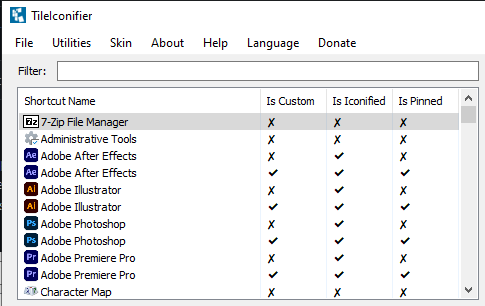
Yes, I am pinned the custom shortcuts. It looks like I forgot to select Default as background. Now Adobe Premiere Pro also turns into white tile. Like before, All Adobe programs still white even I am using custom shortcut except Photoshop.
Well that's really strange... Would you be able to go to your %ProgramData%\TileIconify (Usually just C:\ProgramData\TileIconify) folder and zip one of them up for me to take a look at?
Here it is: https://drive.google.com/file/d/1jOS8VG0U9gc2fMgq41mraBIc19ZL2c2B/view?usp=sharing
Okay... So this seems to be some Microsoft Magic going on... Sure enough, your icons produce the same result for me:
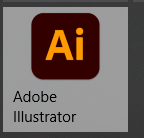
If I change the icon colour to a lighter colour however, it seems to be happy:
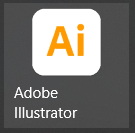
Similarly, if I change it to an even darker colour, back to the same issue
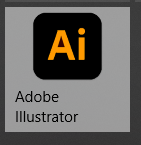
It would appear that Microsoft's new 'default behaviour' samples an average of the non-alpha channel colour elements, determines if it's light or dark, and chooses it's own background (and foreground text) colour based on this. I have no idea how I could even start overriding something like that unfortunately, it's looking at the actual image I generate. I don't really know what to suggest other than not using 'Default' and instead overriding with a set colour, however as you point out, there won't be any translucency with this.
Sorry for late reply, so will this happen if this is a other program (for example paint)? I mean will the tile turn into white when we select a dark icon for paint? Or is this special for some Adobe programs?
If this only happens in Adobe programs, maybe generating a executable which runs the target program may solve the issue. And maybe you can add this like a second option to create a custom shortcut. Can you do it?
Or must I simply select a special light icon for Illustrator, Premiere Pro and Aftereffects? Or select a non-transparent background color for these tiles? I was tried selecting some good colors for them but they are looking bad either :)
I'm really confused on this one if I'm honest - I've looked again, and it's something to do with the Adobe logos in the position you're using them...?
For example:
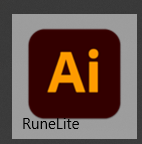
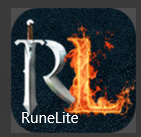
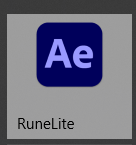
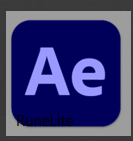
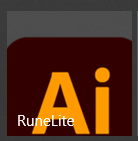
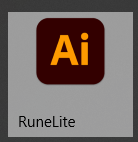
Of course, none of these were pointed at Adobe products as links and they're all using the images you provided (except the one using the standard icon example). It's almost like there's a specific line/area that it's sampling to establish what it should look like. I need to dig more into this I think, it's not proving obvious..!
So that means only way to get rid of white tiles is selecting another icon or changing it's position but to fix this issue you must zoom it and it looks bad. So only was is selecting another icon. Till you override this. I hope you can! Also I readed the readme.md and it says Mozilla Firefox is not working but it was worked in my computer. Maybe new version of Firefox is iconifiable. Good luck with it. Have a nice day.
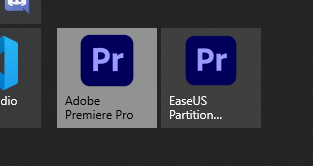
Today I tested Premiere Pro icon on EaseUS program and it looks like problem does not exists on EaseUS.