

 Johan-dutoit
fix(lineWidth) center timeline when having different line width
Use case:
const data = [
      {key: 1, title: '123 Napier Road', description: 'Walk 400 m (1 min)'},
      {key: 2, time: 'at 1:09 PM', title: 'St Patrick', description: '2 stops  (20 min)', lineColor: LIGHT_BLUE, circleColor: LIGHT_BLUE, dotColor: WHITE, lineWidth: 12 },
      {key: 3, time: 'at 2:09 PM', title: 'Toronto Eaton Centre', description: '2 stops  (20 min)', lineColor: BLUE, circleColor: BLUE, dotColor: WHITE, lineWidth: 12 },
      {key: 4, title: 'Union Station', description: 'Walk 100 m (1 min)'},
      {key: 5, title: 'Auckland ', description: 'Auckland'},
    ]

<Timeline
            data={data}

            circleSize={18}
            circleColor={TRANSPARENT}
            innerCircleType="dot"
            dotColor={DARK_GRAY}

            lineColor={GRAY}
            lineWidth={1}

            timeContainerStyle={{
              width: 70,
            }}
            timeStyle={{
              textAlign: 'center',
              paddingTop: 10,
            }}

            titleStyle={{
              top: -30,
            }}
            descriptionStyle={{
              color: 'gray',
              top: -30,
            }}

            flatListProps={{
              style: {
                paddingTop: 50,
              }
            }}

            endWithCircle
            renderFullLine

            keyExtractor={item => `row${item.key}`}

            centerLineAndCircle
          />
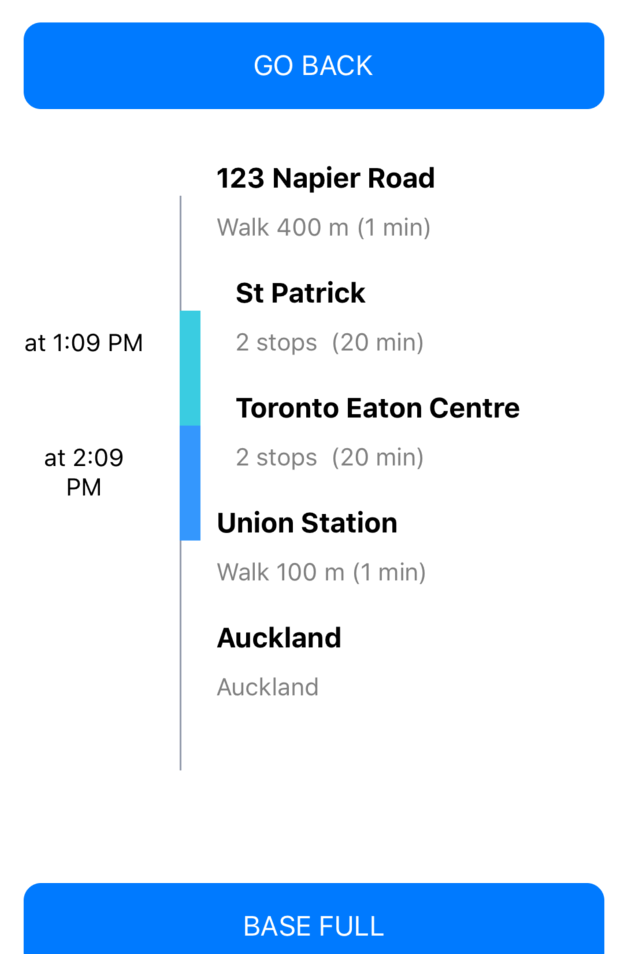
When having different line width the timeline is not centered:
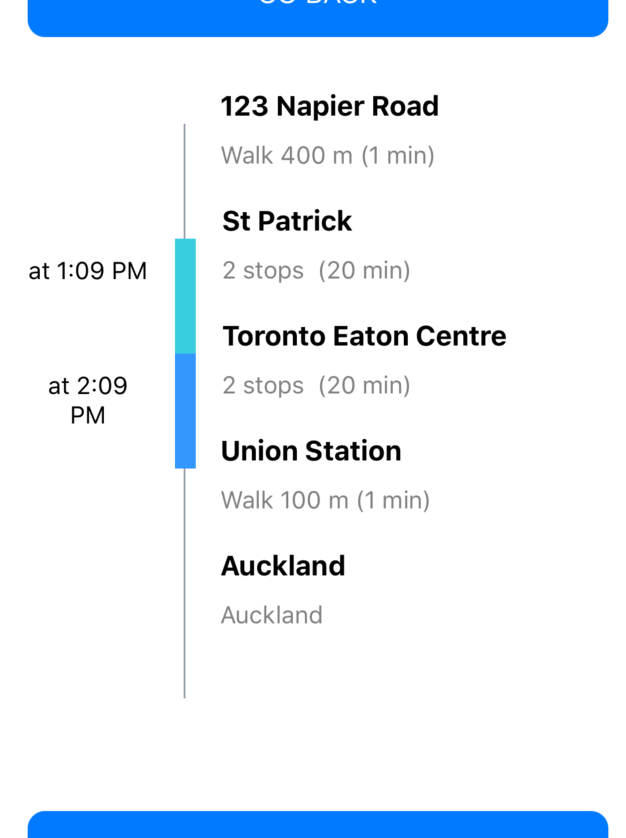
After this fix, it looks like this:

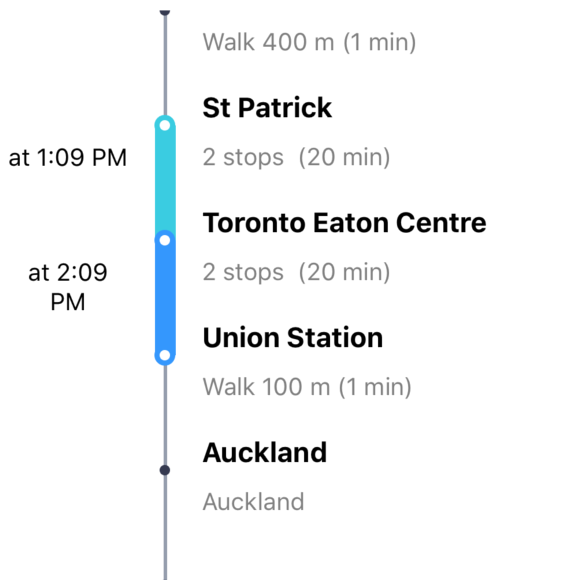
hi there, sorry I re-used the same PR to upload another fix: this is to center the circle in the middle of the two segments like this:
Hey, I'll take a look at this soon. I like the idea, I'm just not fully convinced it should be the default, especially with no way to undo it.

Hi @Johan-dutoit I've updated the PR with an extra parameter centerLineAndCircle to enable this alignment.
Otherwise it should work as before.
@Johan-dutoit if you are interested in this one I can port this one to the 2.0
@lidio601 Definitely interested in this one. What's your thinking around it? perhaps making it a preset?