

 JaidedAI
When I use DBnet, and set like guide, it pop up error.
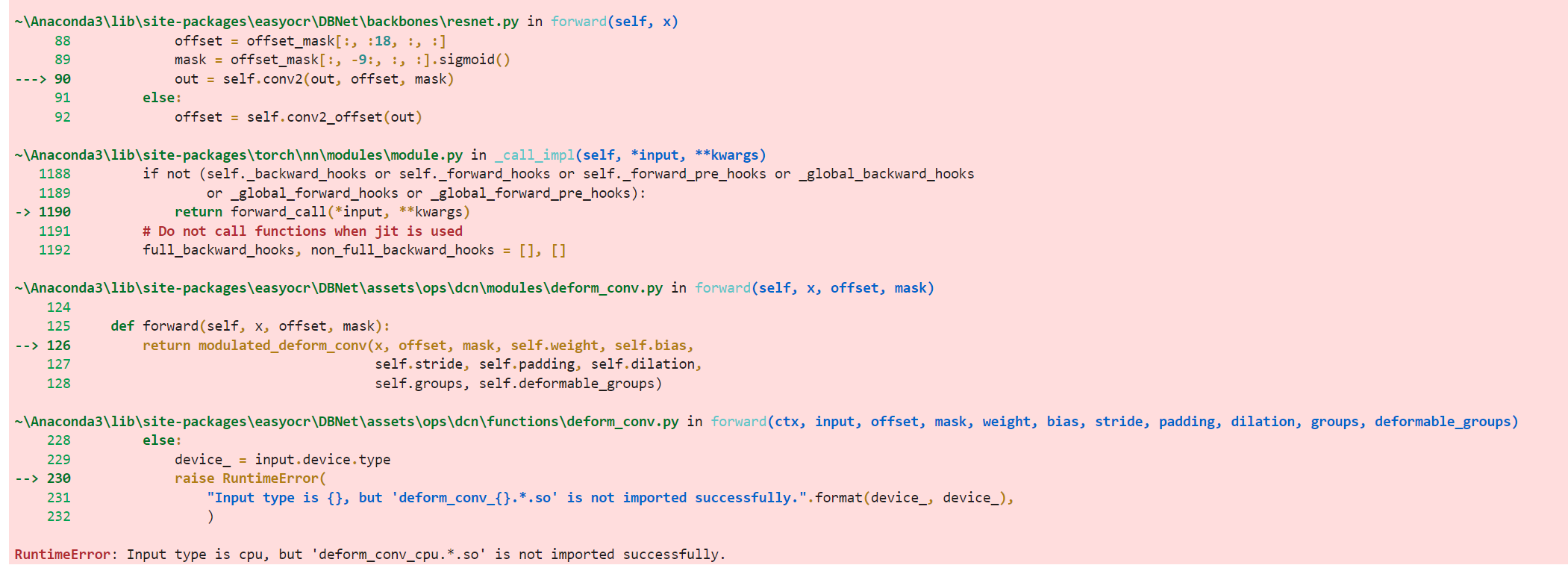
reader = easyocr.Reader(['en'],detect_network = 'dbnet18') "Input type is cpu, but 'deform_conv_cuda.*.so' is not imported successfully."
ENV: Win11; Python ENV: 3.8.8 in Jupyter


hi guys, did you solve it?
some how it didn't work, even
cuda detected as input device type
@JaidedTeam
I have been looking on this scripts
easyocr\DBNet\assets\ops\dcn\functions\deform_conv.py
it seems like there's nothing wrong (for me).
Actually, it did work when using detect_network = 'craft', I just curious how if we use dbnet.

I also faced the same error on Ubuntu 22.04, but I can have solved it.
The lack of a CUDA toolkit can cause the failure to compile the source, raising the RuntimeError.
Before running the DBNet model, there are some logs about compiling the source for CPU and CUDA.
In my case, the lack of nvcc was the cause.
You might as well check this out.


Hi everyone!
In my case I had the same error caused by compilation of deform_conv_cpu failing:
/home/cesar/projects/EasyOCR/.venv/lib/python3.10/site-packages/torch/include/torch/csrc/python_headers.h:12:10: fatal error: Python.h: No such file or directory
   12 | #include <Python.h>
      |          ^~~~~~~~~~
compilation terminated.
This error is cause due to missing Python API for C programming. For Ubuntu you can install it with apt-get:
sudo apt-get install python3-dev
Not sure how to install it on other OS but it should be easy 🙂
