

 Jack000
Imported DFX has wrong dimentions
I exported my DXF from Fusion 360 and imported it back in to measure the long dimension.
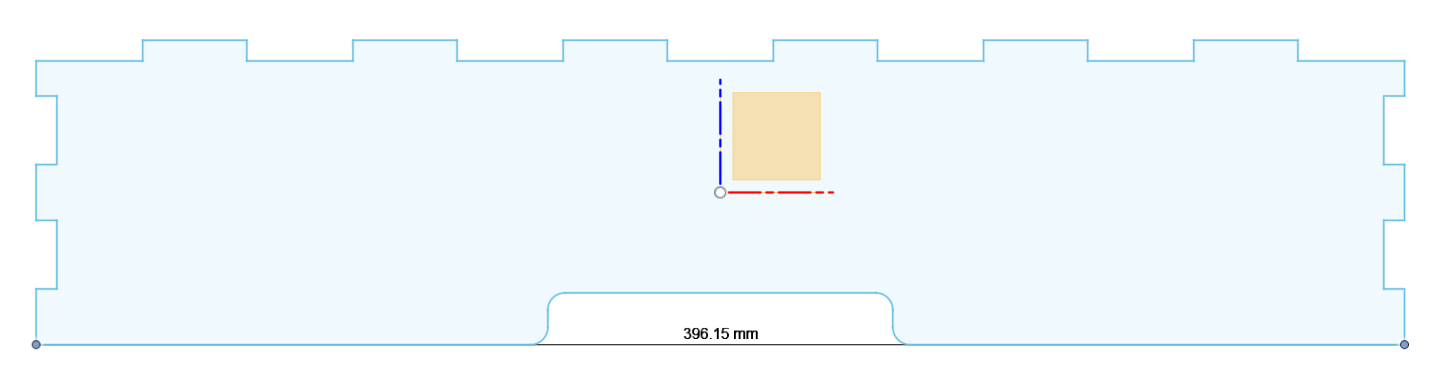
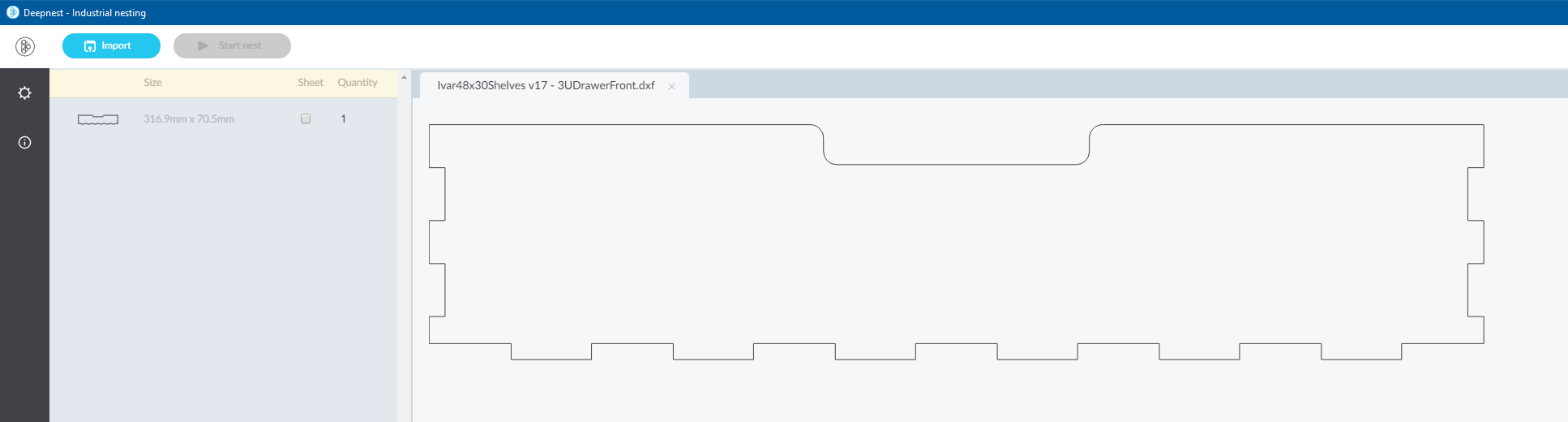
I then loaded it into Deepnest, and the dimensions do not match
I have attached the DFX I imported.
Ivar48x30Shelves v17 - 3UDrawerFront.zip
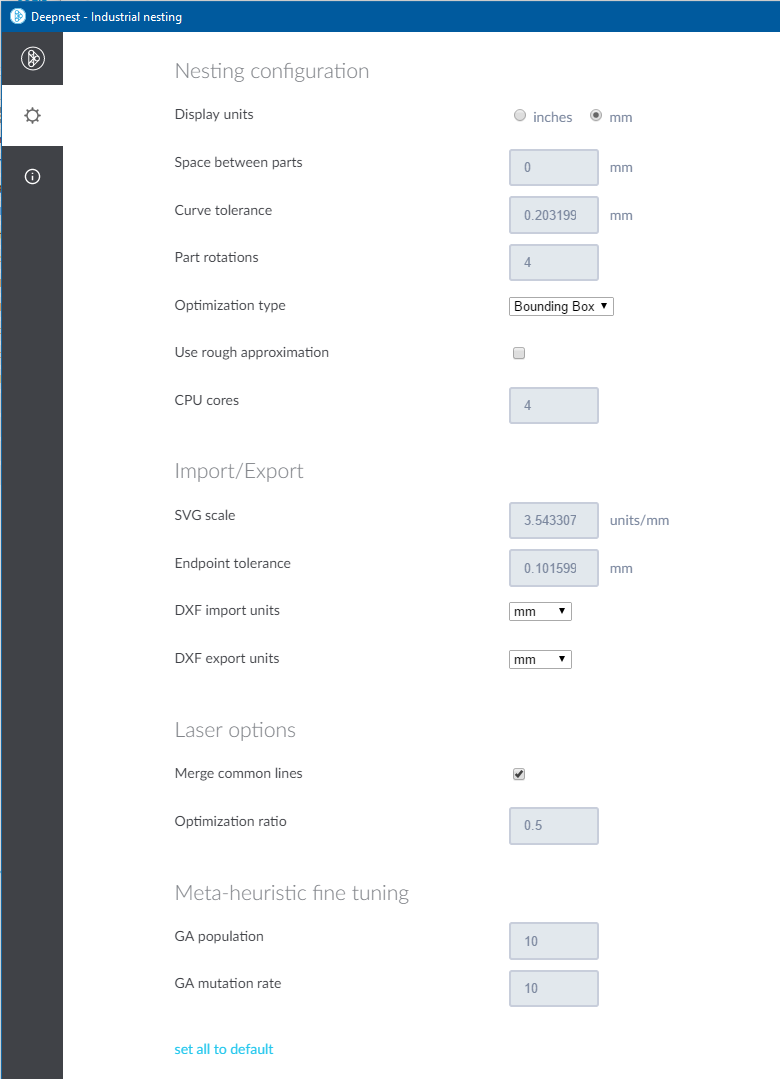
My settings are

May be a curve ball too far but if you're on Windows you could try the C#/Net6 port DeepNestSharp which does load your file and report the expected dimensions...
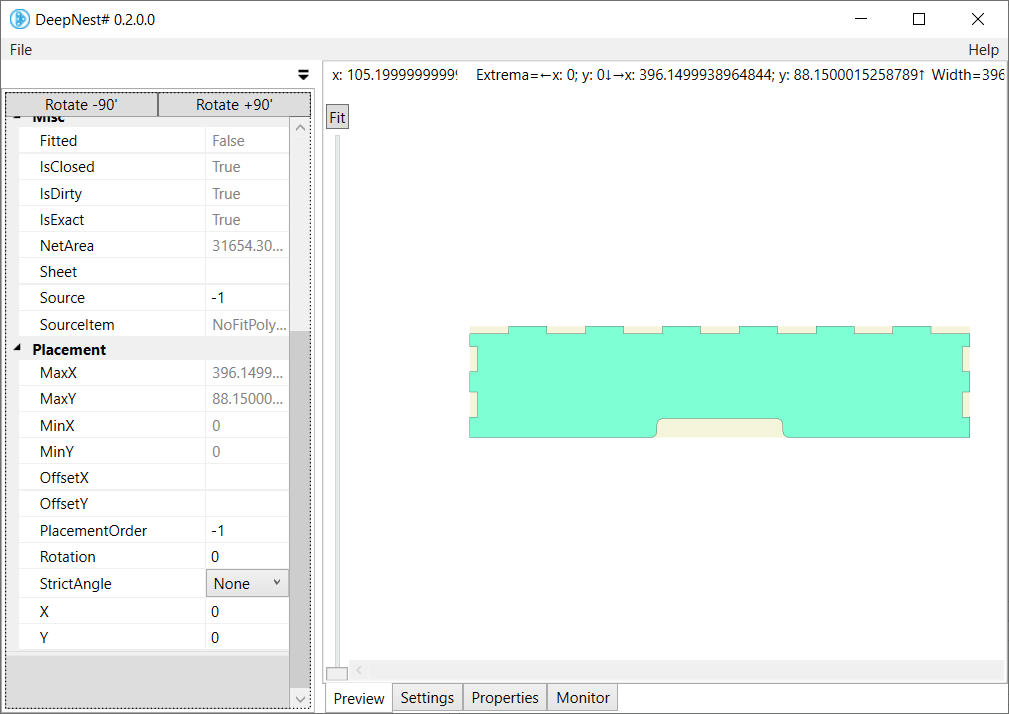

Thanks @9swampy That does indeed look as if it will solve my issue 😄 But I will leave the bug open here since it is still a problem for Deepnest.
@DAveShillito , I think it's your SVG scale is incorrect for this file. Starting with your settings posted above, try the following:
- Change Display Units to Inches
- Change SVG scale from 90 to 72 units/inch
- Change Display Units back to mm
- Confirm the part size is now 396.2mm x 88.2mm (it rounds off to the nearest .1 for display only)

@jbergengh, Thank you, that does indeed work.
I assume this means I should always set the SVG scale to 72 units/inch when importing DXF files from Fusion 360? Is there anyway I should have known that? i.e. an export setting in Fusion 360. It does seem unexpected to be changing the SVG scale when importing a DXF.
Nothing works for my case, I already made the files in Inkscape and Illustrator, tried changing resolution in settings and tried every export setting. Eventually I just went back to SVGnest, that actually works.
