

 JFormDesigner
How could I create badge icon by using Button?
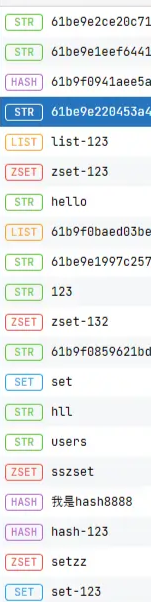

Hi @zjcscut ! Hope you are doing well!
One thing that you could do is create a custom component with a custom button ui using BasicButtonUI. This example uses Flatlaf version 3.1.1.
In this case, a made a class called BadgedLabel that extends JPanel with a JButton and a JLabel in constructor constrained with the BoxLayout. The BadgedLabel class will be used as a model object in CustomList that extends JList and implements ListCellRenderer<BadgedLabel>. The BadgedLabel also contains the BadgeButtonUI which will be used to customize the JButton UI.
Inside CustomList we can create the BadgedLabel object and add to the JList custom model.
I hope I was able to help in someway!

FlatLaf 3.5 (not yet released), will make it easy to create badges using JLabel:
FlatLaf styling allows you to define badge style in FlatLaf properties files.
Following sample creates badges shown in above screenshot.
This requires latest 3.5-SNAPSHOT: https://github.com/JFormDesigner/FlatLaf#snapshots
Create file com/badgesamples/FlatLightLaf.properties:
[style]Label.myRedBadge = \
    arc: 999; \
    border: 2,8,2,8,#f87171; \
    foreground: #dc2625; \
    background: #fef2f2

[style]Label.myYellowBadge = \
    arc: 12; \
    border: 2,8,2,8,#fbbf23; \
    foreground: #d97707; \
    background: #fffbeb

[style]Label.myGreenBadge = \
    arc: 999; \
    border: 2,8,2,8; \
    foreground: #1f9669; \
    background: #abf6d3

[style]Label.myBlueBadge = \
    arc: 999; \
    border: 2,8,2,8; \
    foreground: #fff; \
    background: #4f46e5
File com/badgesamples/BadgeSample.java:
package com.badgesamples;

import java.awt.*;
import javax.swing.*;
import com.formdev.flatlaf.*;

public class BadgeSample
{
    public static void main( String[] args ) {
        SwingUtilities.invokeLater( () -> {
            FlatLaf.registerCustomDefaultsSource( "com.badgesamples" );
            FlatLightLaf.setup();

            JFrame frame = new JFrame( "Badge Sample" );
            frame.setDefaultCloseOperation( JFrame.EXIT_ON_CLOSE );

            JLabel redBadge = new JLabel( "Label" );
            JLabel yellowBadge = new JLabel( "Label" );
            JLabel greenBadge = new JLabel( "Label" );
            JLabel blueBadge = new JLabel( "Label" );

            redBadge.putClientProperty( FlatClientProperties.STYLE_CLASS, "myRedBadge small" );
            yellowBadge.putClientProperty( FlatClientProperties.STYLE_CLASS, "myYellowBadge small" );
            greenBadge.putClientProperty( FlatClientProperties.STYLE_CLASS, "myGreenBadge small" );
            blueBadge.putClientProperty( FlatClientProperties.STYLE_CLASS, "myBlueBadge small" );

            JPanel panel = new JPanel( new FlowLayout() );
            panel.setBackground( Color.white );
            panel.add( redBadge );
            panel.add( yellowBadge );
            panel.add( greenBadge );
            panel.add( blueBadge);

            frame.add( panel );

            frame.setSize( 400, 100 );
            frame.setVisible( true );
        } );
    }
}
The style small (used in putClientProperty()) is predefined in FlatLaf and uses a smaller font.
See https://www.formdev.com/flatlaf/typography/
You can omit that, or use mini if you even need smaller text.
Of course, it is also possible to create badges without properties files:
JLabel redBadge = new JLabel( "Label" );
redBadge.putClientProperty( FlatClientProperties.STYLE, "arc: 999; border: 2,8,2,8,#f87171" );
redBadge.setForeground( new Color( 0xdc2625 ) );
redBadge.setBackground( new Color( 0xfef2f2 ) );

JLabel yellowBadge = new JLabel( "Label" );
yellowBadge.putClientProperty( FlatClientProperties.STYLE,
    "arc: 12; border: 2,8,2,8,#fbbf23; foreground: #d97707; background: #fffbeb" );
yellowBadge.putClientProperty( FlatClientProperties.STYLE_CLASS, "small" );
See also issue #842
