

 GraphiteEditor
Mask Mode for creating a marequee selection
Intro:
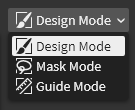
Mask Mode (Q to enter and return to Design Mode) is used to select parts of the document by drawing a mask, shown as marching ants over the main document. This mask is created with all the standard tools (vector/raster/etc.) and ends up as a group of layers that get plugged into the mask input of any layers subsequently modified in Design Mode (where the marching ants remain visible).
How to implement it:
Masking will work by creating a special folder with a unique folder ID, with an opacity of 50%, and everything you draw will be put into that folder while you're in Mask Mode. It'll appear on top of all other artwork (since it's always the top folder). When you return back to Design Mode, it gets hidden but is sent to JS for rasterization, and that resulting image becomes the mask. Marching ants are drawn in the frontend based on a threshold of that bitmap at a brightness of 150/255 (I'll have to figure out the best way to leverage web technologies to render that animation faithfully). The first step can be deleting the content in the selected layer by applying that rasterized mask as an image fed into a mask node at the layer's graph output.
Further description of the desired feature behavior:
At any time while in the viewport, Q may be pressed to enter mask mode. The underlying canvas seen before entering this mode is still shown, but masks are drawn as marching ants (or other optional overlays) above the main document content. While in this mode, an island layer group is provided as the destination for drawing new mask layers using the regular set of tools. The Layer Panel also still shows the underlying main document, which lets the user select layers as contextual inputs for tools that are aware of input layers, like the Fill Tool. Rather than showing the full-color shapes over the main document canvas, they are overlaid in outline view mode, or maybe a reduced opacity (perhaps user configurable), and surrounded by a marching ants marquee outline.
The mask group may be isolated (meaning it becomes the full render output to the viewport instead of being drawn on top of the main artwork, and a breadcrumb trail is shown leading from the document to the isolated/orphaned group/subgraph) which makes the viewport output show the mask in grayscale and has the Layer Panel host the contents of the mask group. While in mask mode, the working colors are temporarily replaced with a grayscale pair. Certain tools, such as the Freehand Tool and Pen Tool, may default to a "closed" form in mask mode by turning off stroke and setting fill to white in order to provide functionality akin to the lasso or polygonal lasso selection tools. Q may be hit again to exit mask mode, but the marching ants still show up over the artwork while a selection exists. But with the selection present, all tools used and commands performed will take into account the working mask. Esc will discard the working mask.
